D1 Servo Drive User Manual Tuning
HIWIN MIKROSYSTEM CORP. 6-59
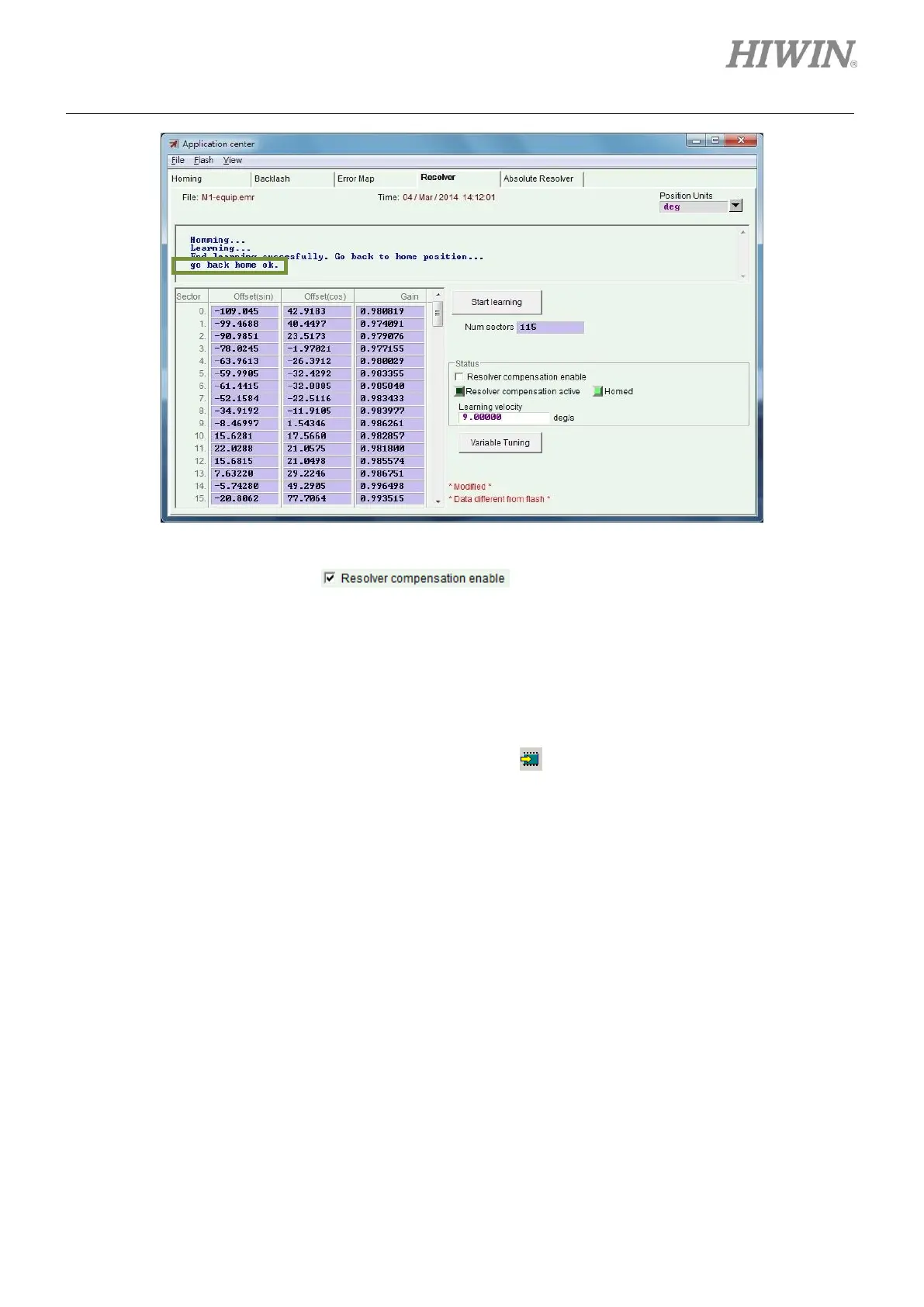
Figure6.10.1.2
Step 4: Check the checkbox of .
Step 5: Save the signal compensation table to Flash, please refer to step 4 to step 6 of setting Error
map function in section 6.9.1.
Step 6: Click on Variable Tuning button in Resolver tab of Application center. The servo drive will
drive the motor to find proper parameters. The velocity stability can be improved. This may take
around two minutes.
Step 7: Go to the main window of Lightening and click on to save parameters to Flash.
6.10.2 Enabling signal compensation function
The method of enabling signal compensation function is the same as the one of enabling Error map
function. Please refer to section 6.9.2.
6.10.3 Saving and opening signal compensation table
The methods of saving and opening signal compensation table are the same as the ones of saving and
opening Error map table. Please refer to section 6.9.3. The file extension of signal compensation table
is .emr.



 To Next Page