D1 Servo Drive User Manual Advanced Frequency Analysis
HIWIN MIKROSYSTEM CORP. 11-3
11.2 Frequency analyzer
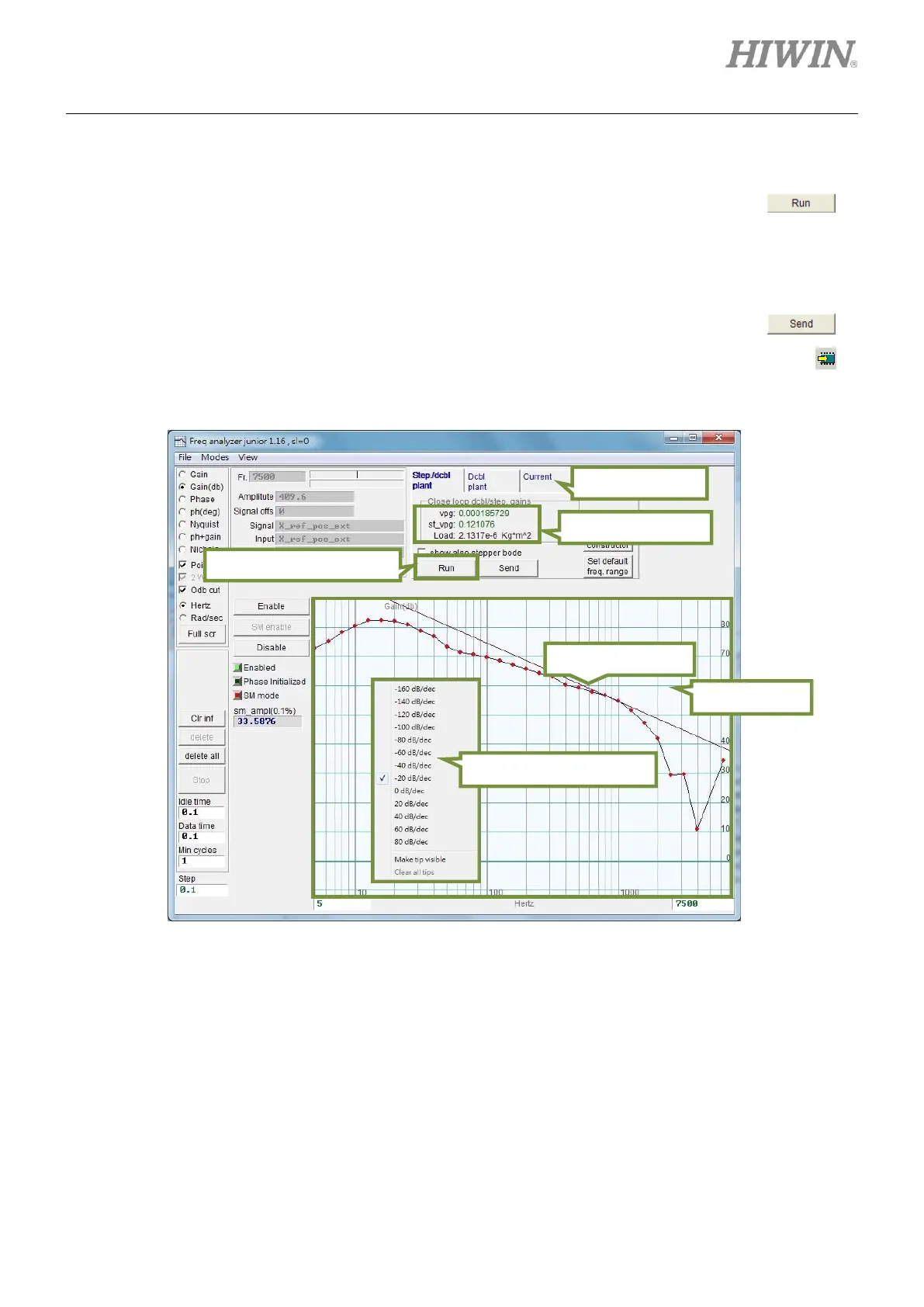
When frequency analyzer is opened, its default mode is “Stepper/Dcbl plant”. Click on to
measure frequency. It is normal to have sound or vibration while measuring frequency. After the
measurement completes, the result will be shown in the display area. Right click in the display area to
open slope measurement tool. Select slope -20 dB/dec and move the cursor to the segment of the same
slope. The program will automatically calculate the appropriate vpg and st_vpg. Click on to
send these parameters to the servo drive. To save the parameters to the servo drive Flash, click on in
the main window of Lightening.
Figure11.2.1
Start frequency analysis.



 To Next Page