Tuning D1 Servo Drive User Manual
6-2 HIWIN MIKROSYSTEM CORP.
6.1 Status display and Quick view
In Lightening, status display and Quick view are two essential tools which allow user to know the status of
the servo drive and the physical quantities for motion control.
6.1.1 Status display
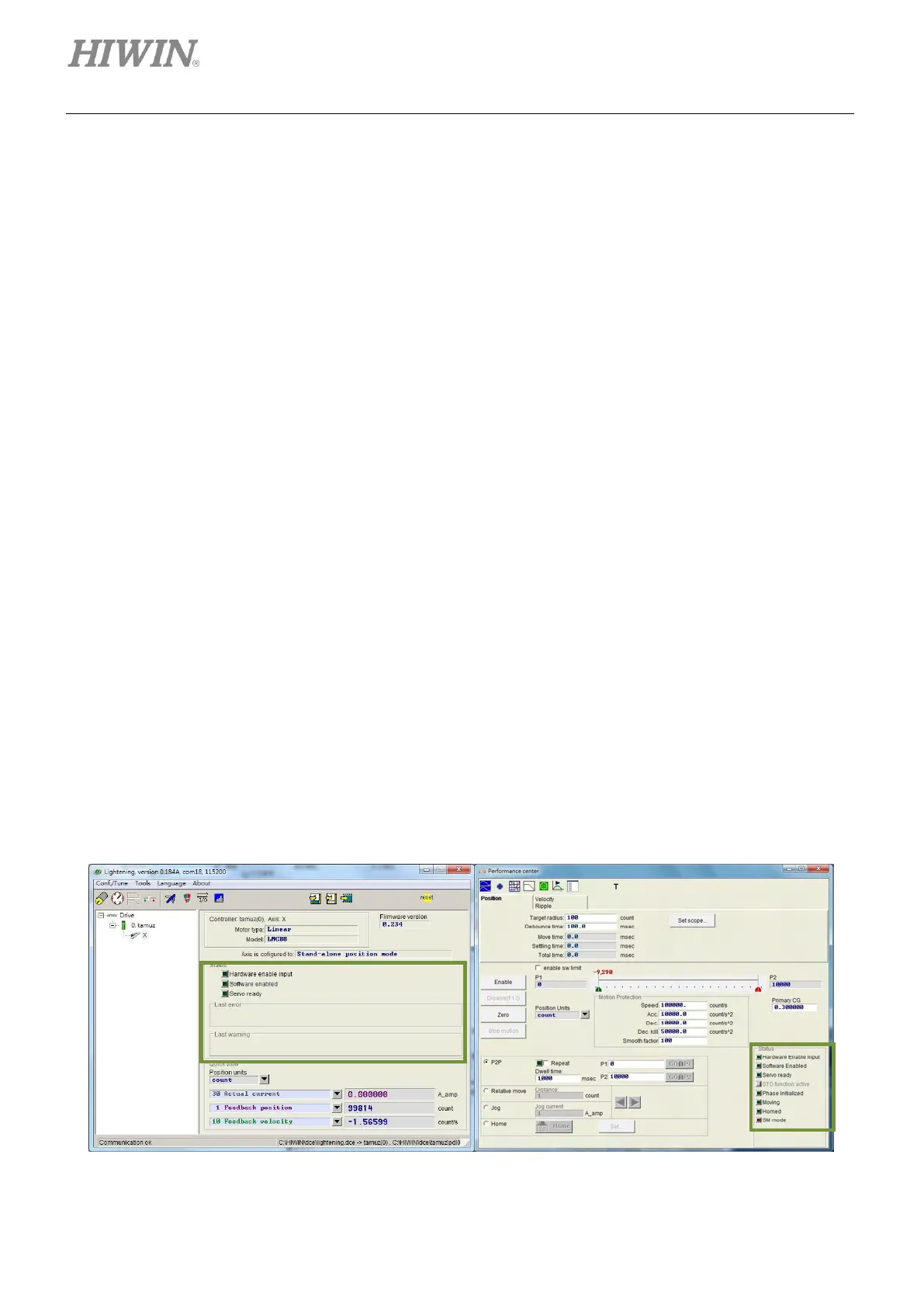
There are two status display areas in Lightening. One is in the main window and the other one is in
Performance center, please refer to figure 6.1.1.1. These status display areas show the status and the
error/warning message of the servo drive.
◼ Status
• Hardware Enable Input: Indicates if hardware enable signal is input.
• Software Enabled: Indicates if software enable is activated.
• Servo ready: Indicates if motor is enabled.
• Phase Initialized: Indicates if phase initialization has completed.
• Moving: Indicates if motor is moving.
• Homed: Indicates if homing has completed.
• SM mode: Indicates if motor is enabled in SM mode.
◼ Error and warning messages
• Last error: Display the latest error message.
• Last warning: Display the latest warning message.
For more information, please refer to chapter 9.
Figure6.1.1.1 Status display



 To Next Page