Servo Drive Configuration D1 Servo Drive User Manual
5-24 HIWIN MIKROSYSTEM CORP.
5.2.5 Saving configuration
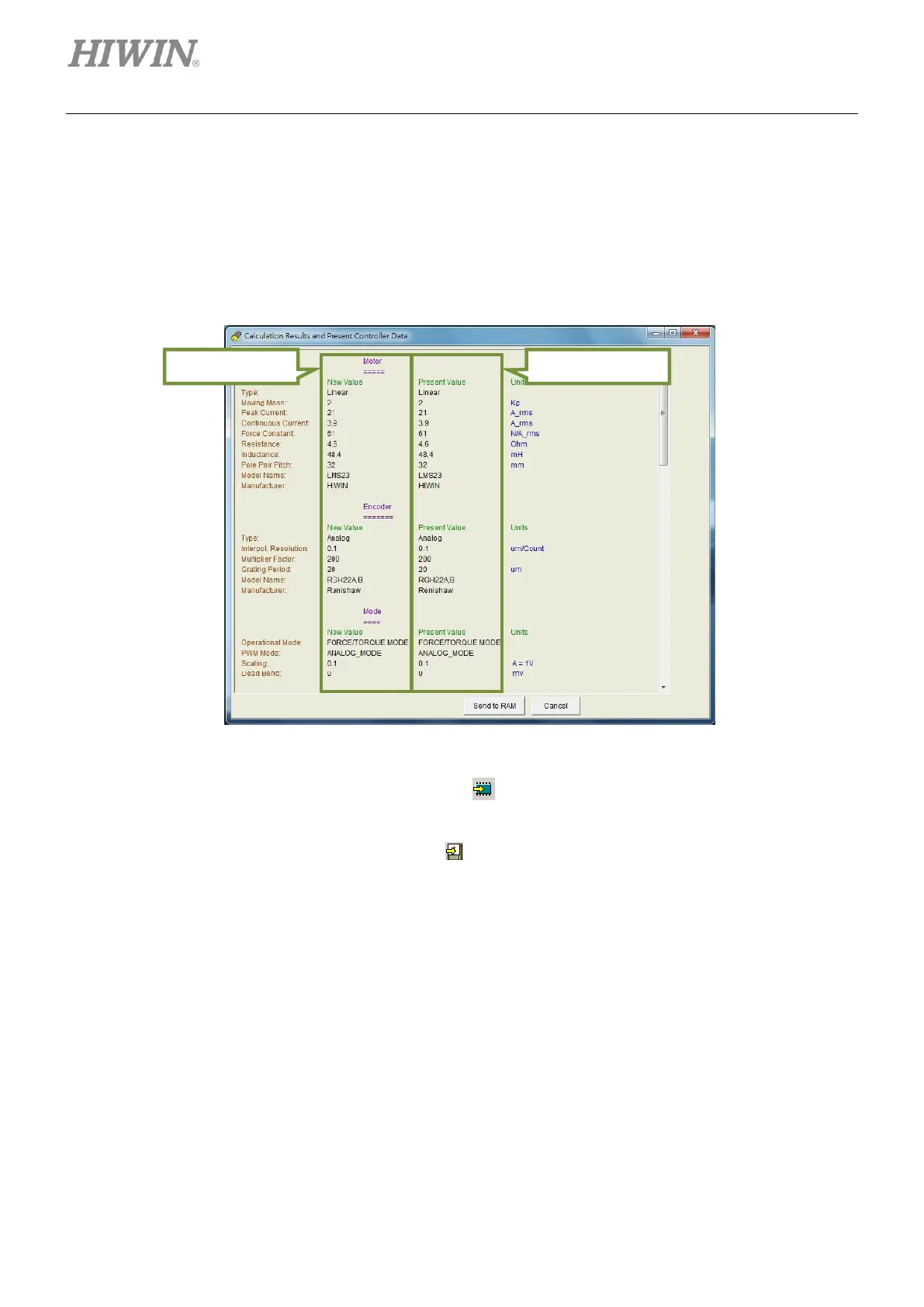
After the settings described in sections 5.2.1 to 5.2.4 are completed, click on OK button. Then the page in
figure 5.2.5.1 will appear and display the parameters of previous setting and current setting. Ensure the
parameters are correct and click on Send to RAM button to save these parameters to the servo drive
RAM. Click on Cancel button to return to Configuration center.
Figure5.2.5.1
If user would like to save the setting to Flash, click on (Save parameters from amplifier RAM to Flash)
on the toolbar. The setting will still be accessible after the 24 V power for the servo drive is turned off. If
user would like to save the setting as file, click on on the toolbar (Save parameter from amplifier RAM
to File). The file extension of that file is .prm.



 To Next Page