D1 Servo Drive User Manual Protection Function
HIWIN MIKROSYSTEM CORP. 8-9
8.4.2 Software limit protection
In addition to hardware limit protection, D1 servo drive also supports software limit protection. When
motor reaches the position of software limit, the servo drive only accepts motion command for moving the
motor towards the opposite direction.
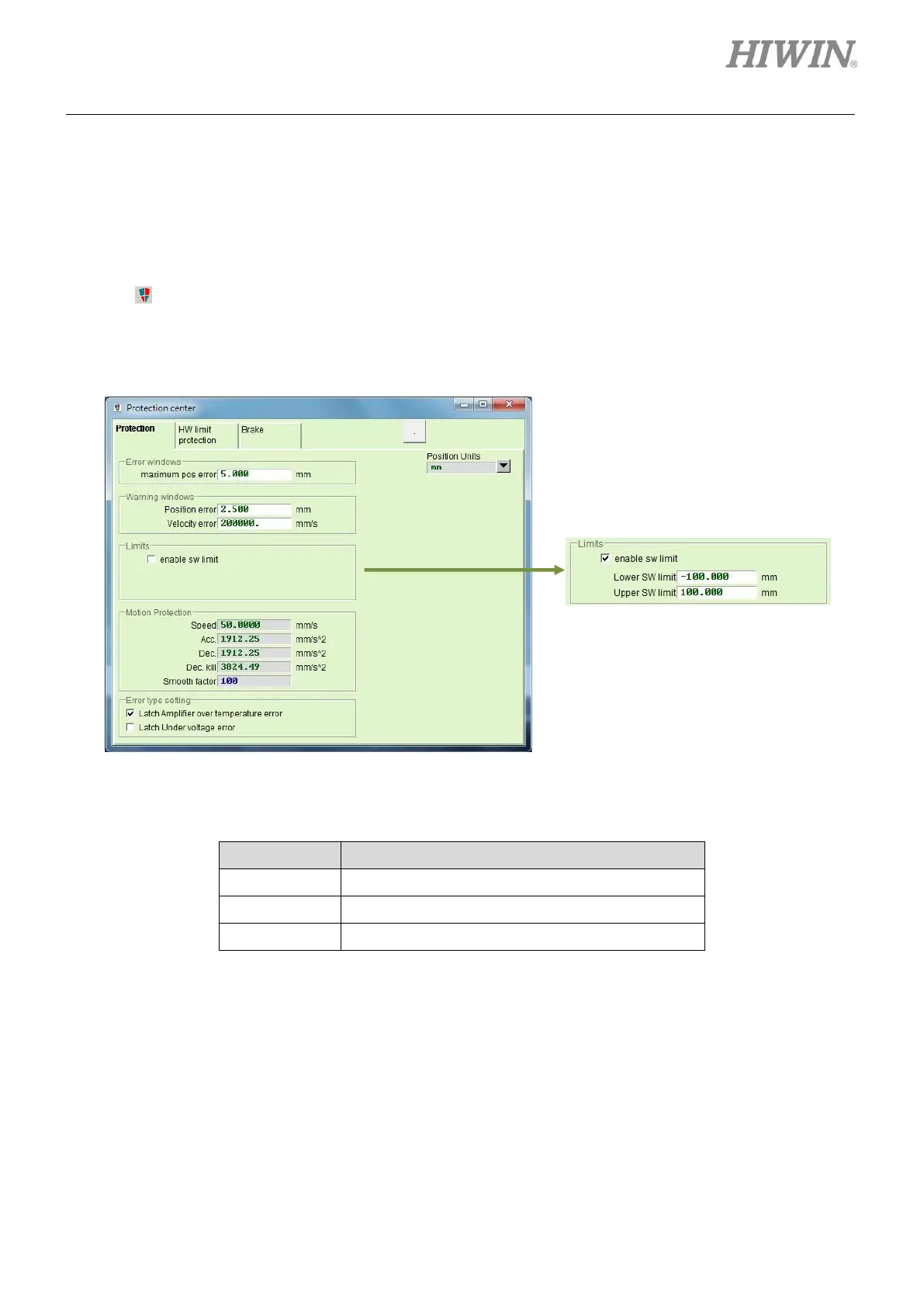
Click on to go to Protection center and select Protection tab. Software limits can be set in the setting
area of Limits. Check the checkbox of enable sw limit to set software limits. Software limit protection can
be enabled by checking the checkbox of enable sw limit in Performance center.
Figure8.4.2.1
Table8.4.2.1
Set to enable or disable software limit protection.
Set the position of negative software limit.
Set the position of positive software limit.



 To Next Page