D1 Servo Drive User Manual LCD Display
HIWIN MIKROSYSTEM CORP. 7-11
7.4.1 Save to Flash
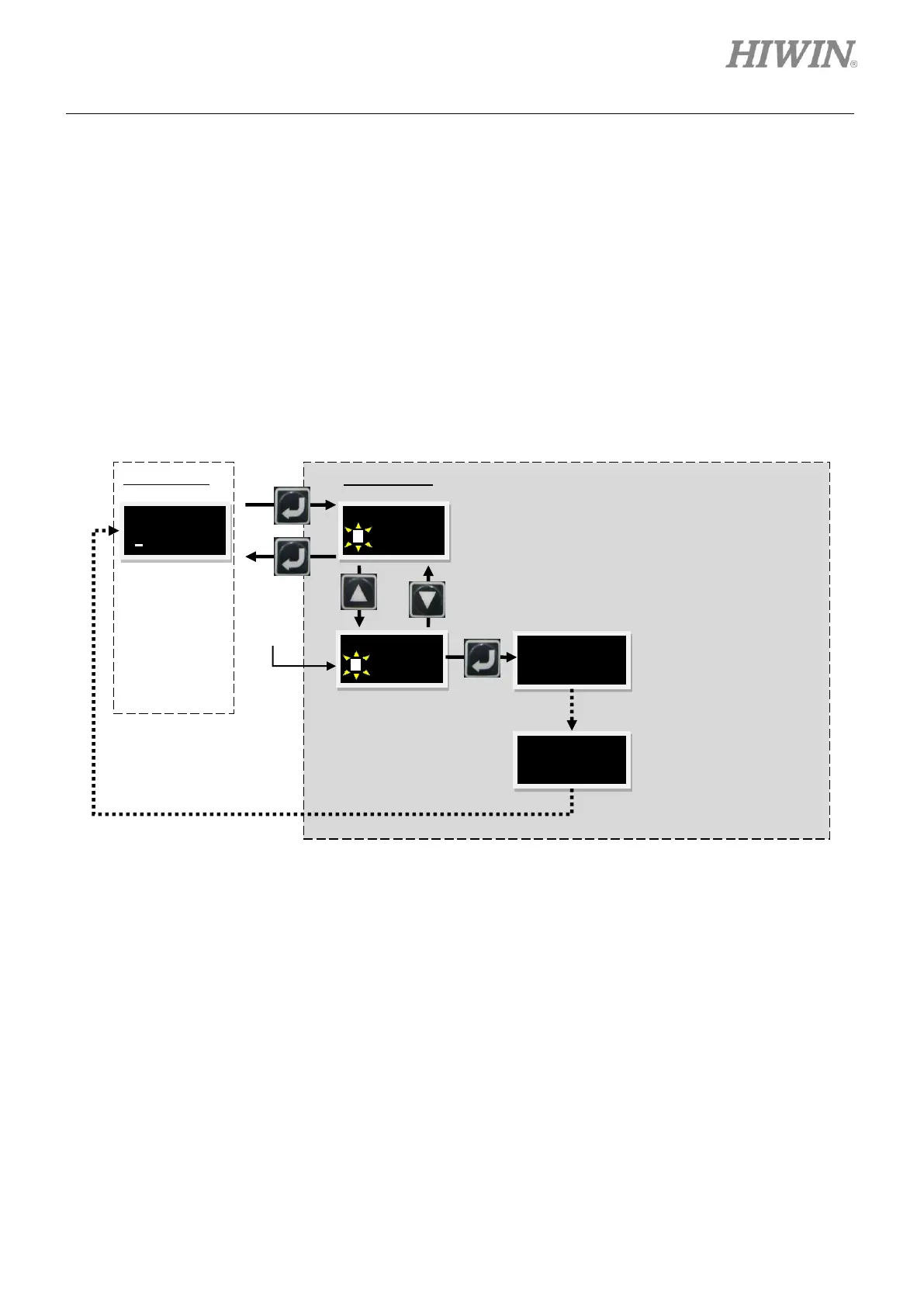
For how to save parameters from the servo drive RAM to Flash, please refer to below.
Step 1: Press Enter key and select SAVEFL (There is a blinking cursor on the left of the second line.)
Step 2: Press Up key or Down key to decide whether to save parameters from the servo drive RAM to
Flash. Select Yes to proceed.
Step 3: When motor is disabled, a message “PROCESS.” appears when Enter key is pressed. This
means parameters are being saved to Flash. A message “FINISH !” appears as the process
completes, please refer to figure 7.4.1.1. If Enter key is pressed as motor is enabled, the motor
will be disabled.
Figure7.4.1.1
7.4.2 Editing parameters
The parameters in the LCD display can be categorized into two types, enumerated type and
non-enumerated type. The parameters marked with “#” in table 7.4.3.1 are enumerated type. For
enumerated type, press Enter key to go to editing mode and set its value by pressing Up key or Down
key. For non-enumerated type, user needs to input value by himself. At this time, Up key and Down key
are used to move cursor or modify parameter value. Press F key to switch function. Take modifying
common gain (CG, LCD No. 065) as an example here. We assume that CG must be changed from 0.5 to
1.2. Go to the page of LCD No. 065 and follow the steps below.
Keys cannot be pressed
as the message
“PROCESS.”appears.
Keys cannot be pressed
as the message
“FINISH !” appears.



 To Next Page