Updating Firmware And Loading PDL D1 Servo Drive User Manual
14-2 HIWIN MIKROSYSTEM CORP.
14.1 Updating servo drive firmware
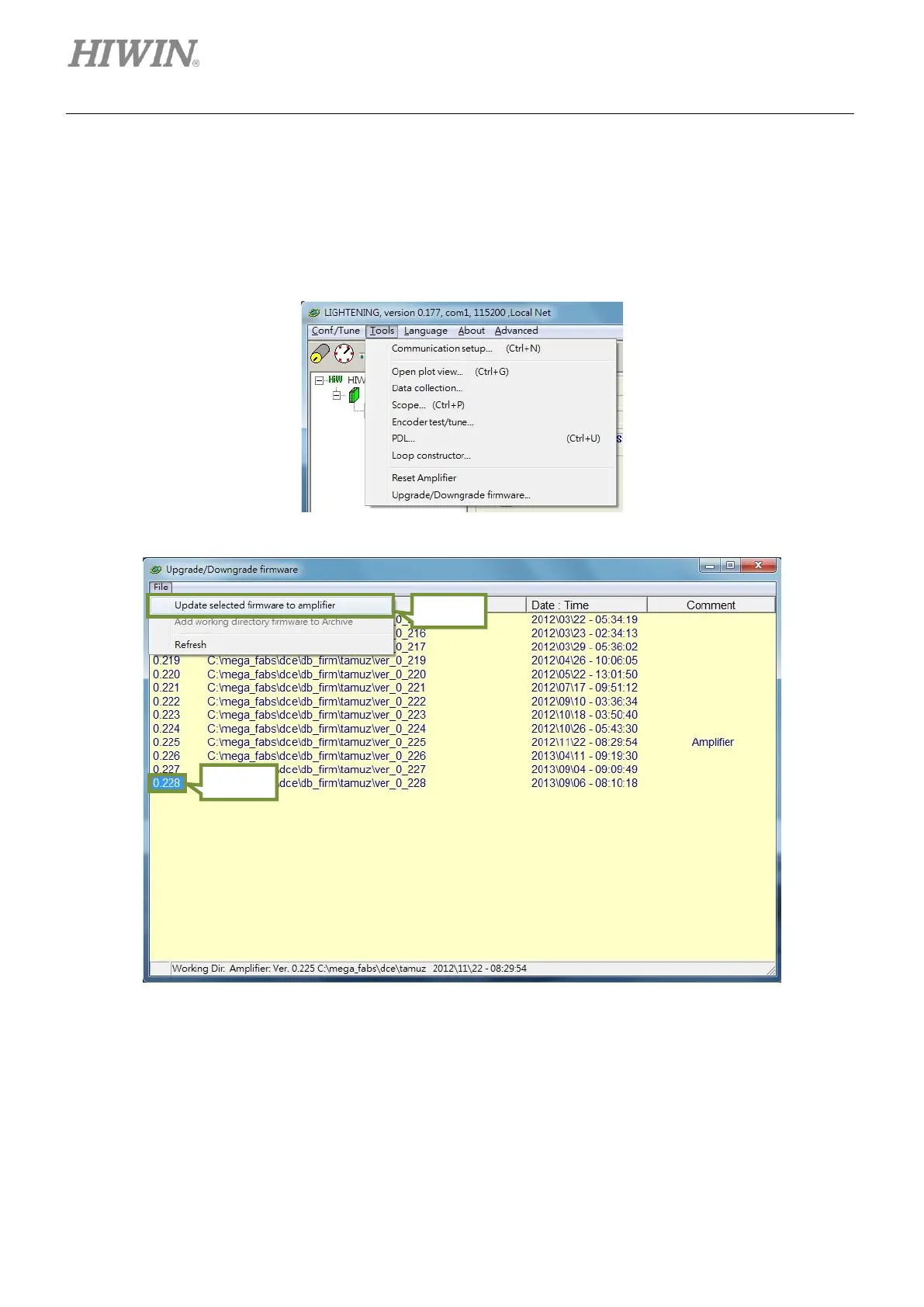
To update the firmware of the servo drive, click on Tools in the main window of Lightening. Select
Upgrade/Downgrade firmware from the submenu, as figure 14.1.1. Then window in figure 14.1.2
appears.
Figure14.1.1
Figure14.1.2 Upgrade/Downgrade firmware window



 To Next Page