D1 Servo Drive User Manual Updating Firmware And Loading PDL
HIWIN MIKROSYSTEM CORP. 14-3
In Upgrade/Downgrade firmware window, follow the steps below to update firmware.
Step 1: Left click on the firmware version to be updated. The selected firmware version will be shown in
white text on a blue background.
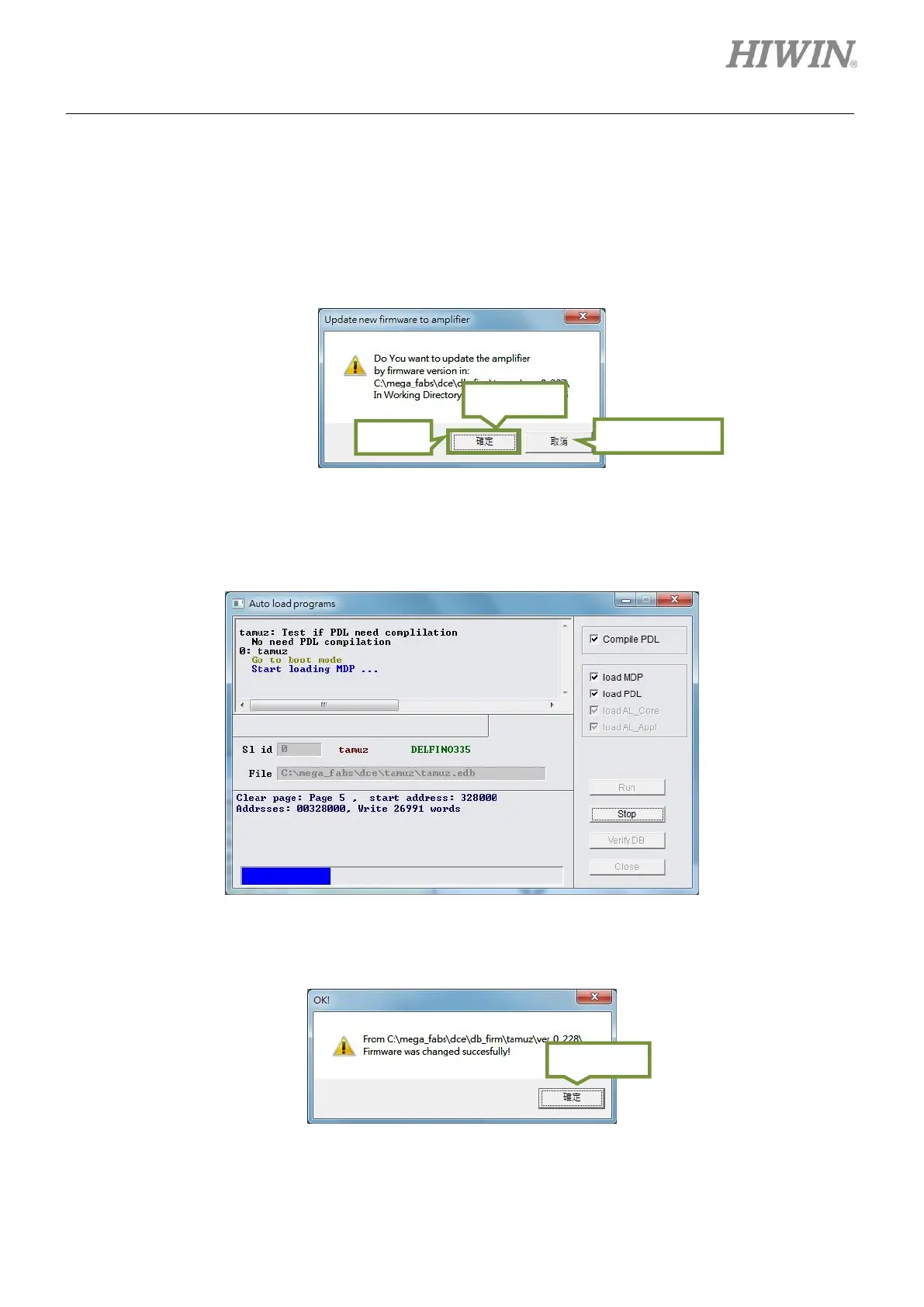
Step 2: Click on File and select Update selected firmware to amplifier. A message dialog shown as
figure 14.1.3 appears.
Figure14.1.3
Step 3: Click on Yes button and Auto load programs window appears. The firmware is loaded to the
servo drive automatically.
Figure14.1.4
Step 4: After the firmware is updated, a window shown as figure 14.1.5 appears. Click on Yes button.
Figure14.1.5



 To Next Page