D1 Servo Drive User Manual Tuning
HIWIN MIKROSYSTEM CORP. 6-49
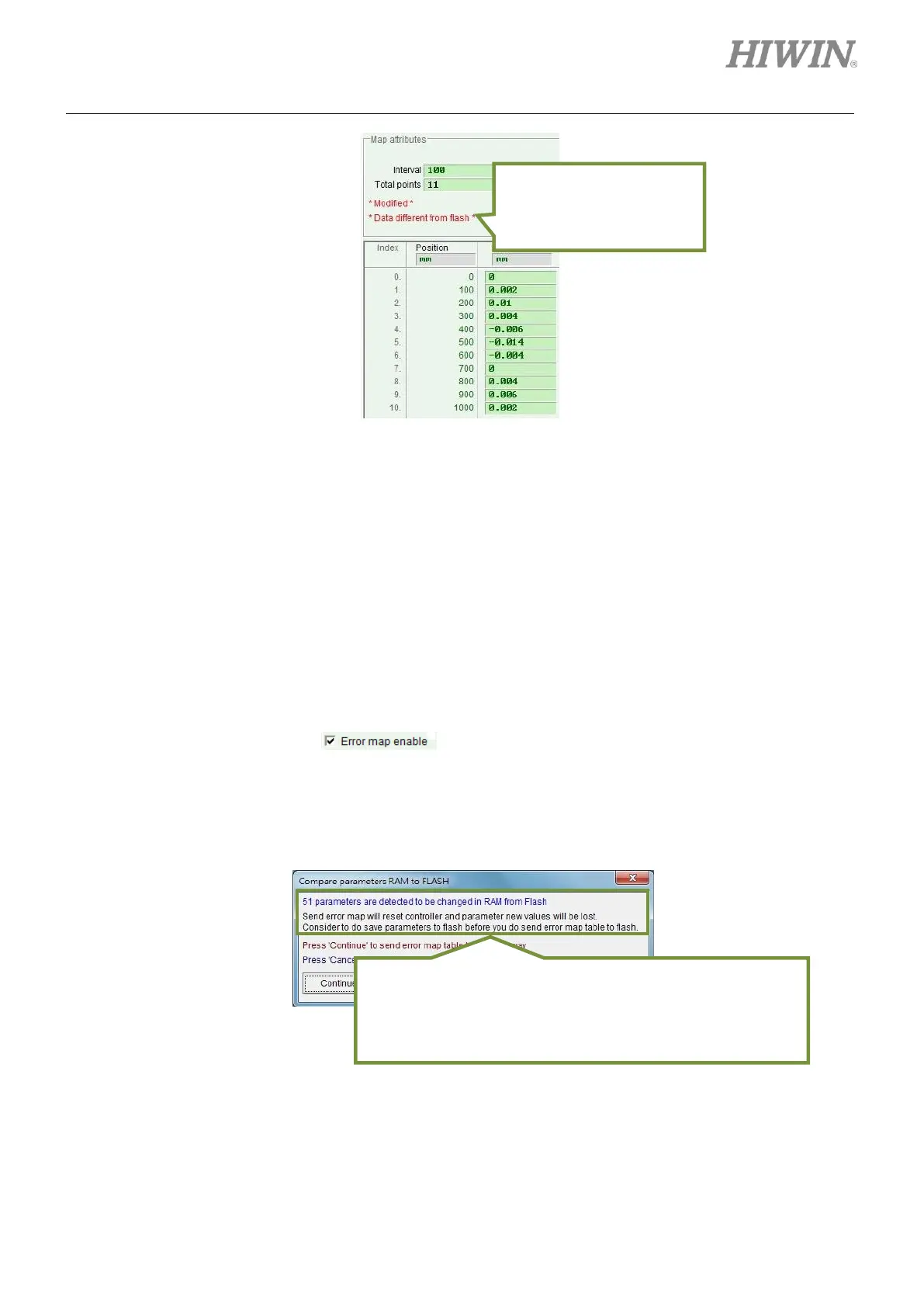
Figure6.9.1.2 Setting Error map function
Note:
1. After inputting errors into the fields of Error, the input values will be rounded to integer multiples of
encoder resolution. For instance, if encoder resolution is 2 μm, input value 1 μm will be converted to
2 μm. If input value is 0.5 μm, it will be converted to 0 μm.
2. The smallest digit of displayed accuracy is in third decimal place. Please select appropriate units for
Position and Error.
3. While using Error map function with torque motor, no matter how many revolutions the torque motor
has run for, as long as the position is the same, the compensation value is the same. Set the
compensation points for one revolution in the field of Total points. At this time, Interval cannot be
set.
Step 3: Check the checkbox of .
Step 4: Click on Flash on the menu bar and select Send table to Flash. If other parameters
(parameters not related to Error map function) have been modified but have not been saved to
the servo drive Flash, the window shown in figure 6.9.1.3 will appear. If not, please go to step 6.
Figure6.9.1.3
Reminding user that the
modified compensation
value has not been saved
to the servo drive Flash.
Clicking on Continue button to save Error map table to the
servo drive Flash will reset the servo drive. If parameters not
related to Error map function have been modified but have not
been saved to the servo drive Flash, please save these
parameters to the servo drive Flash first.



 To Next Page