D1 Servo Drive User Manual Servo Drive Configuration
HIWIN MIKROSYSTEM CORP. 5-13
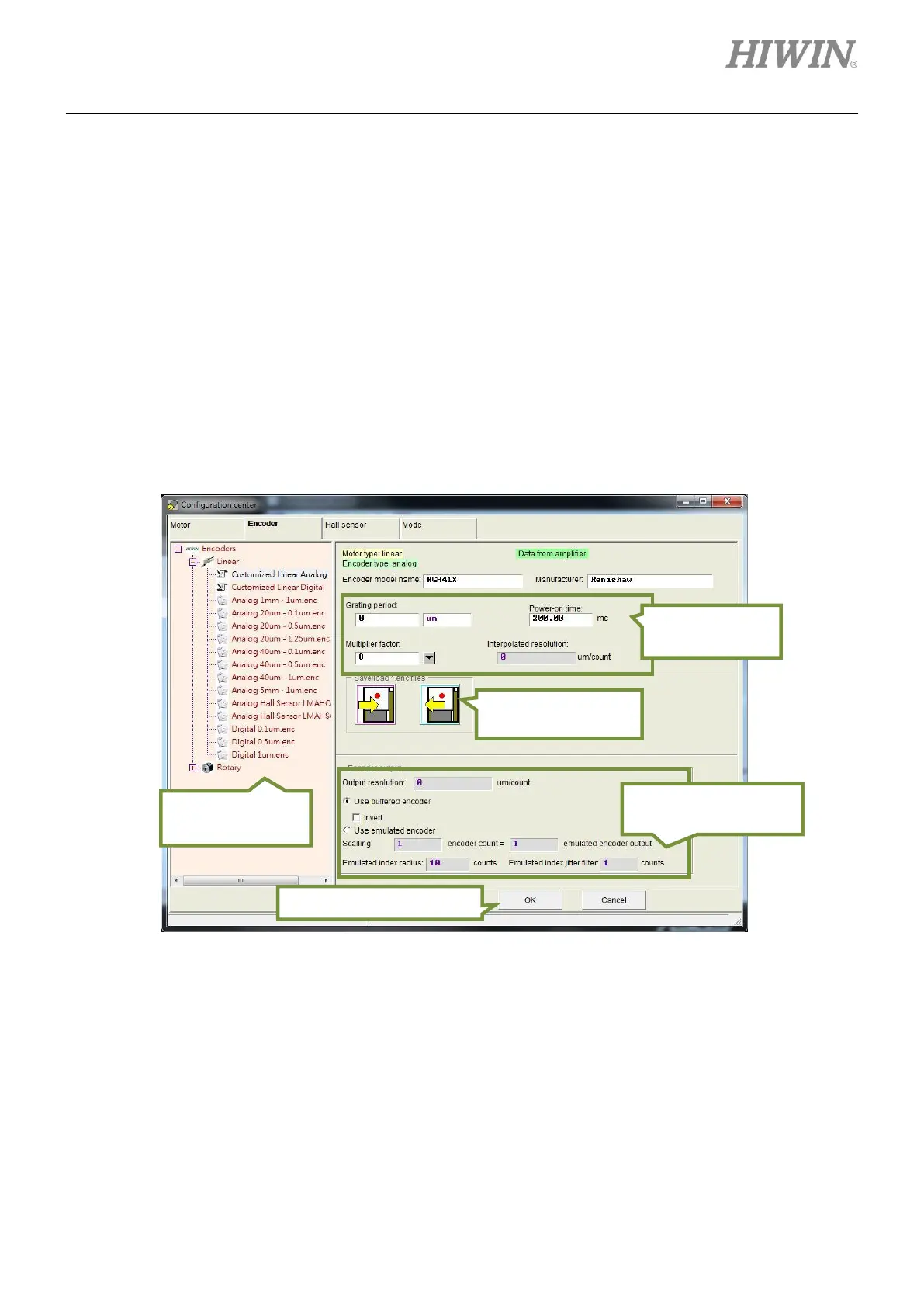
D1 servo drive can be used with digital encoder and analog encoder, such as optical scale, magnetic
scale, rotary encoder, etc. The supported encoders can be categorized into the following four types:
(1) Linear-digital encoder
(2) Linear-analog encoder
(3) Rotary-digital encoder
(4) Rotary-analog encoder
For commonly-used encoders of HIWIN, please refer to section 5.2.2.1. For user-defined encoder setting,
please refer to section 5.2.2.2. To work with controller, D1 servo drive provides buffered encoder output
and emulated encoder output to output encoder signal. When emulated encoder output is selected, the
output resolution can be changed by adjusting scaling. For more information, please refer to section
5.2.2.3.
Figure5.2.2.1 Interface for encoder setting
Save or load
encoder parameters
Encoder output setting
area
Confirm or cancel settings
Area for selecting
encoder model



 To Next Page