D1 Servo Drive User Manual Servo Drive Configuration
HIWIN MIKROSYSTEM CORP. 5-73
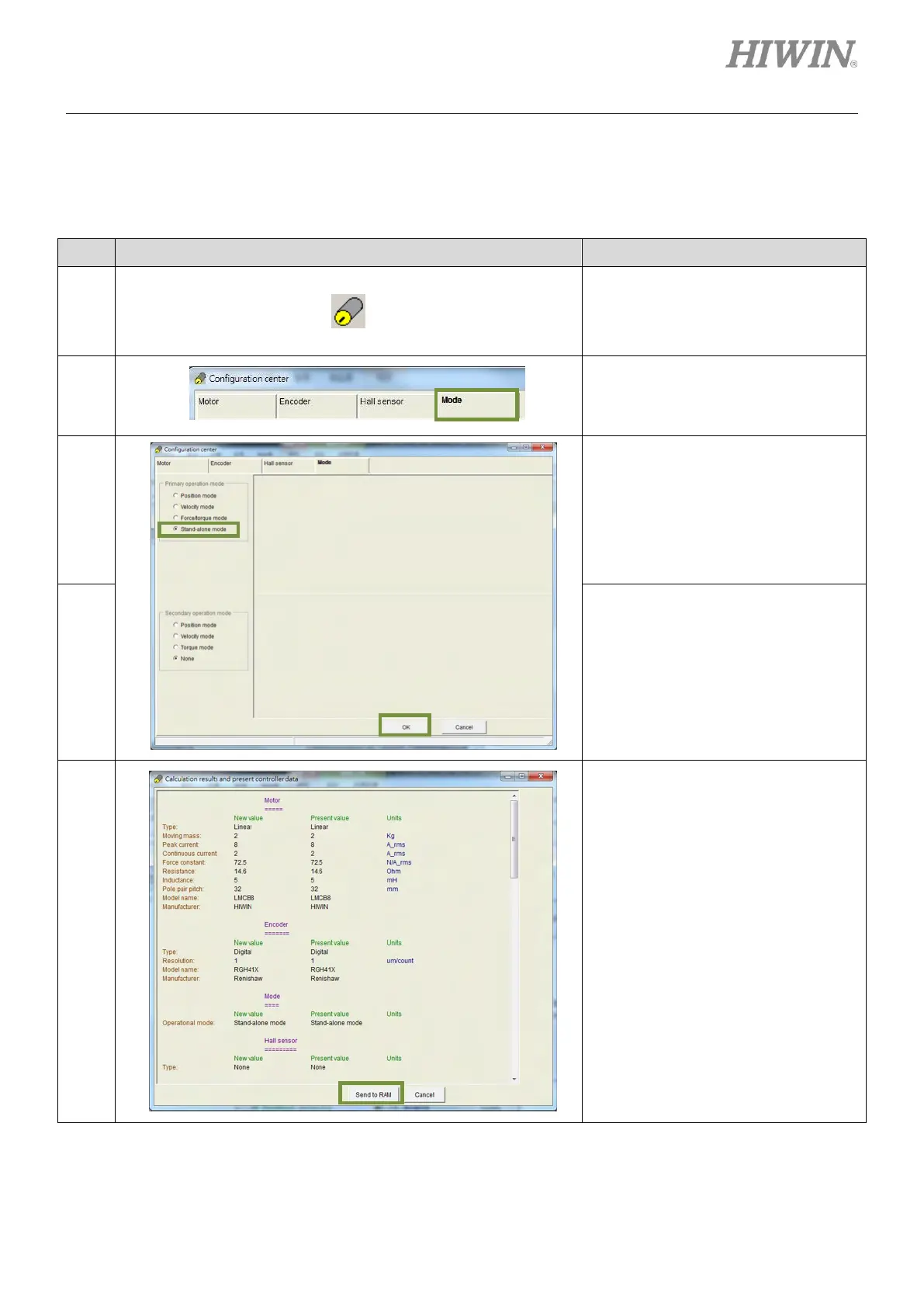
(1) Mode selection
For mode selection, please refer to below.
Table5.8.4.1
After Lightening is opened, click on the
icon of Configuration center on the
toolbar. Or click on Conf./Tune on the
menu bar and select Configuration
center.
In Configuration center, click on Mode
tab.
In the setting page of Mode, select
Stand-alone mode.
After setting, click on OK button.
Click on Send to RAM button to save
parameters to RAM.



 To Next Page