D1 Servo Drive User Manual Parameter Comparison
HIWIN MIKROSYSTEM CORP. 13-3
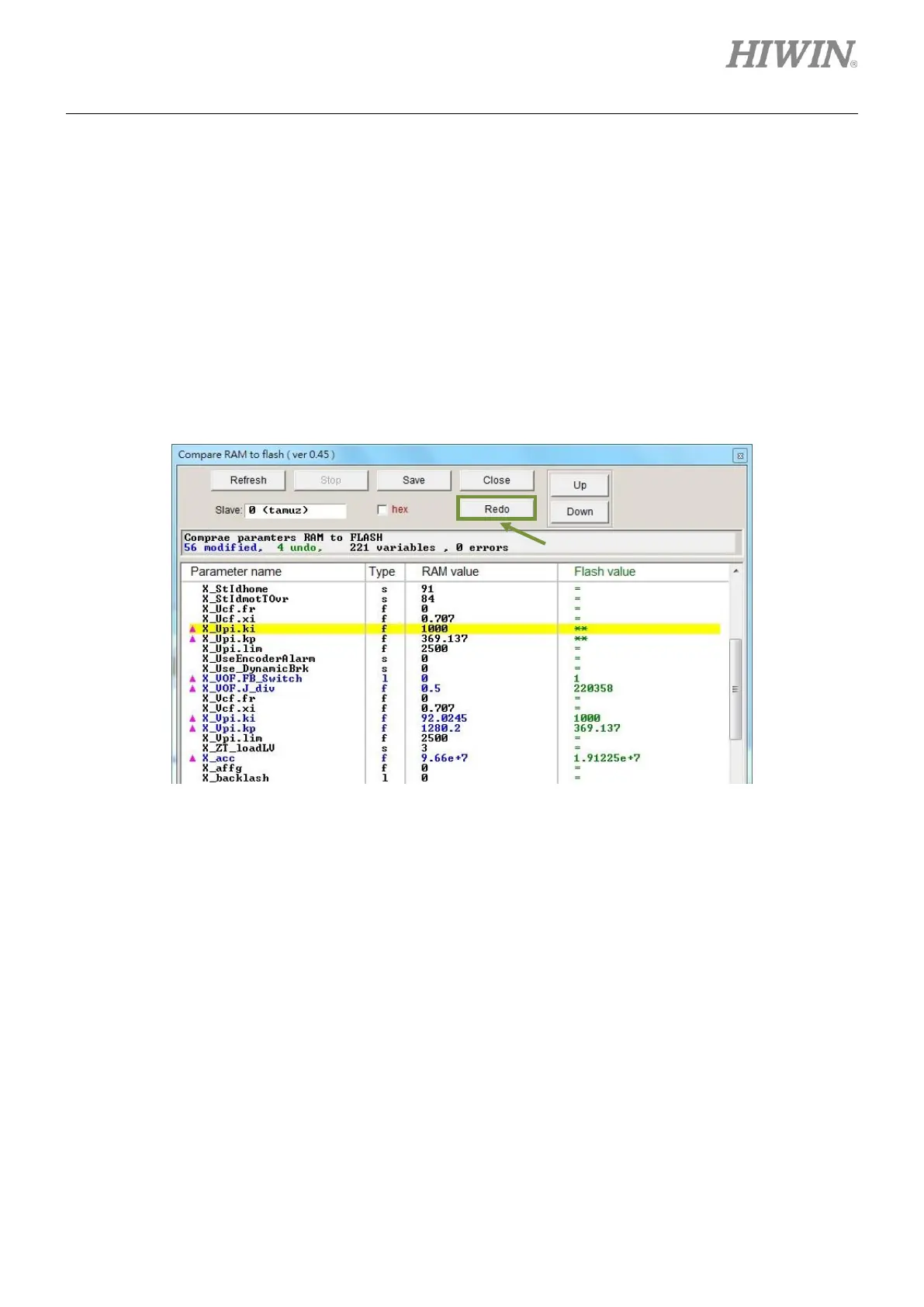
The buttons in Compare RAM to flash window are described as below:
○1 Save: Save parameter to the servo drive Flash.
○2 Close: Close the window.
○3 Up: Go to the previous parameter which has different settings in RAM and Flash.
○4 Down: Go to the next parameter which has different settings in RAM and Flash.
○5 Undo: Change the value of the selected parameter. Its value in RAM is changed to the one saved in
Flash.
○6 Refresh: Compare the parameters in RAM and Flash again.
○7 Redo: Cancel Undo of the selected parameter.
Figure13.1.3 Compare RAM to flash window



 To Next Page