L-INX User Manual 229 LOYTEC
Version 4.0 LOYTEC electronics GmbH
To Create an M-Bus Device Template Using Devices
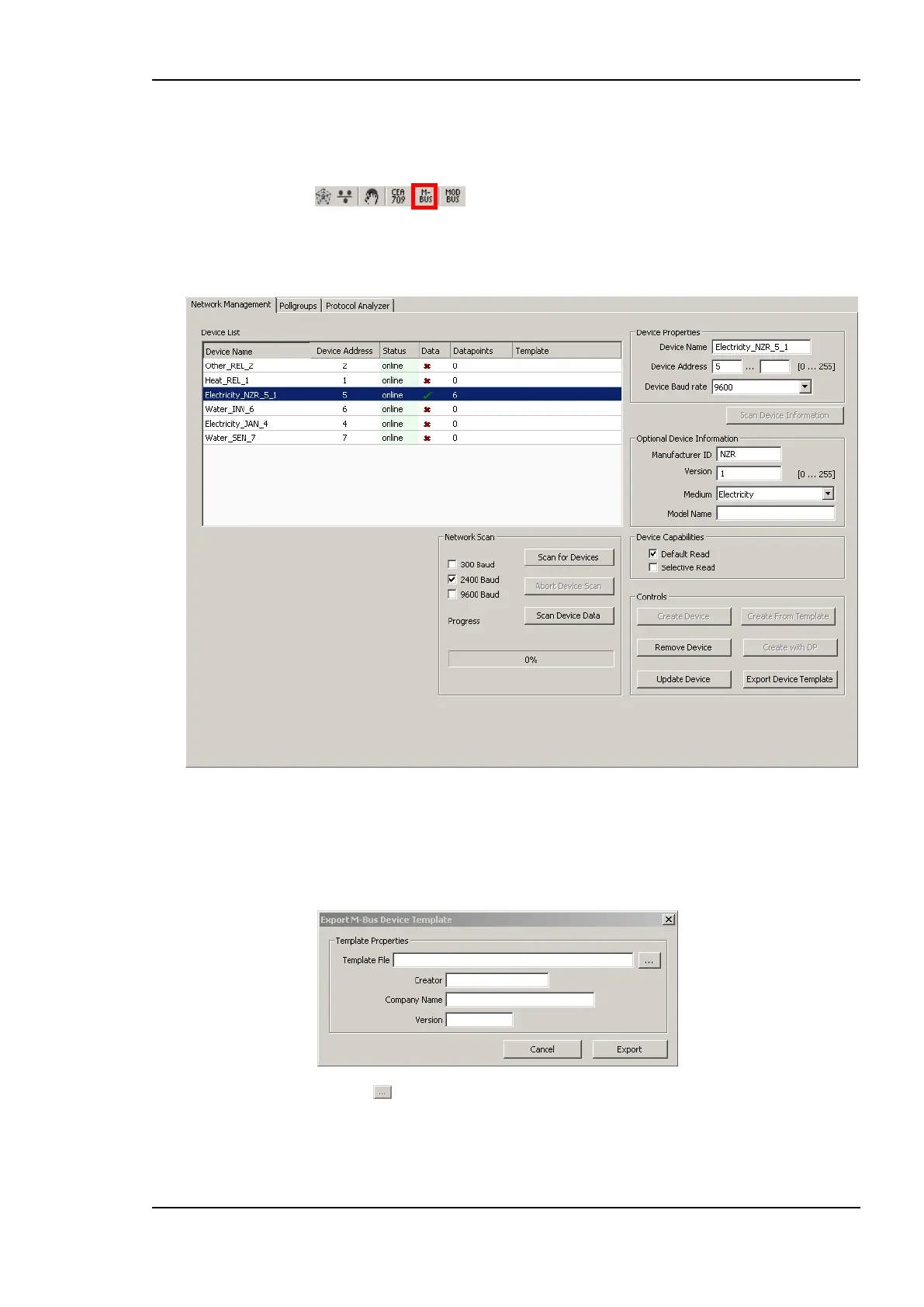
1. Select the M-Bus dialog by clicking on the M-Bus button
in the tool bar of the Datapoints tab. This opens the Network Management dialog as
displayed in Figure 178.
Figure 178 M-Bus Network Management dialog.
2. The device list shows all devices of the current configuration. Select a device.
3. Press the Export Device Template button. This opens the M-Bus Export Template
dialog.
4. Press the button and select a template file from the Save dialog.
5. Enter the Creator, Company Name and Version for the template. This information is
stored in the template file, when importing the template file the information is displayed
after selecting the file.



 To Next Page