L-INX User Manual 243 LOYTEC
Version 4.0 LOYTEC electronics GmbH
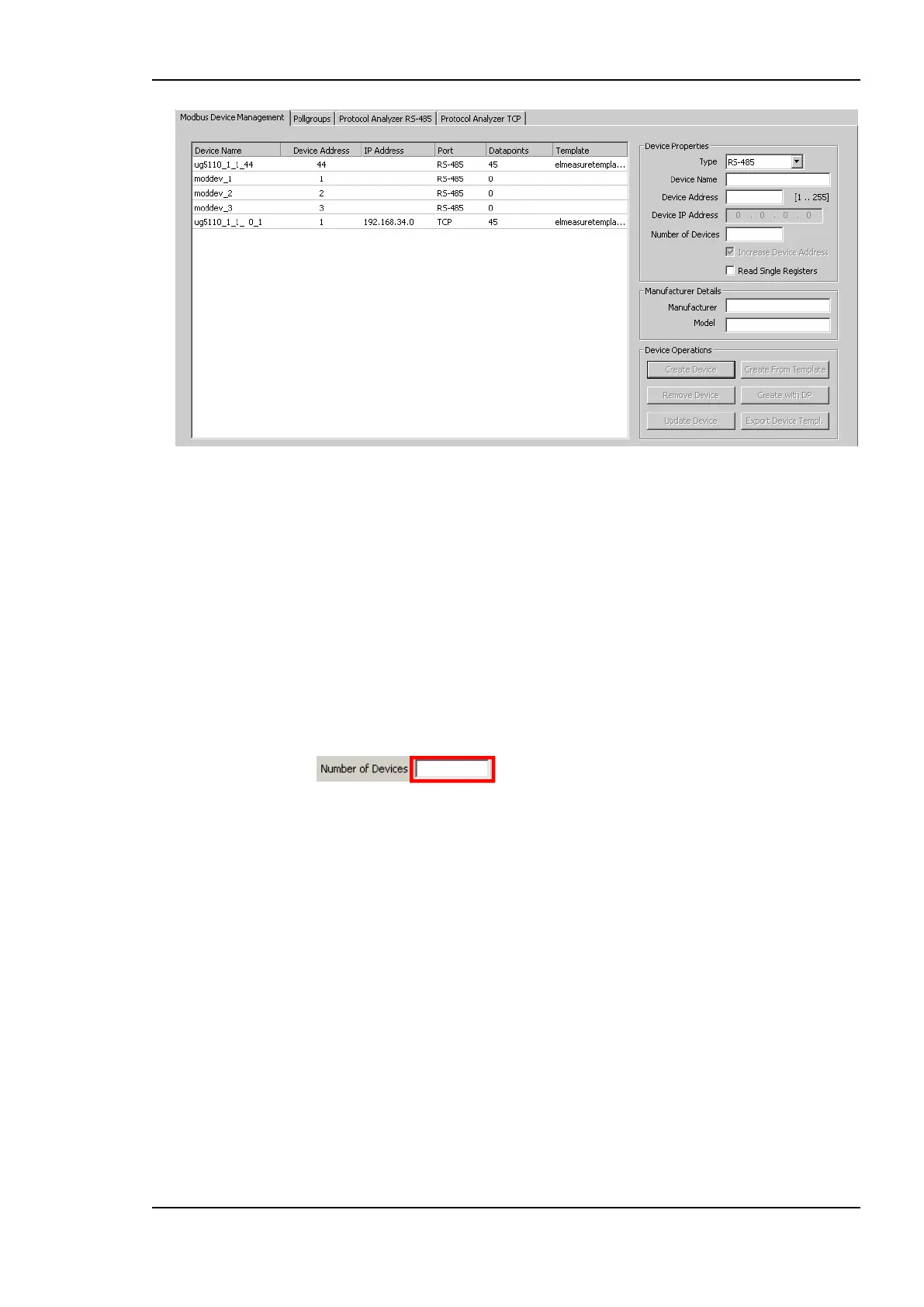
Figure 190: Modbus management dialog.
To Add a Modbus Device Manually
1. Fill in the Device Address and select the Type (either RS485 or TCP) from the drop
down box.
2. A Device Name can be specified. If no device name is specified, the device name is
created automatically. If more devices with the same properties have to be created
using subsequent addresses, the number of devices can be specified in the input field
under the Device IP Address field. If a number of TCP devices has to be created,
subsequent IP addresses are configured. If the checkbox Increase Device Address is
checked, also the Device Addresses (unit IDs) of the TCP devices are increased.
3. The Device Address specifies the address of the Modbus device ranging from 1 to 255.
In case of a TCP device the device address specifies the unit ID. For a RS-485 device
the device address has to be unique, TCP devices can have equal device addresses.
4. For TCP devices the Device IP Address has to be specified.
5. If the device is not able to read adjacent registers with one read command, activate the
checkbox Read Single Registers.
6. The optional manufacturer details just represent Manufacturer name and Model
name. This information is used to identify device templates.
7. Click on the Create Device button. This creates the Modbus device and adds it to the
device list on the left hand side of the dialog.
8. When a device is selected the device information is displayed in the appropriate fields
on the right hand side of the dialog. The information can be changed in the fields. Press
the Update Device button to store the changes.
9. If a device has to be deleted select the device and press the Remove Device button.



 To Next Page