L-INX User Manual 251 LOYTEC
Version 4.0 LOYTEC electronics GmbH
in the tool bar of the Datapoints tab. This opens the Modbus Management dialog.
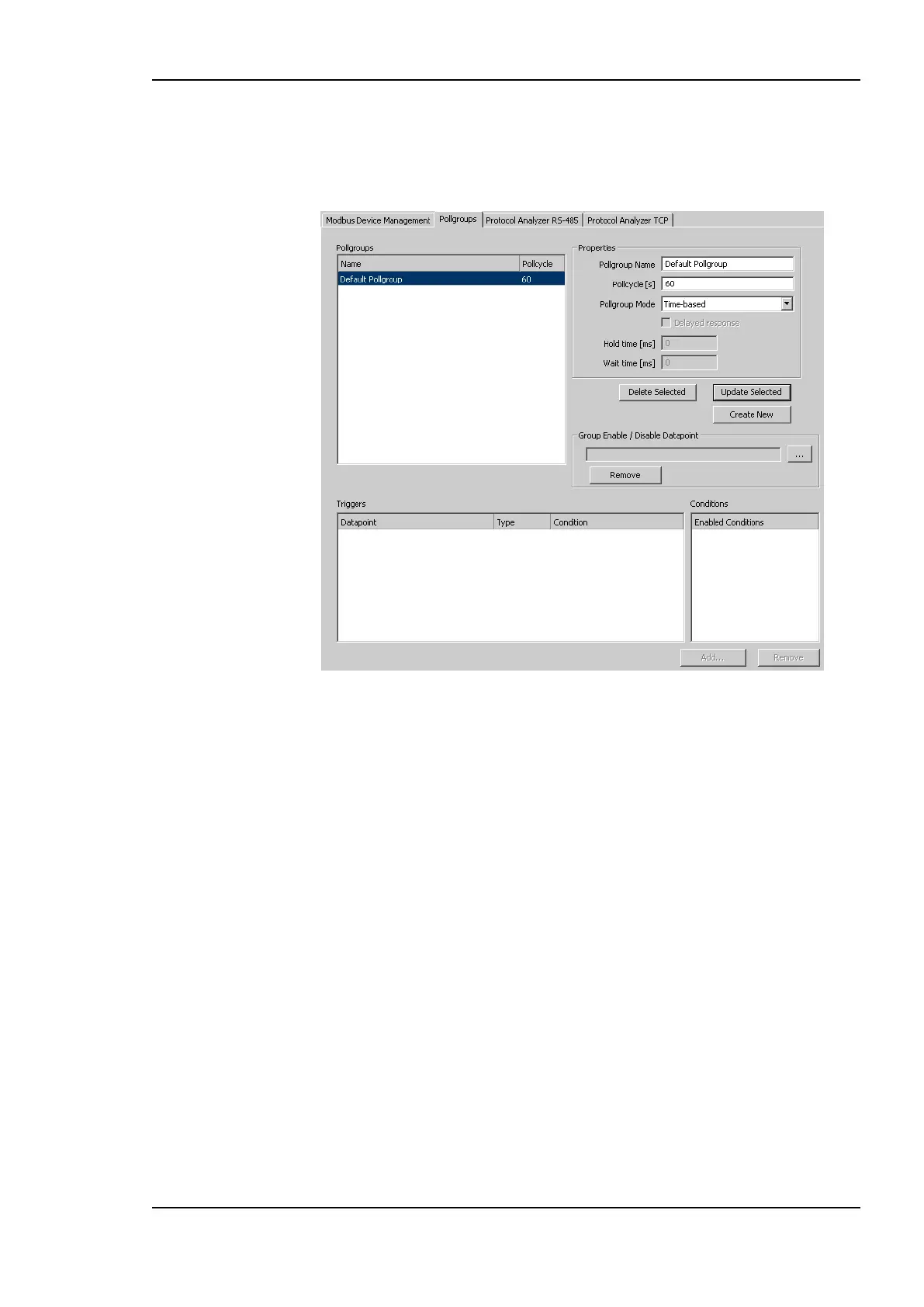
2. Open the Pollgroups tab. This shows the dialog displayed in Figure 196.
Figure 196: Pollgroup Management dialog.
3. The default poll group is selected and its properties are displayed. Enter the name of
the new poll group and enter the poll cycle in seconds. Make sure that under Pollgroup
Mode Time-based is selected.
4. Press the Save button to store the poll group and continue editing.
5. If a poll group needs to be updated or deleted, select the poll group edit the data and
press the Update Selected or Delete Selected button.
6. Press the Close button to finish editing. When the poll groups have not been saved, a
dialog asks whether the changes have to be saved or not.



 To Next Page