L-INX User Manual 294 LOYTEC
Version 4.0 LOYTEC electronics GmbH
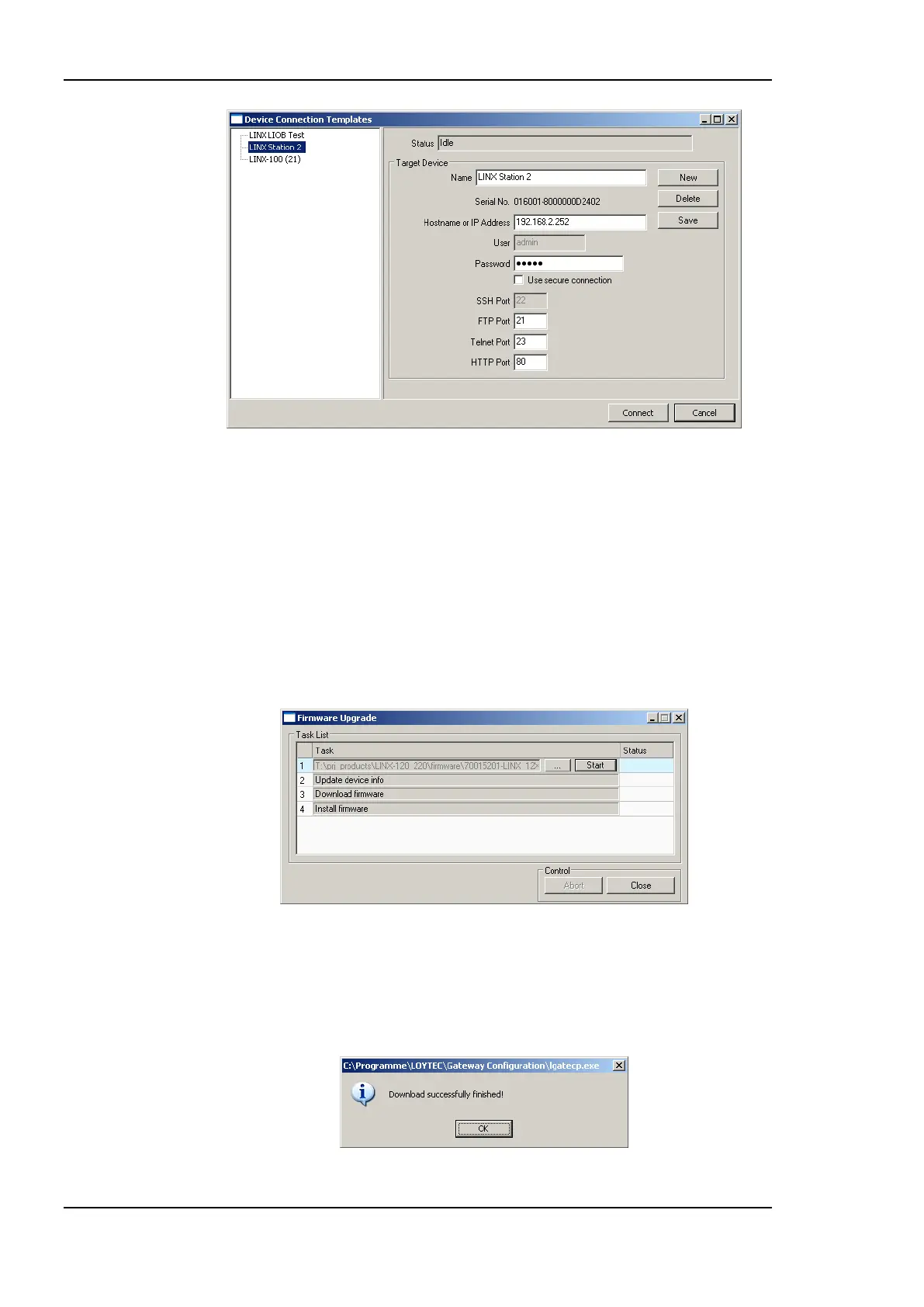
Figure 232: FTP connection dialog.
3. In the FTP connection dialog, enter the IP address of the device as well as the admin
user‘s password. The default password is ‗loytec4u‘ (older firmware versions used
‗admin‘). This can be changed via the Web interface (see Section 4.1) and reset via the
console UI (see Section 16.2.2).
4. Click on Connect.
5. Select the menu: Firmware Update …
6. This opens the Firmware Update dialog as shown in Figure 233. Click on the button
―…‖ and select the firmware image.
Figure 233: Firmware Update dialog of the Configurator.
7. Click on Start.
8. Observe the download progress. When the download is complete, the dialog shown in
Figure 234 appears.
Figure 234: FTP download success dialog.



 To Next Page