214683 124 Revision A
3.8 Auto Header Height Control (AHHC)
MacDon’s auto header height control (AHHC) feature works in conjunction with the AHHC option available on
certain combine models.
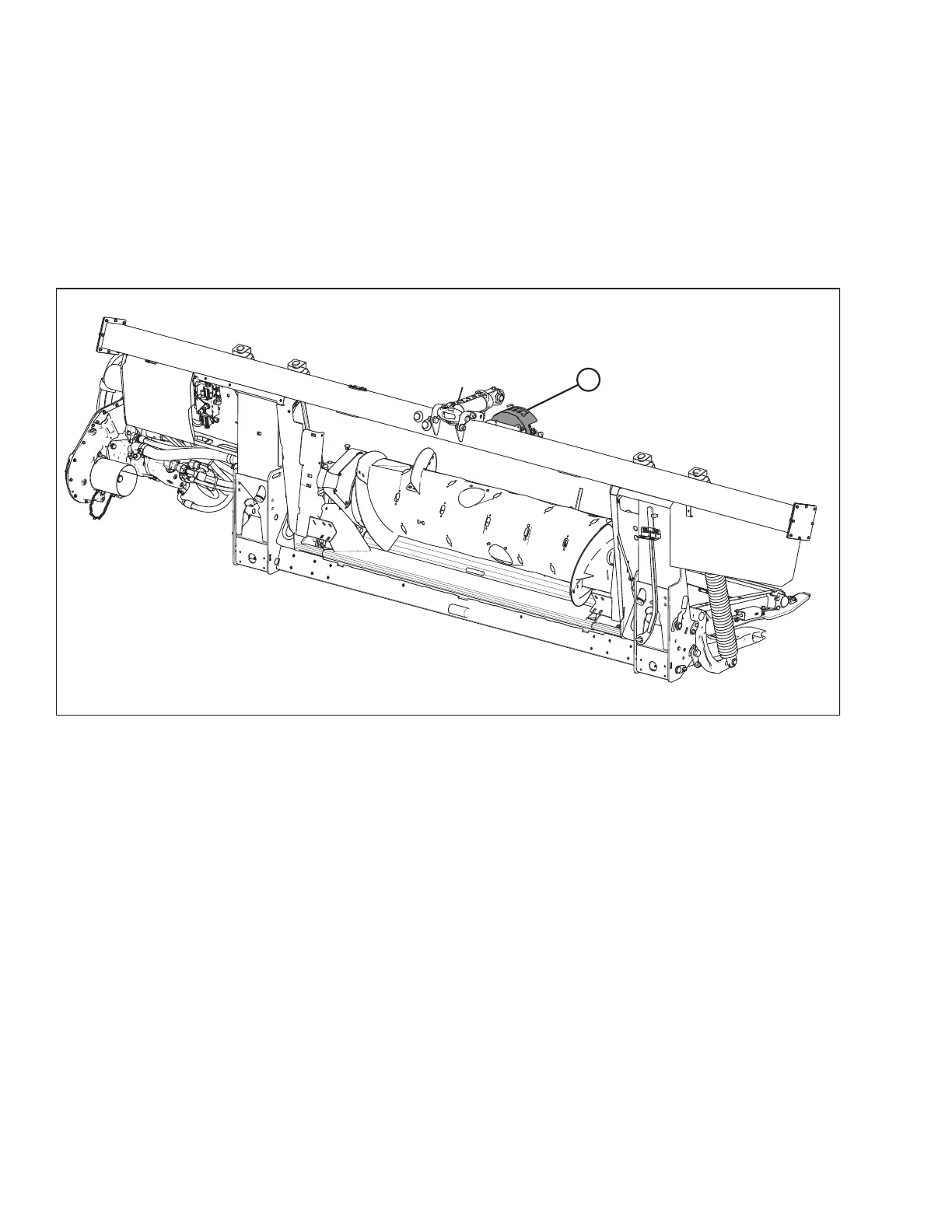
A sensor is installed in the float indicator box (A) on the FM100 Float Module. This sensor sends a signal to the
combine allowing it to maintain a consistent cutting height and an optimum float as the header follows ground
contours. A two-sensor system is also available
as an optional kit. Refer to 6.5.1 ., page 555.
Figure 3.153: FM100 Float Module
FM100 Float Modules are factory-equipped for AHHC; however, before using the AHHC feature, you must do the
following:
1. Ensure that the AHHC sensor’s output voltage range is appropriate for the combine.
For more information, refer to 3.8.2 Sensor Output Voltage Range – Combine Requirements, page 126.
2. Prepare the combine to use the AHHC feature (applies only to some combine models—refer to the instructions
for your combine).
3. Calibrate the AHHC system so that the combine can correctly interpret data from the height sensor on the float
module (refer to the instructions for your combine).
NOTE:
Once calibration is complete, you are ready to use the AHHC feature in the field. Individual combine settings
can improve AHHC performance (refer to your combine instruction manual).
OPERATION








 To Next Page