214683 153 Revision A
Setting Header Controls (Case 8010)
The following procedure applies to Case 8010 combines without a shift button on the control handle.
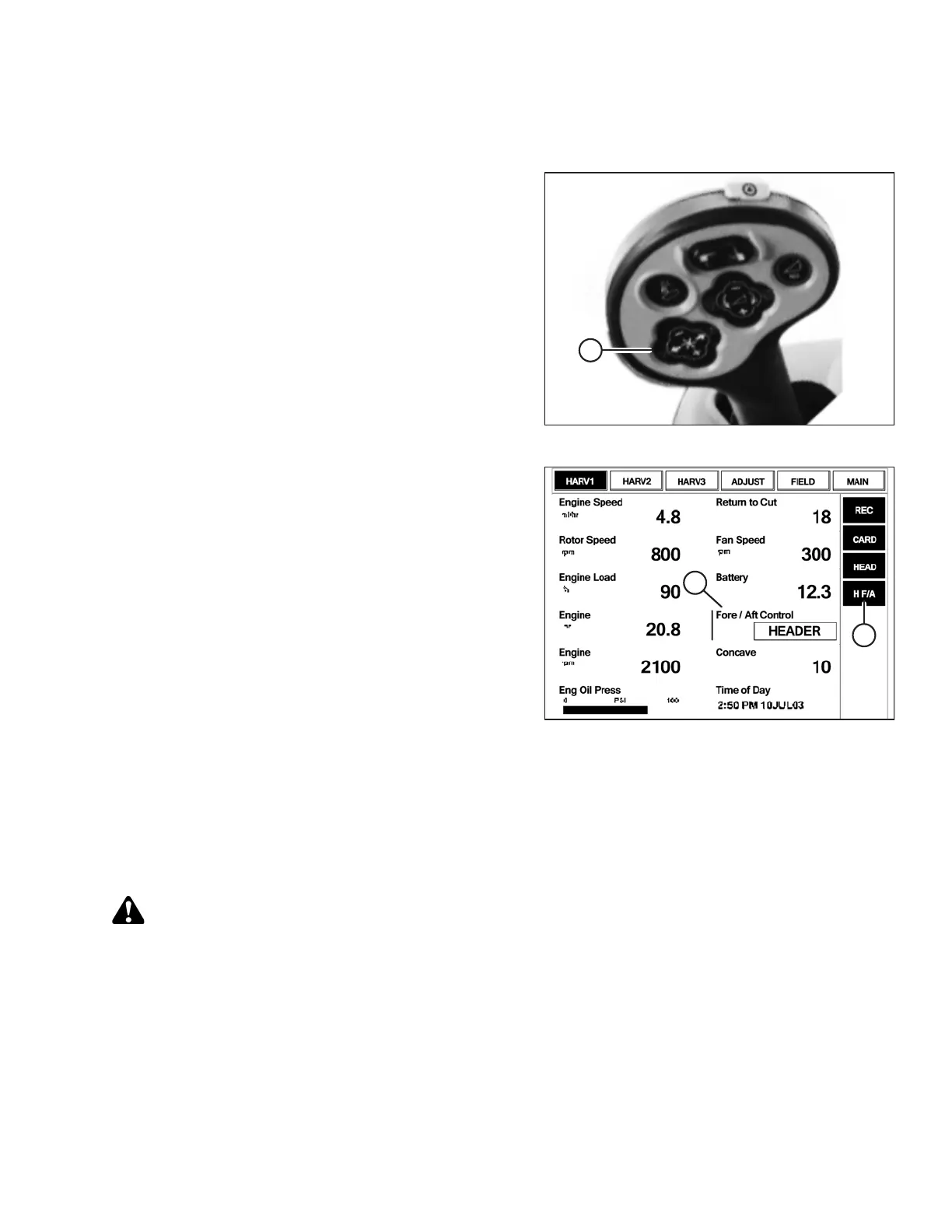
Figure 3.216: Case Combine Controls
The REEL FORE-AFT switches (A) also control header
fore-aft tilt if header is equipped with the fore-aft tilt option.
The switches can be configured to allow the Operator to
swap between reel fore-aft and header fore-aft tilt.
To set the header controls, follow these steps:
Figure 3.217: Case Combine Display
1. To swap between reel fore-aft controls and header fore-
aft tilt controls, go to the LAYOUT tab, select
FORE/AFT CONTROL (A) from the legend, and place it
on one of the operator-configurable screens (HARV1,
HARV2, HARV3) or ADJUST under the RUN menu.
NOTE:
H F/A (B) is displayed on the status bar on the right of
the screen when HEADER is selected with the
FORE/AFT CONTROL.
2. If HEADER is selected with the FORE/AFT CONTROL,
press the reel aft button on the control handle to tilt the
header rearward, or press the reel fore button on the
control handle to tilt the header forward.
Checking Voltage Range from the Combine Cab (Case IH 7010/8010, 7120/8120/9120,
7230/8230/9230, 7240/8240/9240)
NOTE:
Changes may have been made to the combine controls or display since this document was published. Refer to the
combine operator’s manual for updates.
CAUTION
Check to be sure all bystanders have cleared the area.
1. Position the header 150 mm (6 in.) above the ground, and unlock the float.
OPERATION








 To Next Page