214683 534 Revision A
5.16.5 Reel Drive Motor
The reel drive motor does not require regular maintenance or servicing. If problems occur with the motor, remove it
and have it serviced by your MacDon Dealer.
Removing Reel Drive Motor
DANGER
To avoid bodily injury or death from unexpected start-up of machine, always stop engine and remove key
from ignition before leaving operator’s seat for any reason.
1. Shut down the engine, and remove the key from the ignition.
2. Loosen the drive chain. Refer to Loosening Reel Drive Chain, page 528.
3. Remove the drive sprocket. Refer to Removing Reel Drive Sprocket, page 530.
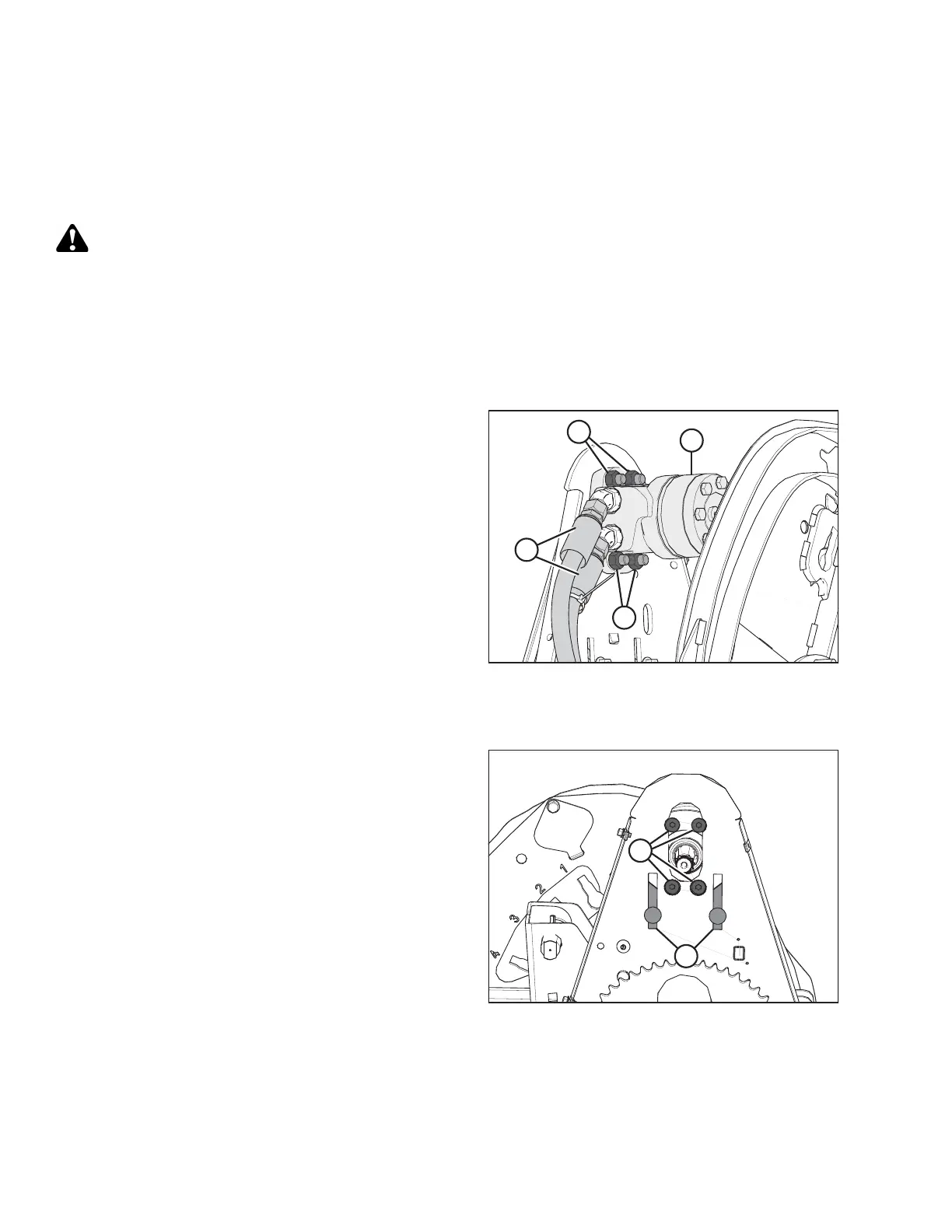
Figure 5.292: Reel Motor and Hoses
4. Mark hydraulic lines (A) and their locations in the
motor (B) to ensure correct reinstallation.
5. Disconnect hydraulic lines (A) at motor (B). Cap or plug
open ports and lines.
6. Remove four nuts and bolts (C), and remove the
motor (B). Retrieve the spacer (if installed) from
between motor (B) and the motor mount.
7. If the motor is being replaced, remove the hydraulic
fittings from the old motor and install them in the new
motor using the same orientations. Refer to 8
Reference, page 577 for torque specifications.
Installing Reel Drive Motor
Figure 5.293: Reel Drive Motor Mounting Holes
1. Slide motor mount (A) up or down so the motor
mounting holes (B) are accessible through the openings
in the chain case.
MAINTENANCE AND SERVICING








 To Next Page