214683 412 Revision A
5.6 Header Drive
The header drive consists of a driveline from the combine to the FM100 Float Module gearbox that drives the feed
auger and hydraulic pumps. The pumps provides hydraulic power to the drapers, knives, and optional equipment.
5.6.1 Removing Driveline
DANGER
To avoid bodily injury or death from unexpected start-up of machine, always stop engine and remove key
from ignition before leaving operator’s seat for any reason.
NOTE:
The driveline normally remains attached to the float module and is stored on the support bracket provided when not
in use.
1. 1. Shut down the combine, and remove the key from the ignition.
2. If the float module is attached to the combine, remove the driveline from the combine by pulling the quick
disconnect collar to release the driveline yoke at the combine shaft.
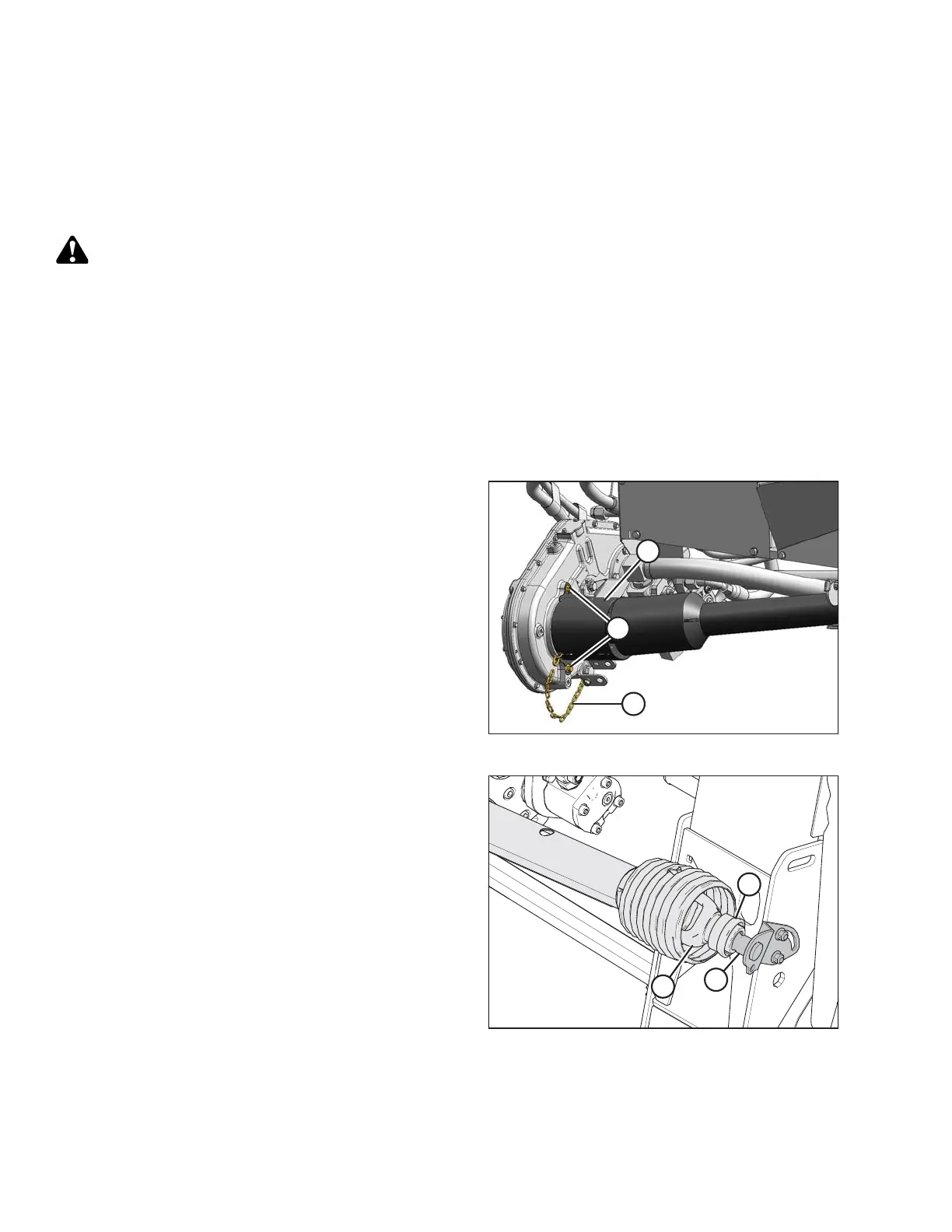
Figure 5.33: Float Module End of Driveline
3. Remove the two nuts (A) securing the shield (B) to the
gearbox.
4. Slide the shield (B) over the driveline shield to expose
the quick disconnect on the gearbox. Do NOT
disconnect the tether (C).
5. Pull the quick disconnect collar to release the driveline
yoke, and pull the driveline off the gearbox shaft.
6. Slide the shield (B) off the driveline.
Figure 5.34: Combine End of Driveline
7. Pull the driveline collar (A) away from the power take-off
(PTO) support (B). Slide the yoke (C) off the support
bracket (B), and release collar (A).
MAINTENANCE AND SERVICING








 To Next Page