214683 69 Revision A
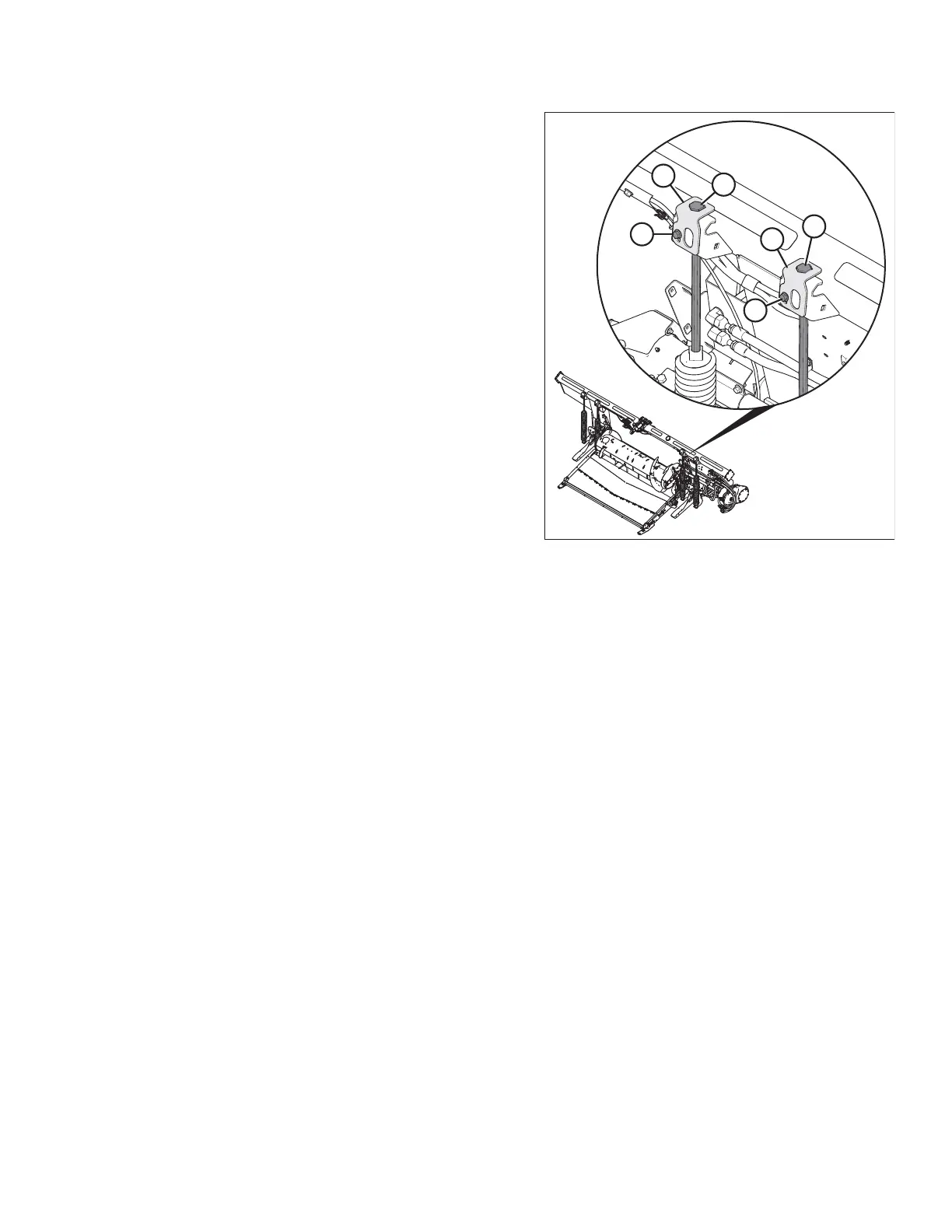
Figure 3.45: Float Adjustment (Left Side Shown)
15. Before adjusting the float spring adjustment bolts (A),
rotate the spring locks (B) by loosening bolts (C).
16. To increase float (decrease header weight), turn both
adjustment bolts (A) on the left side clockwise. Repeat
adjustment at opposite side.
NOTE:
Turn each bolt pair equally.
17. To decrease float (increase header weight), turn left
side adjustment bolts (A) counterclockwise. Repeat at
opposite side.
NOTE:
Turn each bolt pair equally.
18. Adjust the float so the wrench readings are equal on
both sides of the header.
NOTE:
For 12.2 and 13.7 m (40 and 45 ft.) double-knife
headers: adjust the float so the wrench readings are
equal at both sides, and then loosen both right side
spring bolts two turns.
19. Lock adjustment bolts (A) with spring locks (B). Ensure
bolt heads (A) are engaged in the spring lock cutouts.
Tighten bolts (C) to secure spring locks in place.
20. Proceed to Adjusting Wing Balance, page 79.
Locking/Unlocking Header Float
Two header float locks—one on each side of the float module—lock and unlock the header float system.
IMPORTANT:
The float locks must be engaged when the header is being transported with the float module attached so there is no
relative movement between the float module and the header. The float locks also must be locked when detaching
from the combine to enable the feeder house to release the float module.
OPERATION








 To Next Page