214683 70 Revision A
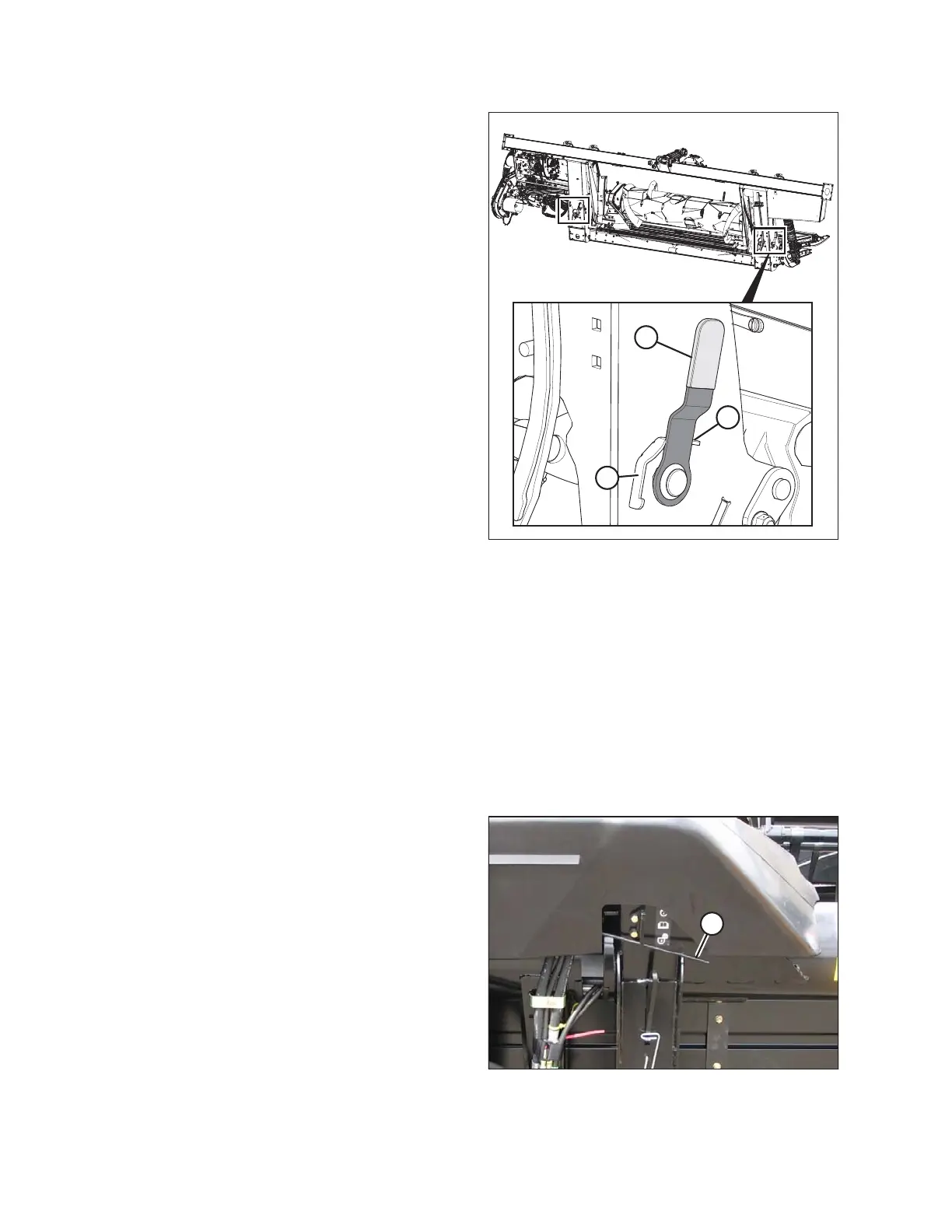
Figure 3.46: Float Lock (in Locked Position)
To disengage (unlock) float locks, pull the float lock
handle (A) into position (B) (UNLOCK). In this position, the
header is unlocked, and can float with respect to the float
module.
To engage (lock) float locks, push the float lock handle (A)
into position (C) (LOCK). In this position, the header cannot
move with respect to the float module.
Locking/Unlocking Header Wings
The header is designed to operate with the cutterbar on the ground. The three sections move independently to
follow the ground contours. In this mode, each wing is unlocked and is free to move up and down.
The header can also be operated as a rigid header with the cutterbar straight. A typical application is in cereals
when cutting above the ground. In this mode, the wing is locked.
Operating in Flex Mode
In flex mode, the three sections will be unlocked and will move independently to follow the ground contours.
Unlock the wings as follows:
Figure 3.47: Wing Lock
1. Move spring handle (A) in the lower slot to unlock the
wing. The unlocking should be audible.
2. If the lock link does not disengage, move the wing by
raising and lowering the header, changing the header
angle, or driving the combine until it disengages.
OPERATION








 To Next Page