214683 537 Revision A
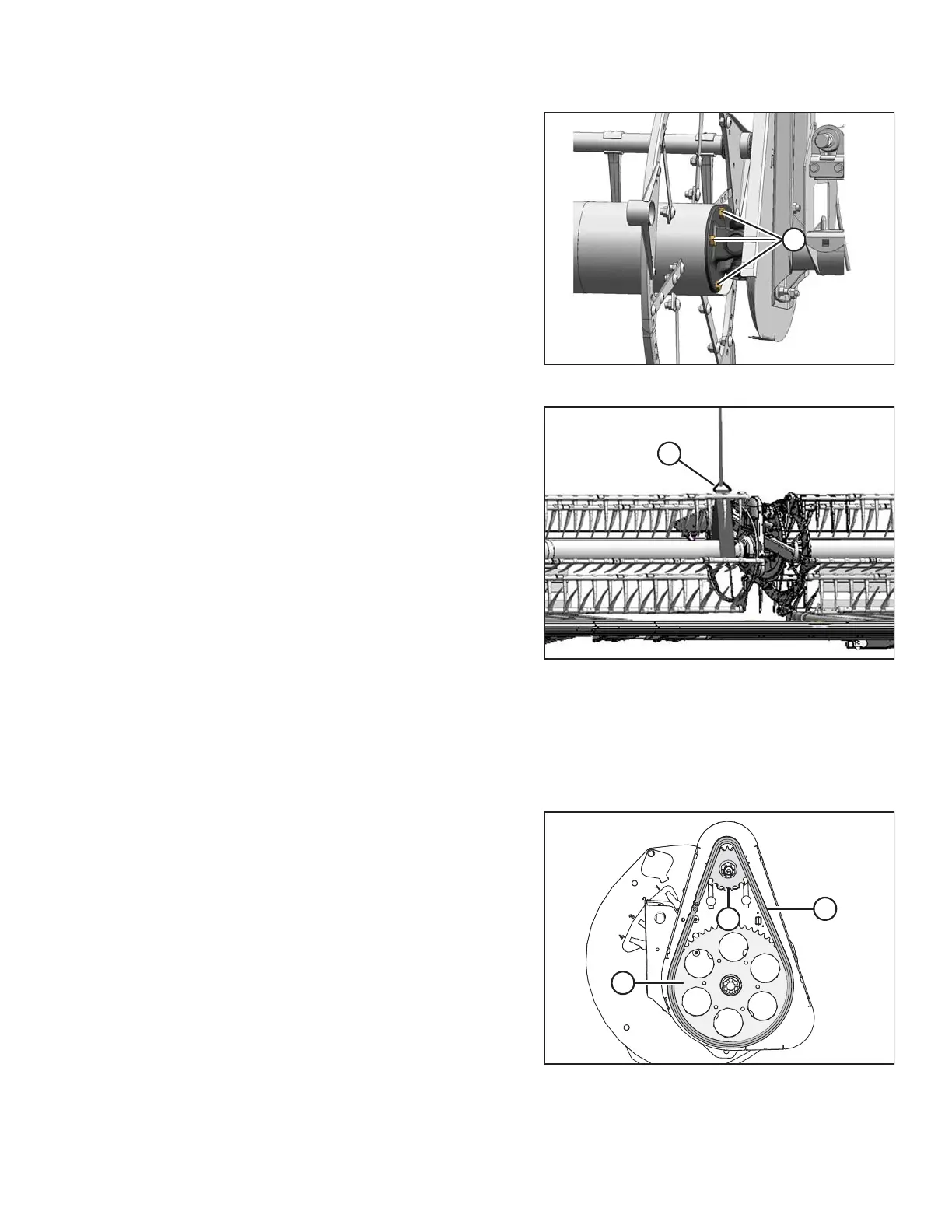
Figure 5.299: U-Joint
9. Position the right reel tube against the reel drive and
engage the stub shaft into the U-joint pilot hole.
10. Rotate the reel until the holes in end of the reel tube and
U-joint flange line up.
11. Apply medium-strength threadlocker (Loctite
®
243 or
equivalent) to four 1/2 in. bolts (A) and secure with lock
washers.
12. Torque to 102–115 Nm (75–85 lbf∙ft).
Figure 5.300: Supporting Reel
13. Remove the temporary reel support (A).
14. Tighten the drive chain. Refer to Tightening Reel Drive
Chain, page 528.
15. Replace reel drive cover. Refer to Installing Reel Drive
Cover, page 527.
5.16.7 Replacing Drive Chain on Single Reel
1. Remove drive reel drive cover. Refer to Removing Reel Drive Cover, page 526.
2. Loosen the drive chain. Refer to Loosening Reel Drive Chain, page 528.
Figure 5.301: Reel Drive
3. Lift chain (A) off drive sprocket (B).
4. Lower the chain until free of lower sprocket (C) and
remove the chain from the drive.
5. Position new chain (A) around the bottom teeth on
lower sprocket (C).
6. Lift the chain onto drive sprocket (B) ensuring all the
links are properly engaged in the teeth.
7. Tighten the drive chain. Refer to Tightening Reel Drive
Chain, page 528.
8. Replace reel drive cover. Refer to Installing Reel Drive
Cover, page 527.
MAINTENANCE AND SERVICING








 To Next Page