214683 133 Revision A
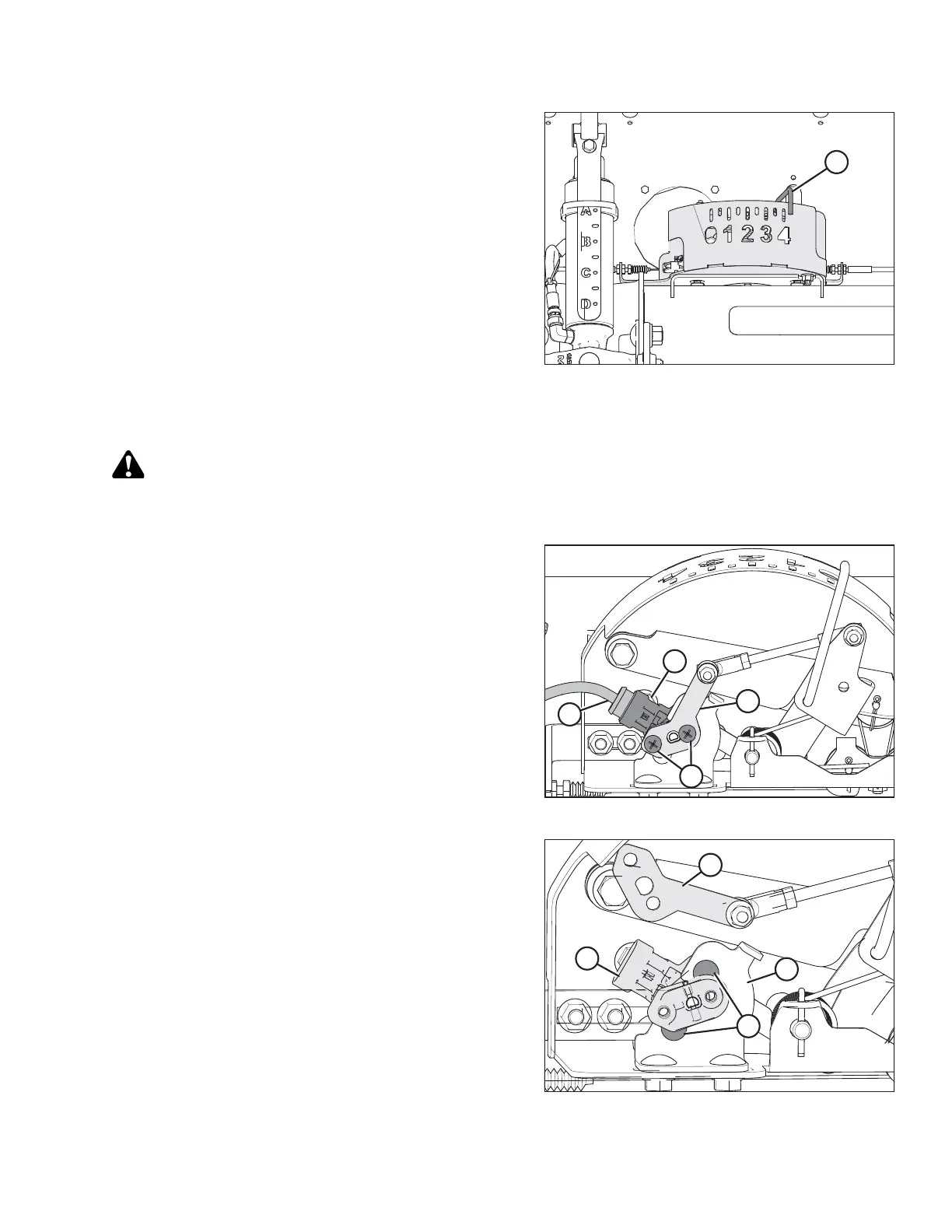
Figure 3.169: Float Indicator Box
5. Fully lower the header; the float indicator (A) should
be at 4.
6. Check that both sensors are at the correct low
voltage limit.
Replacing the Auto Header Height Control (AHHC) Sensor (One-Sensor System)
CAUTION
To avoid bodily injury or death from unexpected startup of machine, always stop engine and remove key
from ignition before leaving operator’s seat for any reason.
Figure 3.170: AHHC Sensor
1. Disconnect the wiring harness (A) from the existing
sensor (B).
2. Remove the two screws (C) that secure the sensor (B)
to the sensor arm (D).
Figure 3.171: AHHC Sensor
3. Swing the sensor arm (A) upwards to gain access to the
two bolts (B) securing the sensor (C) to the bracket (D).
4. Remove the two bolts and nuts (B) that secure the
sensor (C) to the bracket (D).
5. Pull sensor (C) away from the bracket (D).
OPERATION








 To Next Page