214683 317 Revision A
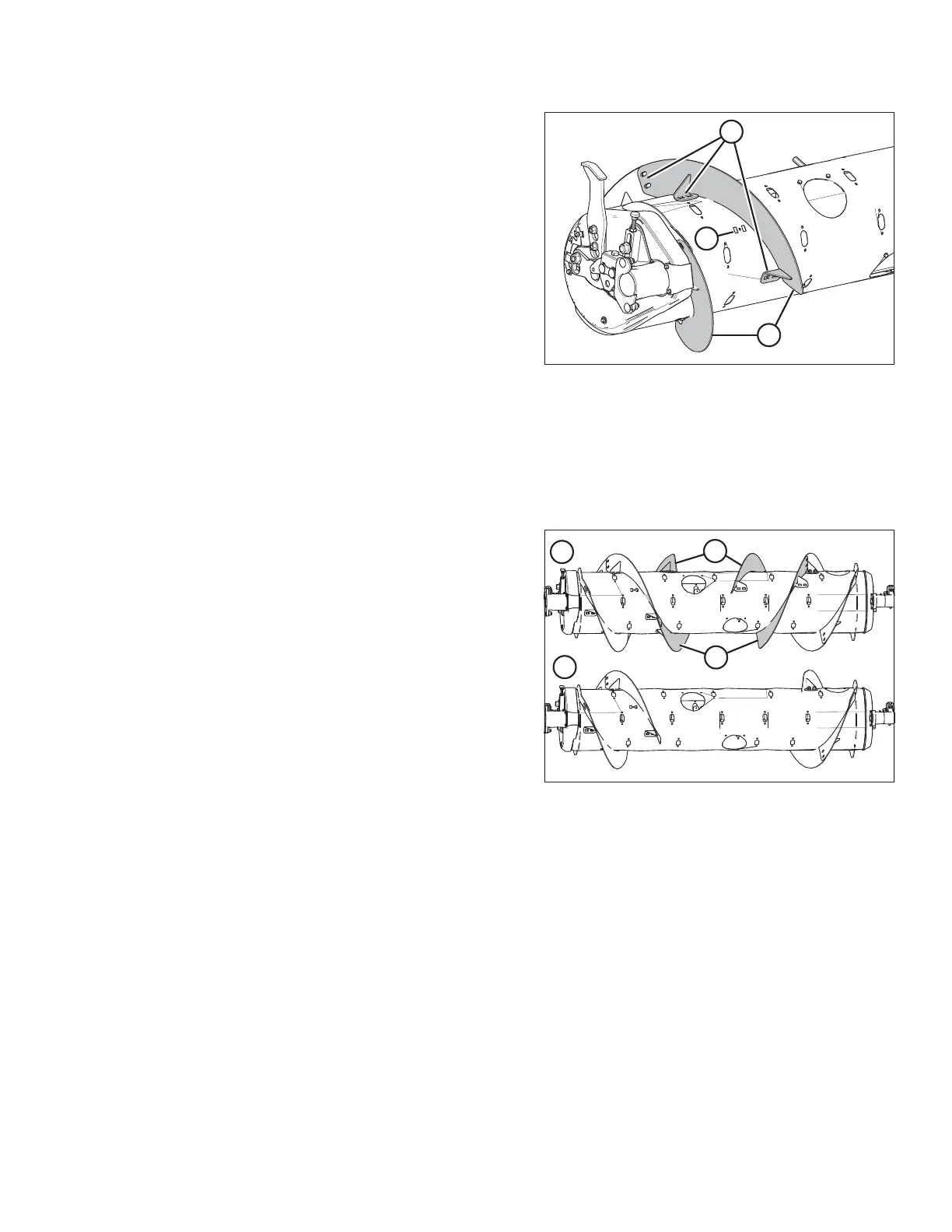
Figure 4.19: Narrow Configuration (Left Side)
11. Install two bolt-on flightings (A) on the left side as
shown, and secure each flighting with six carriage head
bolts (MD #136178) and nuts (MD #135799) at
locations (B).
IMPORTANT:
Bolt heads must be installed on inside of auger to
prevent damage to internal components.
12. Torque all nuts and bolts to 47 Nm (35 lbf·ft) to eliminate
deflection on flighting, then torque them to 58–64 Nm
(43–47 lbf·ft).
13. Install flighting slot plug (C) (MD #213084) from inside
the auger and secure with an M6 hex head bolt
(MD #252703) and tee nut (MD #197263). Repeat for
the other flighting mounting location used to mount the
previous flighting in Step 3, page 316.
14. Remove extra auger fingers. A total of 18 fingers is recommended for this configuration. Refer to Removing
Feed Auger Fingers, page 429.
4.1.4 Converting from Ultra Narrow Configuration to Narrow Configuration
Figure 4.20: Auger Configurations (Rear View)
1 - Ultra Narrow Configuration 2 - Narrow Configuration
The Ultra Narrow and Narrow auger configurations are
shown at right. Existing flightings (A) are removed from the
auger when converting to the Narrow configuration.
1. If necessary to improve access and ease installation, remove float module from combine. For instructions, refer
to 4 Header Attachment/Detachment, page 307.
HEADER ATTACHMENT/DETACHMENT








 To Next Page