214683 446 Revision A
Replacing Stub Guards
Stub guards, complete with top guides and adjuster plates, are designed to cut tough crops and are factory-
installed at the outer ends of specific headers
WARNING
To avoid bodily injury or death from unexpected startup of machine, always stop engine and remove key
before making adjustments to machine.
Replacing standard, drive side, and end guard
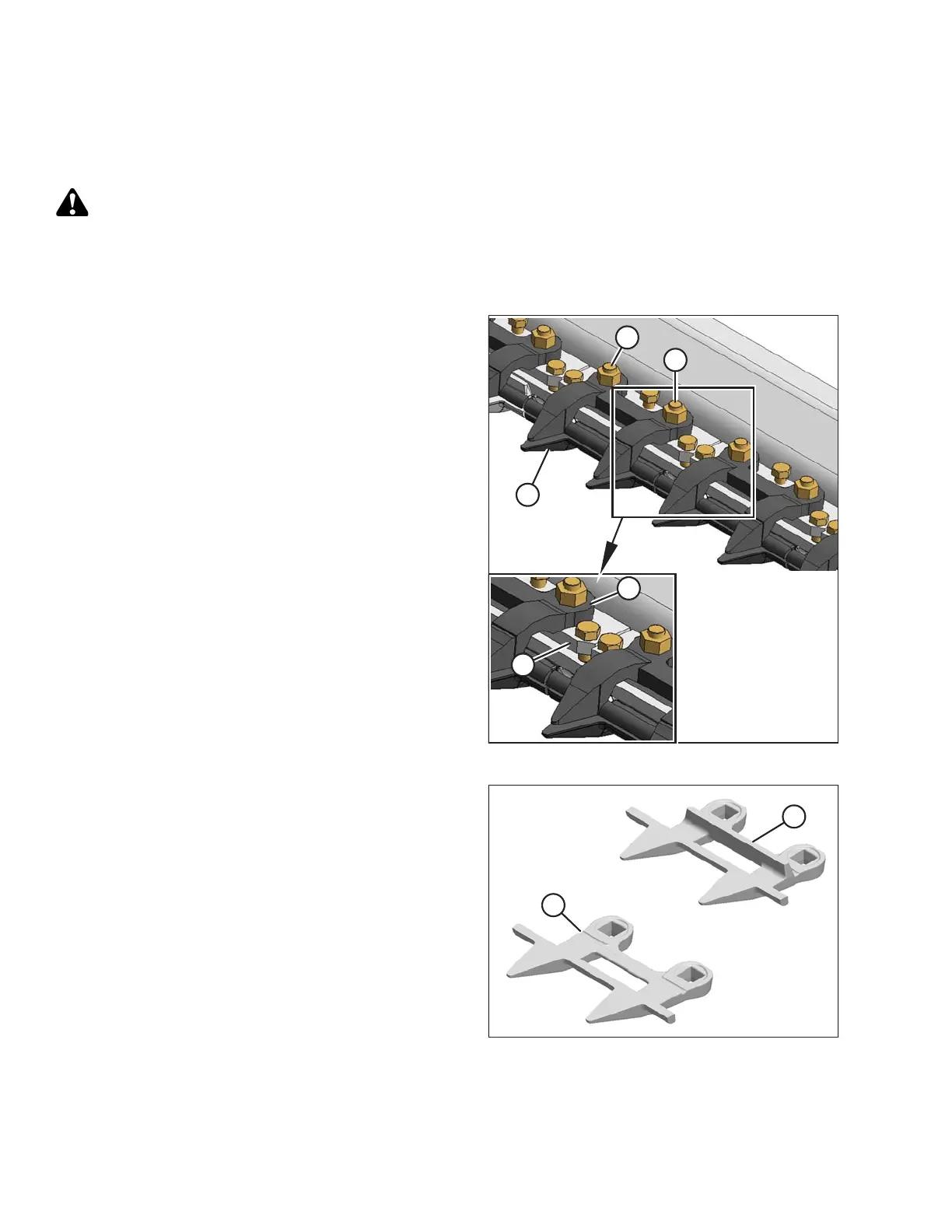
Figure 5.100: Stub Guards
1. Shut down the engine, and remove the key from the
ignition.
2. Stroke the knife manually until the knife sections are
spaced midway between the guards.
3. Remove the two nuts (A) and bolts attaching guard (B)
and top guide (C) to the cutterbar.
4. Remove guard (B), the plastic wearplate (if installed),
top guide (C), and adjuster bar (D).
Figure 5.101: Stub Guards
A - Drive Side Guard B - Standard Guard (with Ledger Plate)
IMPORTANT:
The first four outboard guards (A) on the drive sides of
the header do not have ledger plates. Ensure the proper
replacement guards are installed at these locations.
MAINTENANCE AND SERVICING








 To Next Page