214683 256 Revision A
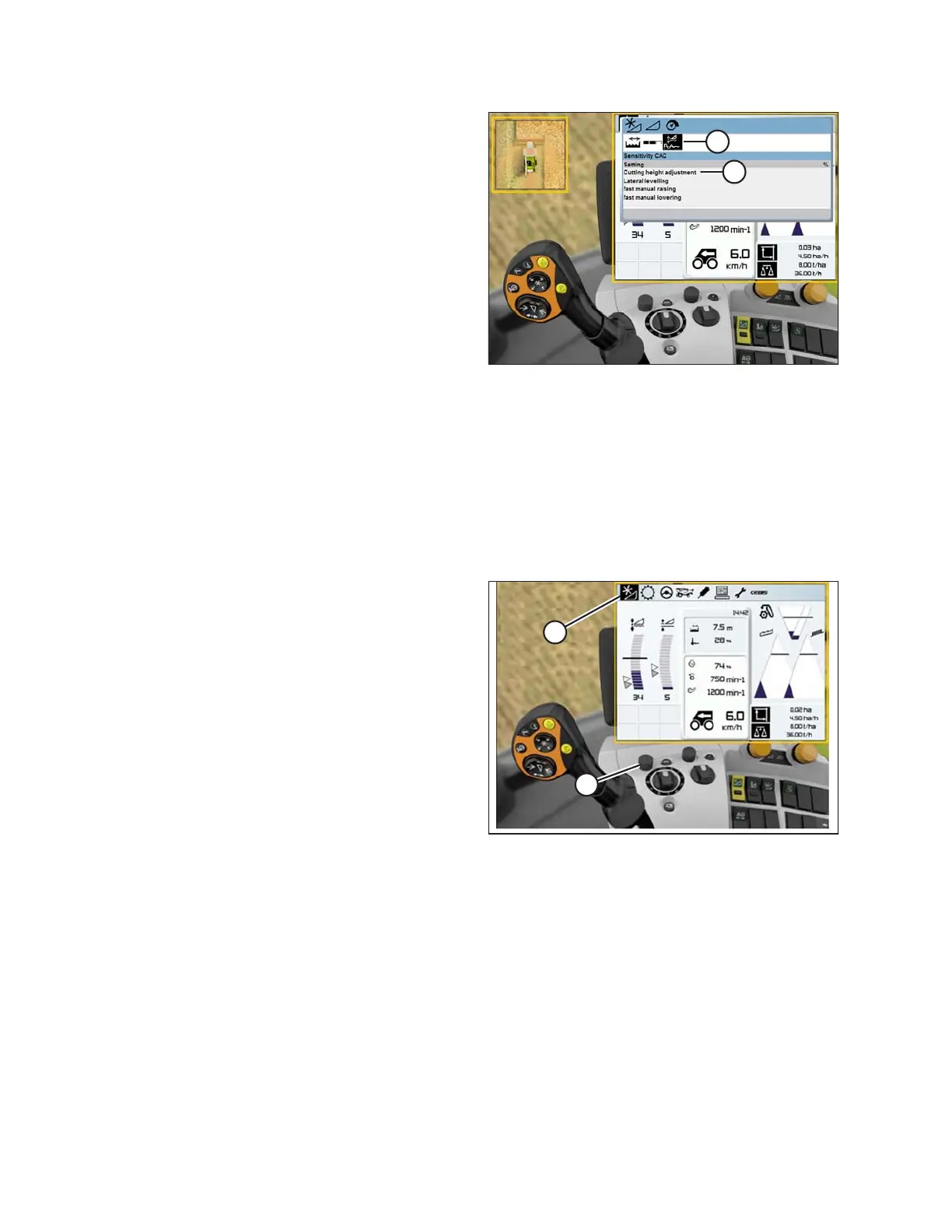
Figure 3.445: CLAAS Combine Display
5. Select the SENSITIVITY CAC icon (A).
NOTE:
To set the sensitivity, you will have to change the
CUTTING HEIGHT ADJUSTMENT (B) from the 0
default. The settings from 1–50 provide a faster
response, whereas the settings from -1 to -50 provide a
slower response. For best results, make adjustments in
increments of five.
6. Increase the CUTTING HEIGHT ADJUSTMENT setting
if the reaction time between the header and the float
module is too slow while cutting on the ground, and
decrease the CUTTING HEIGHT ADJUSTMENT setting
if the reaction time between the header and the float
module is too fast.
7. Increase the sensitivity if the header is lowered too
slowly, and decrease the sensitivity if the header hits
the ground too hard or is lowered too quickly.
Adjusting Auto Reel Speed (CLAAS 600 and 700 Series)
NOTE:
Changes may have been made to the combine controls or display since this document was published. Refer to the
combine operator’s manual for updates.
Figure 3.446: CLAAS Combine Display,
Console, and Control Handle
1. Use control knob (A) to highlight the HEADER/REEL
icon (B), and press control knob (A) to select it. The
HEADER/REEL dialog box opens.
OPERATION








 To Next Page