214683 257 Revision A
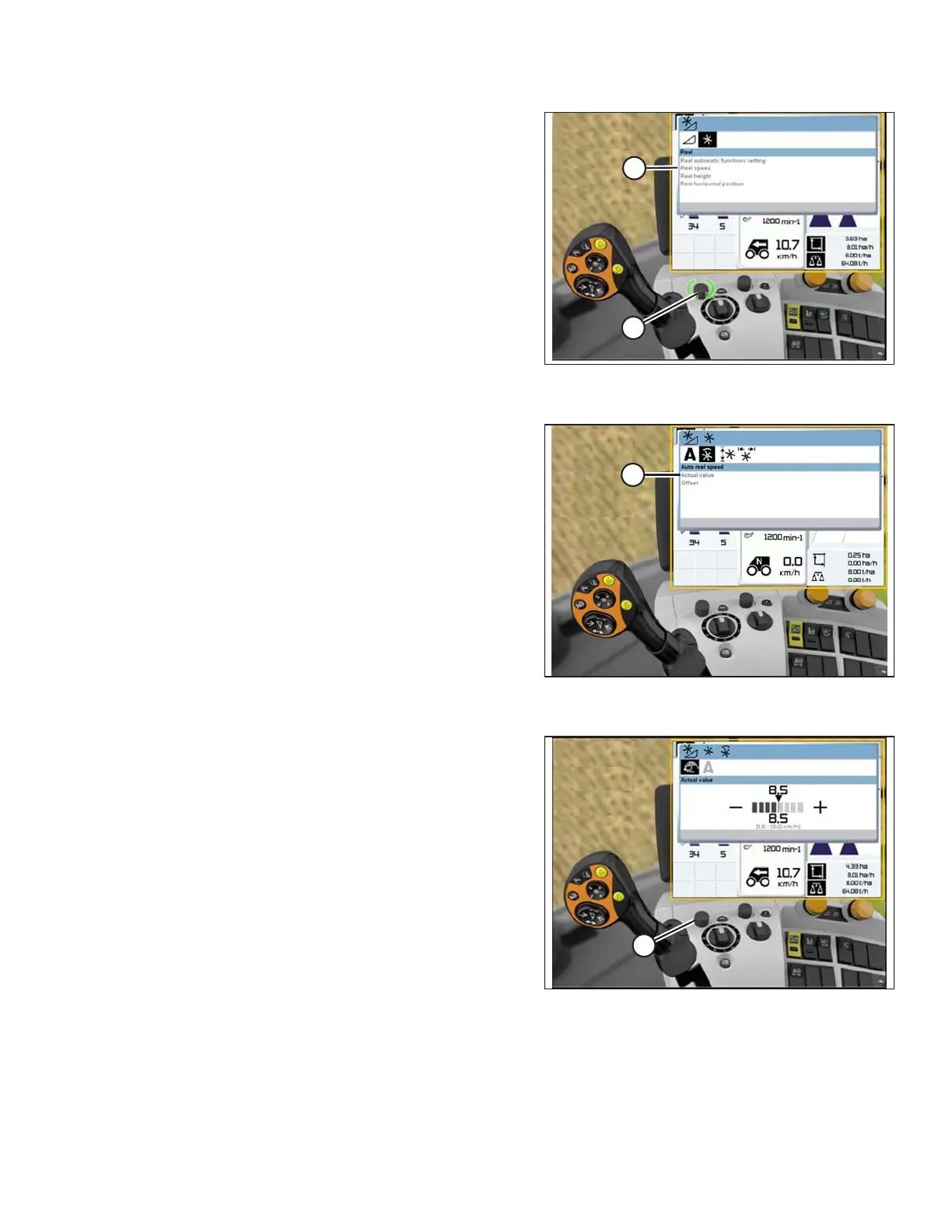
Figure 3.447: CLAAS Combine Display,
Console, and Control Handle
2. Use control knob (A) to select REEL SPEED (B), and
adjust the reel speed (if you are NOT using Auto Reel
Speed). A graph displays in the dialog box.
Figure 3.448: CLAAS Combine Display,
Console, and Control Handle
3. Select ACTUAL VALUE (A) from the AUTO REEL
SPEED dialog box (if you are using Auto Reel Speed).
The ACTUAL VALUE dialog box indicates the auto
reel speed.
Figure 3.449: CLAAS Combine Display,
Console, and Control Handle
4. Use control knob (A) to raise or lower the reel speed.
NOTE:
This option is only available at full throttle.
OPERATION








 To Next Page