214683 83 Revision A
Adjusting Header Angle from Combine
The header/guard angle is adjusted from the combine cab with a switch on the operator’s control handle and an
indicator on the center-link or on the monitor in the cab. The header/guard angle is determined by the length of the
center-link between the combine float module and the header, or by tilting the feeder house on selected combines.
Case combines:
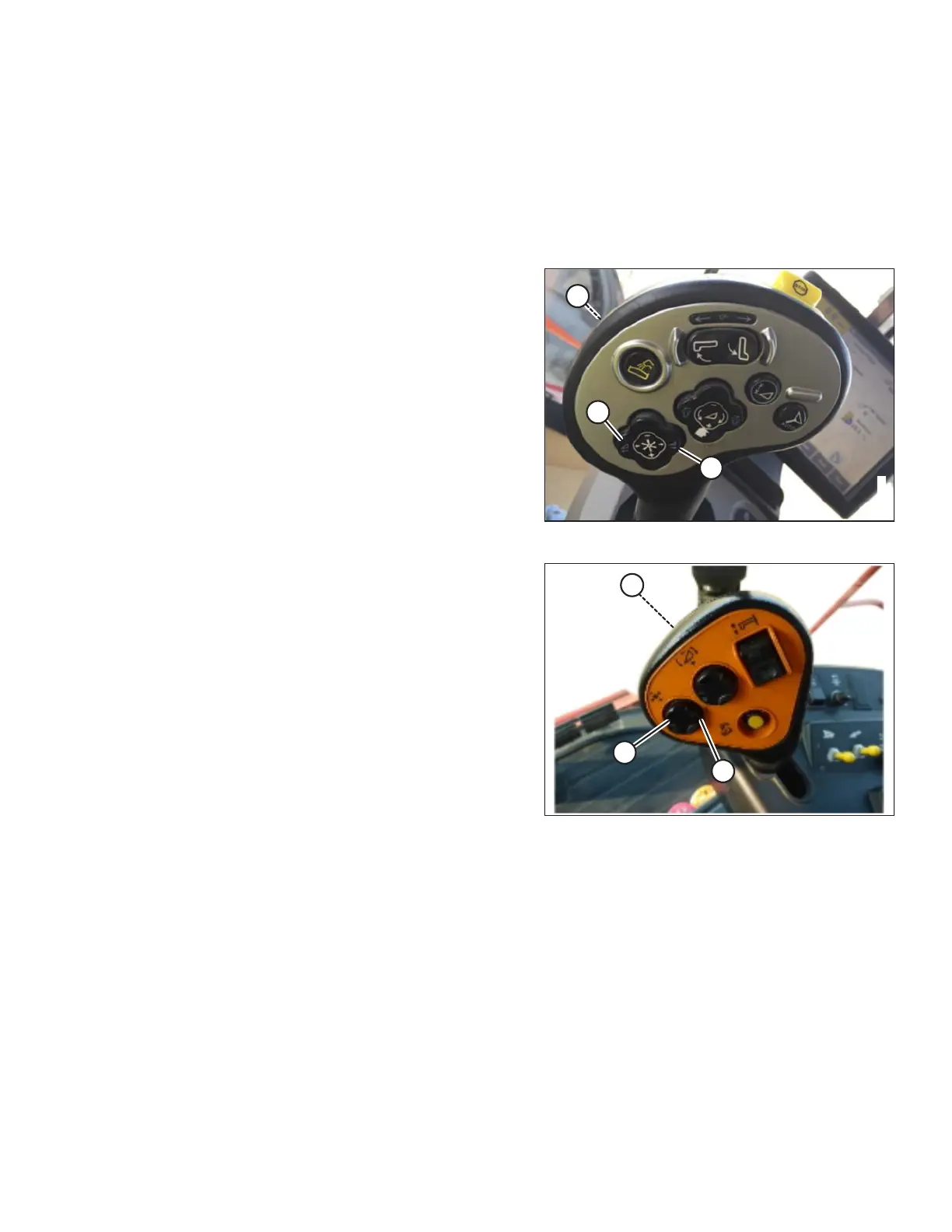
Case combines use control handle switches to adjust the center-link to change header angle.
Figure 3.77: Case Controls
1. Press and hold SHIFT button (A) on backside of control
handle and press switch (B) to tilt header forward or
press switch (C) to tilt the header back.
Figure 3.78: Case Controls
OPERATION








 To Next Page