214683 129 Revision A
Manually Checking Voltage Range: Two-Sensor System
FM100 Float Modules equipped with the optional two-sensor system have a left and right sensor located on the
back frame of the float module.
To manually check the sensor’s output voltage range, follow these steps:
1. Extend guard angle fully; the header angle indicator should be at D .
2. Position the header 150 mm (6 in.) above the ground, and unlock the float.
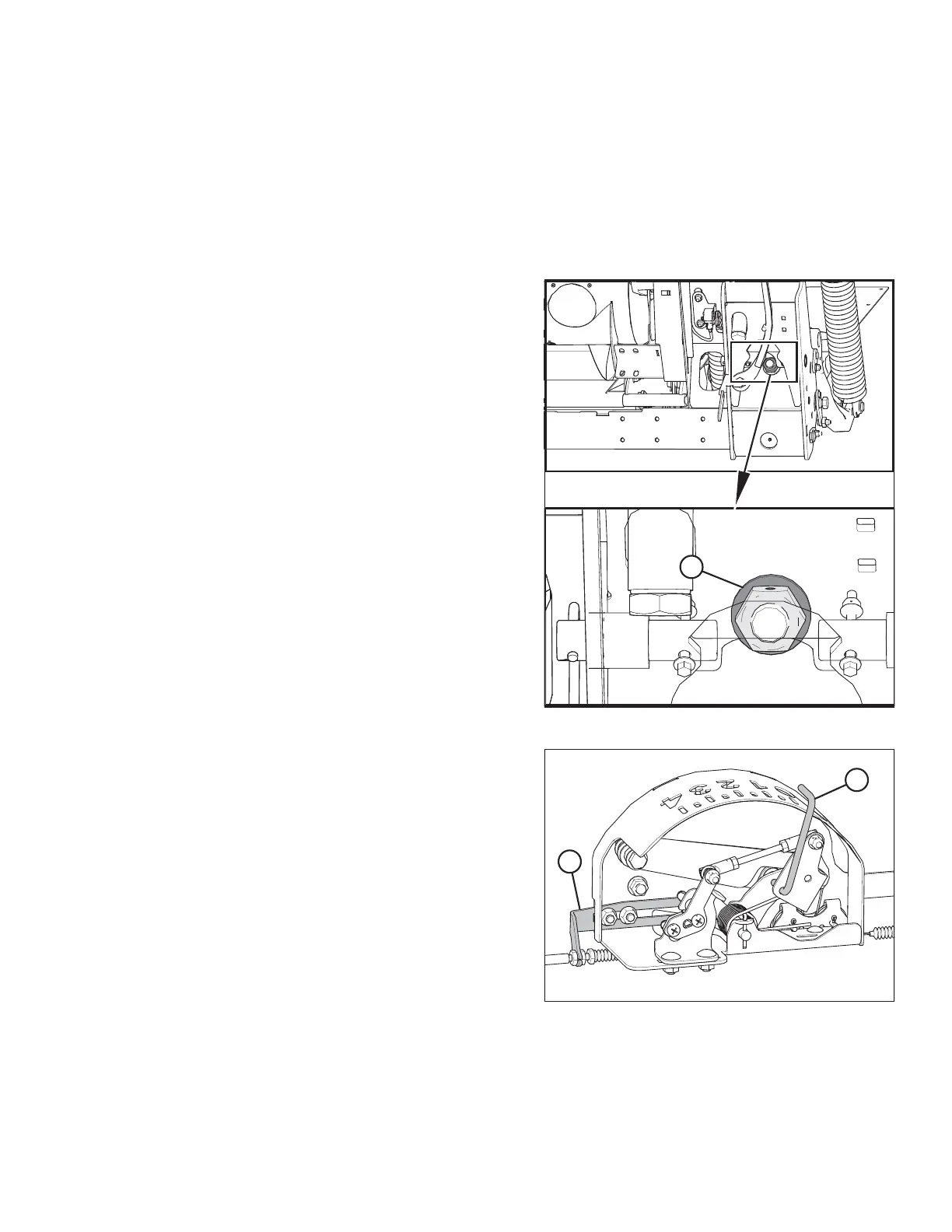
Figure 3.160: Down Stop Washer
3. Check that float lock linkage is on down stops
(washer [A] cannot be moved) at both locations.
NOTE:
If the header is not on down stops during the next two
steps, the voltage may go out of range during operation
causing a malfunction of the AHHC system.
Figure 3.161: Float Indicator Box
4. Adjust the cable take-up bracket (B) (if necessary) until
the pointer (A) on the float indicator is on 0.
OPERATION








 To Next Page