214683 268 Revision A
Adjusting Header Raise Rate (New Holland CR/CX Series)
If necessary, the header raise rate (the first speed on the HEADER HEIGHT rocker switch of the multifunctional
handle) can be adjusted.
NOTE:
Changes may have been made to the combine controls or display since this document was published. Refer to the
combine operator’s manual for updates.
NOTE:
For New Holland CR models 6.80, 6.90, 7.90, 8.90, 9.90, and 10.90, refer to 3.8.16 New Holland Combines (CR
Series—Model Year 2015 and Later), page 271.
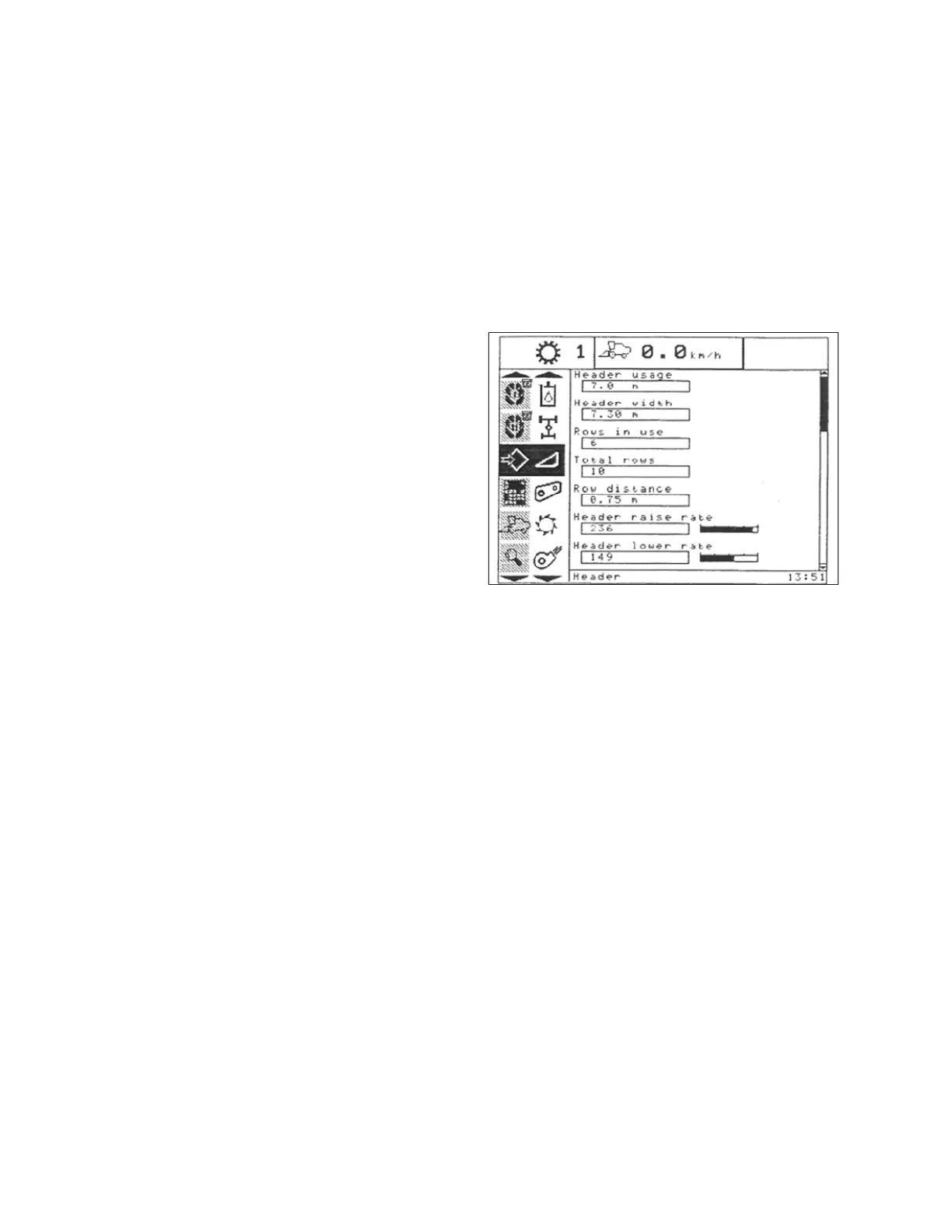
Figure 3.471: New Holland Combine Display
1. Select HEADER RAISE RATE on the combine display.
2. Use the + or – buttons to change the setting.
3. Press ENTER to save the new setting.
NOTE:
The raise rate can be changed from 32–236 in steps
of 34. The factory setting is 100.
Setting the Header Lower Rate (New Holland CR/CX Series)
If necessary, the header lower rate (the automatic header height control button or second speed on the header
height rocker switch of the multi-function handle) can be adjusted.
NOTE:
Changes may have been made to the combine controls or display since this document was published. Refer to the
combine operator’s manual for updates.
NOTE:
For New Holland CR models 6.80, 6.90, 7.90, 8.90, 9.90, and 10.90, refer to 3.8.16 New Holland Combines (CR
Series—Model Year 2015 and Later), page 271.
OPERATION








 To Next Page