214683 267 Revision A
Calibrating Maximum Stubble Height
This procedure describes how to calibrate the area counter to stop or start counting at the correct height. Program
the header to a height that will never be reached while cutting. The area counter will stop counting when the header
is above the programmed height, and will begin counting when the header is below the programmed height.
Select the height of the header that corresponds to the description above.
IMPORTANT:
• If the value is set too low, area may NOT be counted since the header is sometimes raised above this threshold
although the combine is still cutting.
• If the value is set too high, the area counter will keep counting even when the header is raised (but below this
threshold) and the combine is no longer cutting crop.
CAUTION
Check to be sure all bystanders have cleared the area.
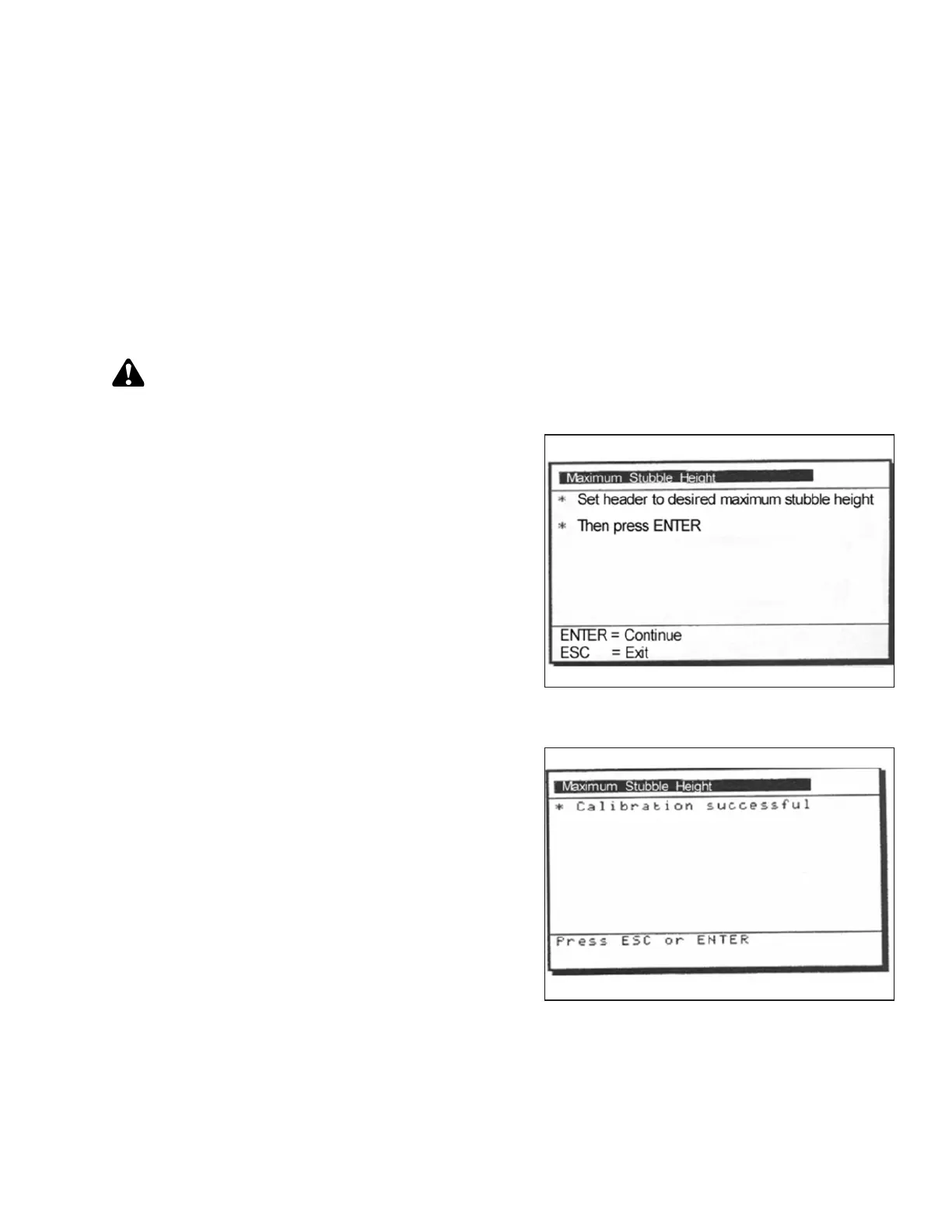
Figure 3.469: New Holland Calibration
Dialog Box
1. Select the MAXIMUM STUBBLE HEIGHT calibration
dialog box. As you proceed through the calibration
process, the display will automatically update to show
the next step.
Figure 3.470: New Holland Calibration
Dialog Box
2. Move header to the correct position using the header up
or down control switch on the multifunction handle.
3. Press ENTER to continue. As you proceed through the
calibration process, the display will automatically
update to show the next step.
4. Press ENTER or ESC to close the calibration screen.
The calibration is now complete.
OPERATION








 To Next Page