214683 235 Revision A
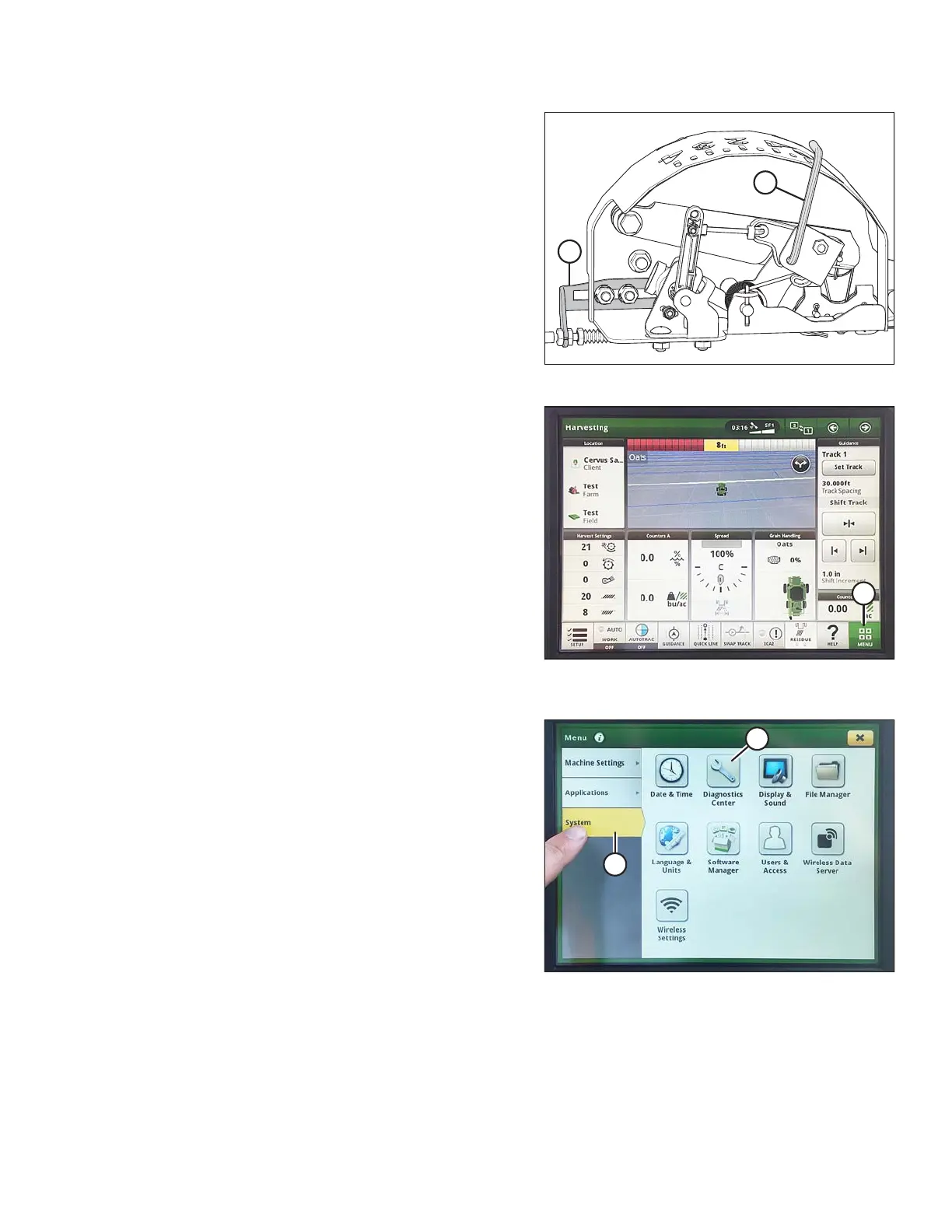
Figure 3.397: Float Indicator Box
3. Adjust cable take-up bracket (B) (if necessary) until
pointer (A) on float indicator is on 0.
Figure 3.398: John Deere S7 Display –
Harvesting Page
4. On the HARVESTING page, select MENU icon (A) in
the bottom right corner of the screen.
Figure 3.399: John Deere S7 Display – Menu
5. On the MENU page, select the SYSTEM tab (A). The
MENU opens.
6. Select DIAGNOSTICS CENTER icon (B). The
DIAGNOSTICS CENTER page opens.
OPERATION








 To Next Page