214683 259 Revision A
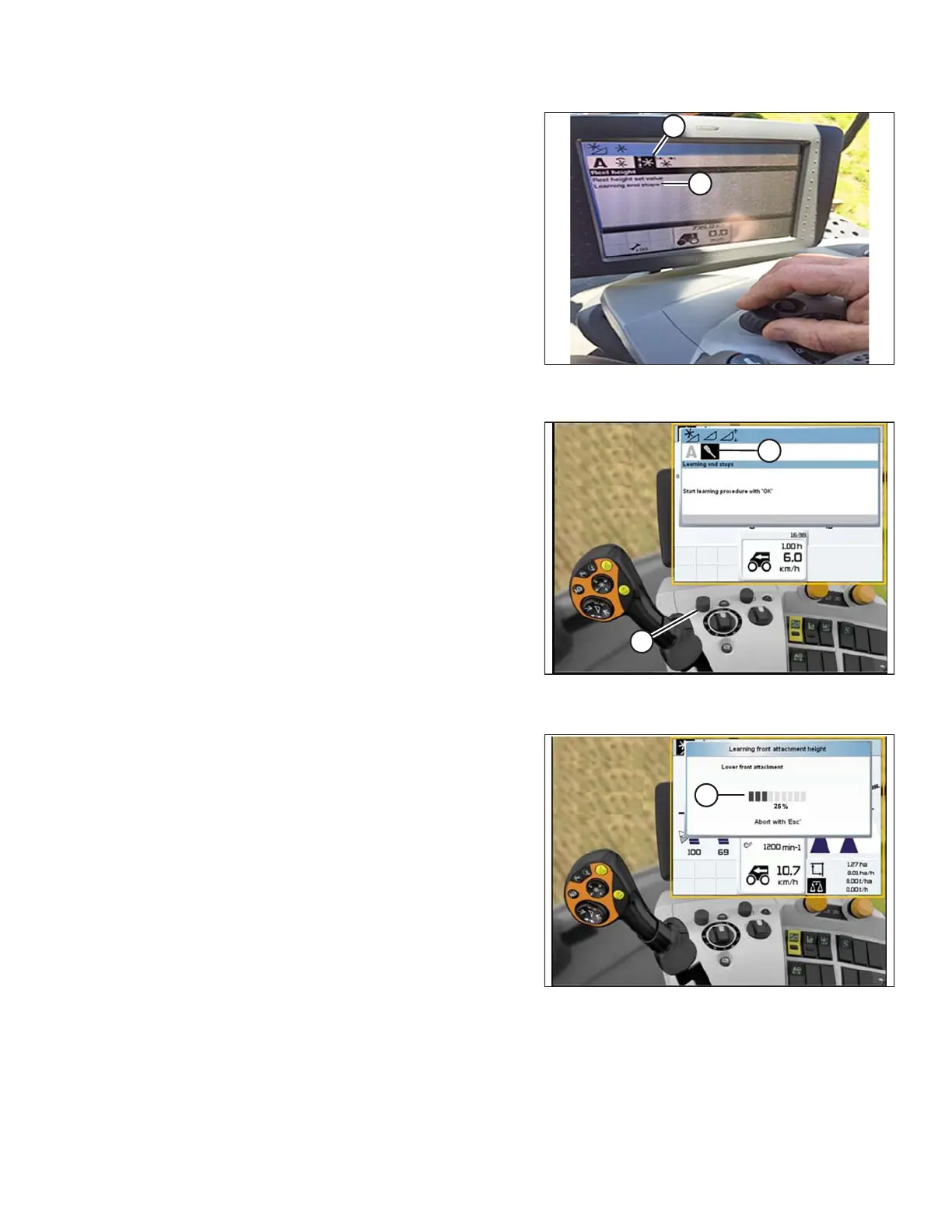
Figure 3.452: CLAAS Combine Display and
Console
4. Highlight the REEL HEIGHT icon (A), and press control
knob to select it.
5. Select LEARNING END STOPS (B) from the list.
Figure 3.453: CLAAS Combine Display,
Console, and Control Handle
6. Use control knob (A) to highlight the screwdriver
icon (B).
Figure 3.454: CLAAS Combine Display,
Console, and Control Handle
7. Press control knob and a progress bar chart (A) will
appear.
8. Follow the prompts on the screen to raise the reel.
9. Follow the prompts on the screen to lower the reel.
OPERATION








 To Next Page