214683 514 Revision A
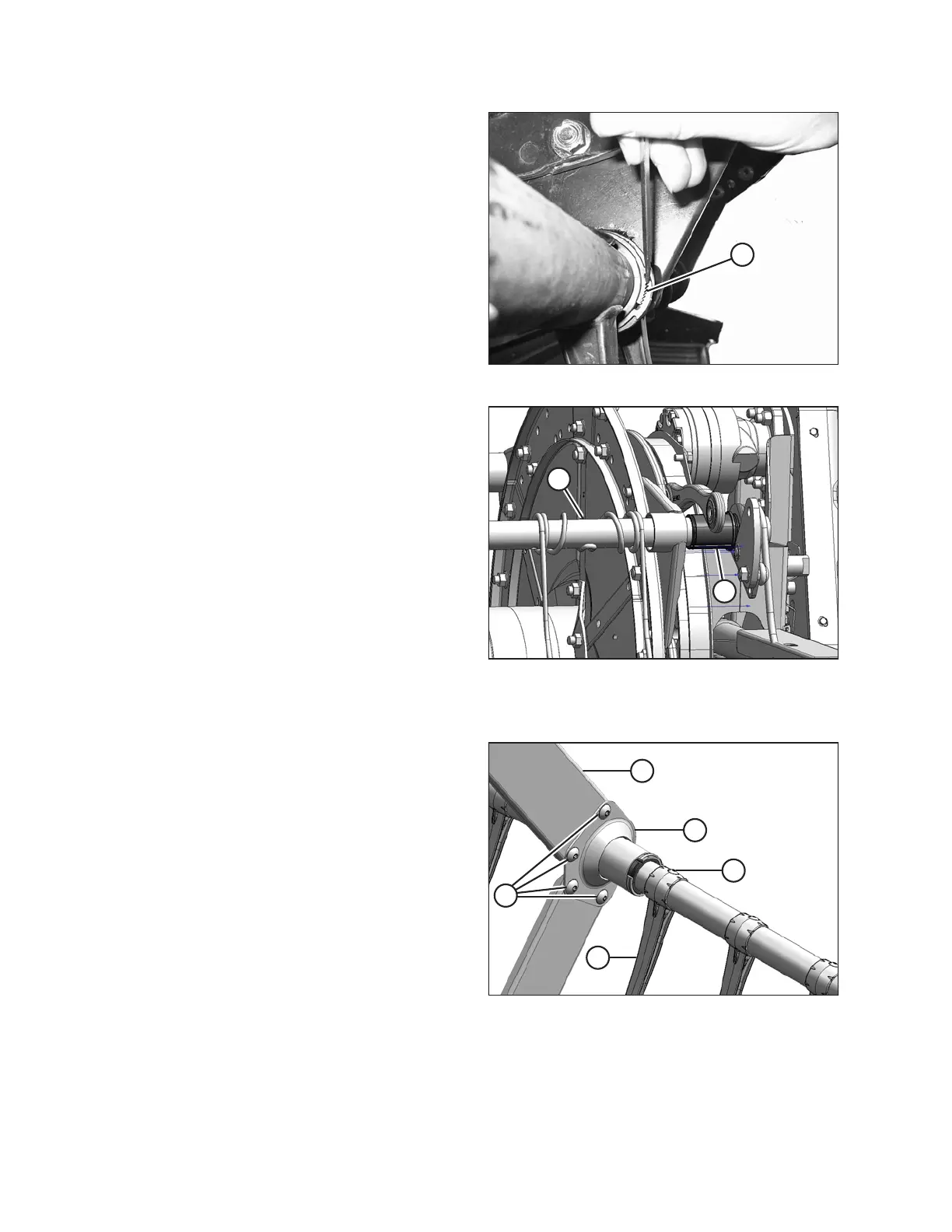
Figure 5.243: Bushing Clamp
13. Release the bushing clamps (A) at the cam disc using a
small screwdriver to separate the serrations. Move the
clamps off the bushings.
Figure 5.244: Cam End
14. Slide the tine tube (A) outboard to expose the
bushing (B).
15. Remove the bushing halves (B). If required, remove the
next tine or plastic finger so the arm can slide off the
bushing. Refer to the following procedures if necessary:
• Removing Plastic Fingers, page 509
• Removing Steel Fingers, page 507
Tine tube bushings (if installed)
Figure 5.245: Tine Tube Support
16. Locate the support (A) that requires a new bushing.
17. Remove the four bolts (B) securing channels (C) to the
support (A).
18. Remove screw (E) and remove the finger (D) if it is too
close to the support to allow access to the bushing.
Refer to Removing Plastic Fingers, page 509.
MAINTENANCE AND SERVICING








 To Next Page