(00292)H 5 - 13
・Gamma
This function supports the MEMRECAM gamma correction function.
To reproduce the true image, gamma correction is conducted to correct the image data to the
optimal curve corresponding to the properties of the input/output device
OFF Setting for the image as recorded.
LOW Low gamma correction setting.
NORMAL Normal gamma correction setting.
・Chroma
This function supports the MEMRECAM chroma adjustment function.
Adjusts the color depth of the image.
0% Black and white setting (brightness signal only)
25% Color depth setting of 25%.
50% Color depth setting of 50%.
75% Color depth setting of 75%.
100% Setting for the image as recorded.
150% Color depth setting of 150%.
200% Color depth setting of 200%.
CUSTOM CUSTOM setting for the "Adjust Color" function.
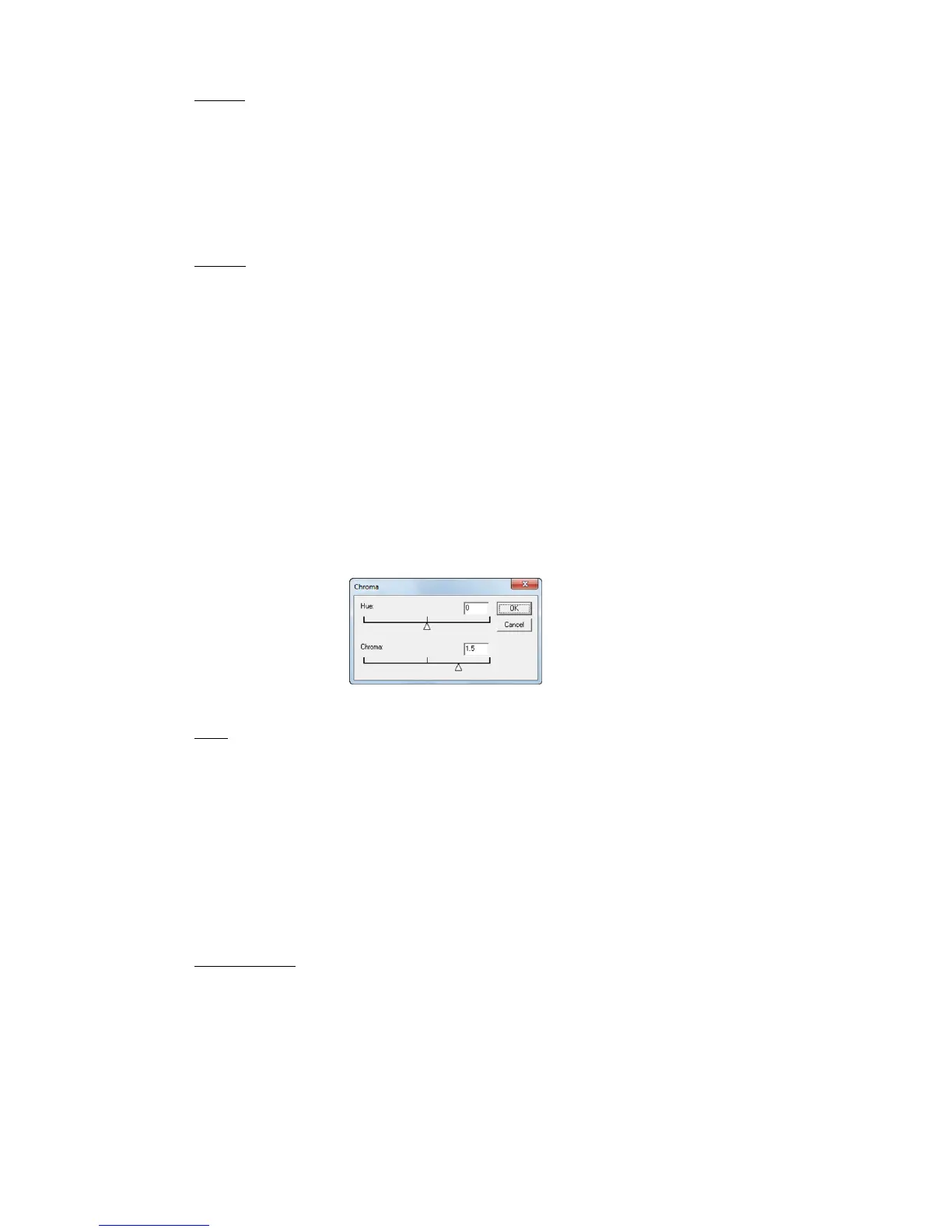
Select CUSTOM under "Chroma" in the "Image Quality" menu to display the "Chroma" dialogue
and adjust the hue and chroma.
Change the settings to automatically
redraw and verify the results. Click “OK”
to apply.
・Knee
This function supports the MEMRECAM knee correction function.
Knee correction is performed to compress data in excess of the 100% level (whitewashed) for
the dynamic range of the image. (*)
ON Knee correction setting. (normal setting)
OFF Setting for the camera image data as displayed.
* The luminance is only enabled with NORMAL.
* Knee correction can be performed when the luminance for the image files recorded in the
DRES mode(dynamic range expansion shutter mode) is NORMAL and the knee settings are
OFF.
・Low Pass Filter
Smoothes out the image by performing low pass filter processing on the image data.
ON Setting displaying the image subject to low pass filter processing.
(normal setting)
OFF Setting for the camera image data as displayed.
Can be used only with black/white camera images.



 To Next Page