6 - 2 (00292)H
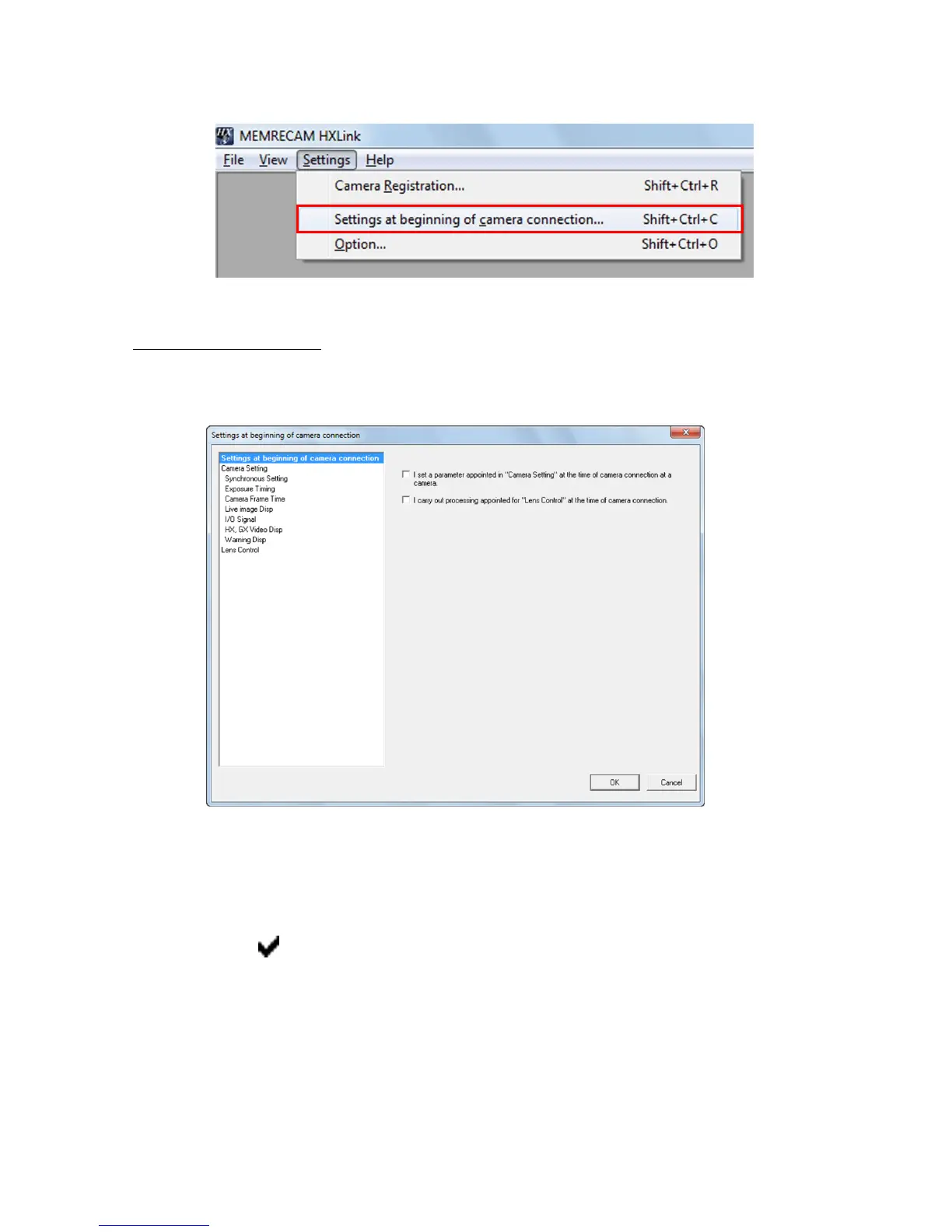
Specifies the connection settings for the camera at the start of the camera connection.
Click "Camera Connection Settings".
■ Camera Connection Settings
Select whether or not to set connection setting parameters at the start of the camera connection or
to perform lens control.
The items to set include
・Sets the parameters specified in "Camera Settings" during the camera connection to the
camera.
・Executes the processing specified in "Lens Control" during the camera connection.
Check the items to set.



 To Next Page