(00292)H 8 - 29
Sets the Qcam, HX and GX camera time, fx camera time, absolute frame time, time stamp and
GX video TIME display for IRIG sync recording. The Qcam, HX, GX and fx camera sync is
internal synchronization.
Refer to page 6-11 for details on trigger input selection, TRIG1 input polarity, TRIG2 input
polarity and trigger filters.
Refer to page 6-7 for details on Qcam, HX, GX and fx exposure timing.
Refer to page 3-9 for Qcam Output Sync Signal.
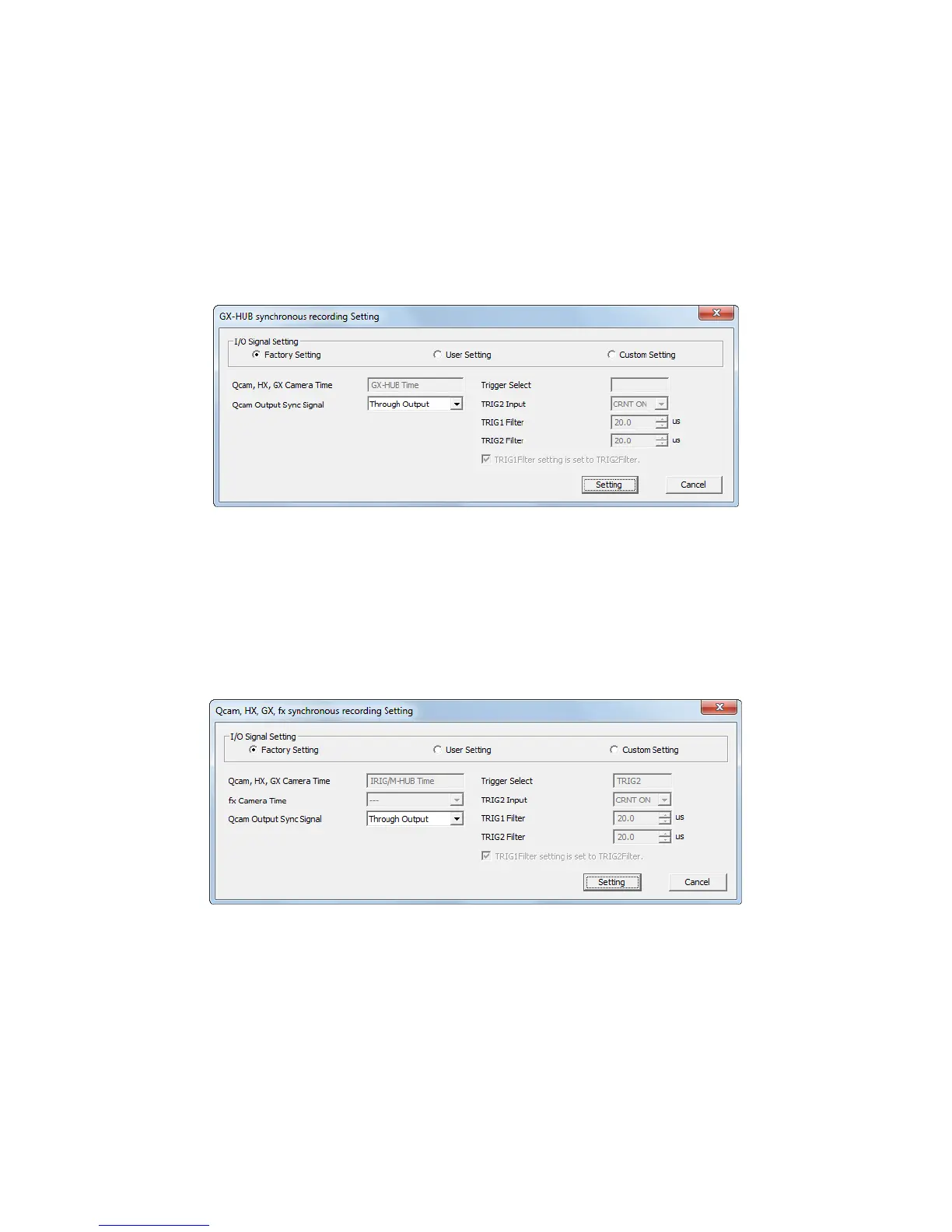
■GX-HUB Sync Recording
Settings for when performing sync recording with the GX series cameras using the GX-HUB.
Refer to page 8-9 for the procedure to set the GX-HUB sync recording.
Sets the HX and GX camera time and trigger input selection for GX-HUB recording. The HX
and GX camera sync is internal
Refer to page 6-12 for details on TRIG2 input selection and trigger filters.
Refer to page 3-9 for Qcam Output Sync signal.
■ Combined Qcam, HX, GX, fx Sync Recording
Settings for when performing sync recording with the HX series, GX series or fx series cameras
using the M-HUB or GX-HUB.
Refer to page 8-10 for the procedure to set the combined HX, GX, fx sync recording.
Sets the HX and GX camera time and trigger input selection to the combined HX, GX, fx sync
recording. The HX, GX and fx camera sync is internal
Refer to page 3-9 for Qcam output Sync Signal.
Refer to page 6-4 for details on fx camera time.
Refer to page 6-12 for details on TRIG2 input selection and trigger filters.



 To Next Page