(00292)H 8 - 31
■ Custom Settings
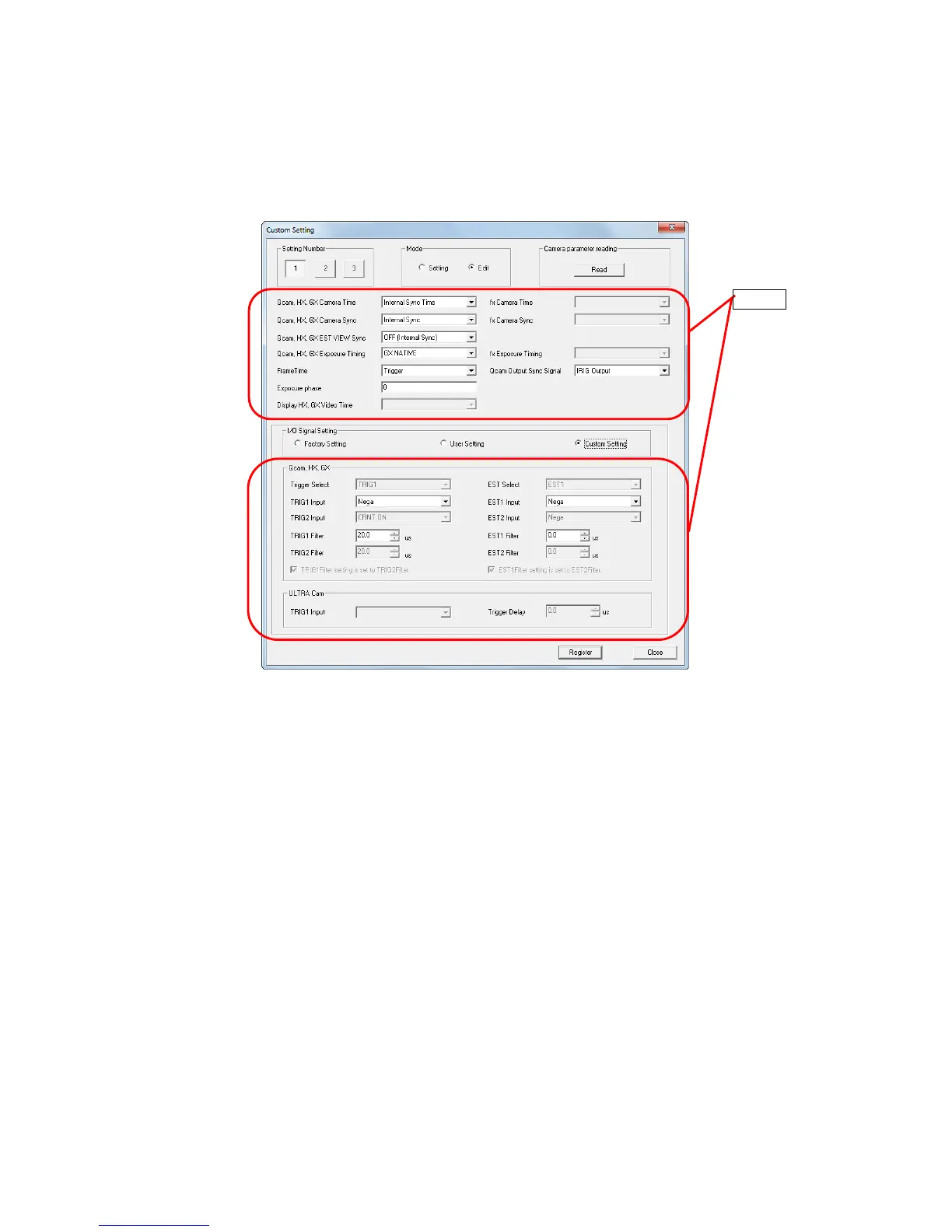
A maximum of 3 recording methods can be set to the HXLink, which can be batch set to the
connected camera.
If frequently used settings are registered to the custom settings, the camera can be set easily.
(1) Register setting details to the HXLink
Select the number to register to HXLink from the setting numbers “1~3”, and switch the mode
to “Edit”.
Each setting can be edited so edit the settings with the recording conditions.
For each “Input/Output Settings” item, select from Factory Shipment Settings/User Settings/
Custom Settings. Select “Custom Settings” to individually edit the settings relating to
input/output settings.
Click “Retrieve” in “Retrieve Camera Parameters” to display the camera item parameters
currently selected as settings.
Select “Custom Settings” in “Input/Output Settings” to retrieve the camera parameters when
connected to HX, GX and Q cameras.
Refer to the following pages for details on each of the settings.
Camera time, camera sync, EST view sync Page 6-4
Exposure timing Page 6-7
Absolute frame time Page 6-9
Exposure phase Pages 4-42, 8-16
Video TIME display (DATETIME display when recording) Page 6-15
Input/output signal settings Page 6-11



 To Next Page