11 - 4 (00292)H
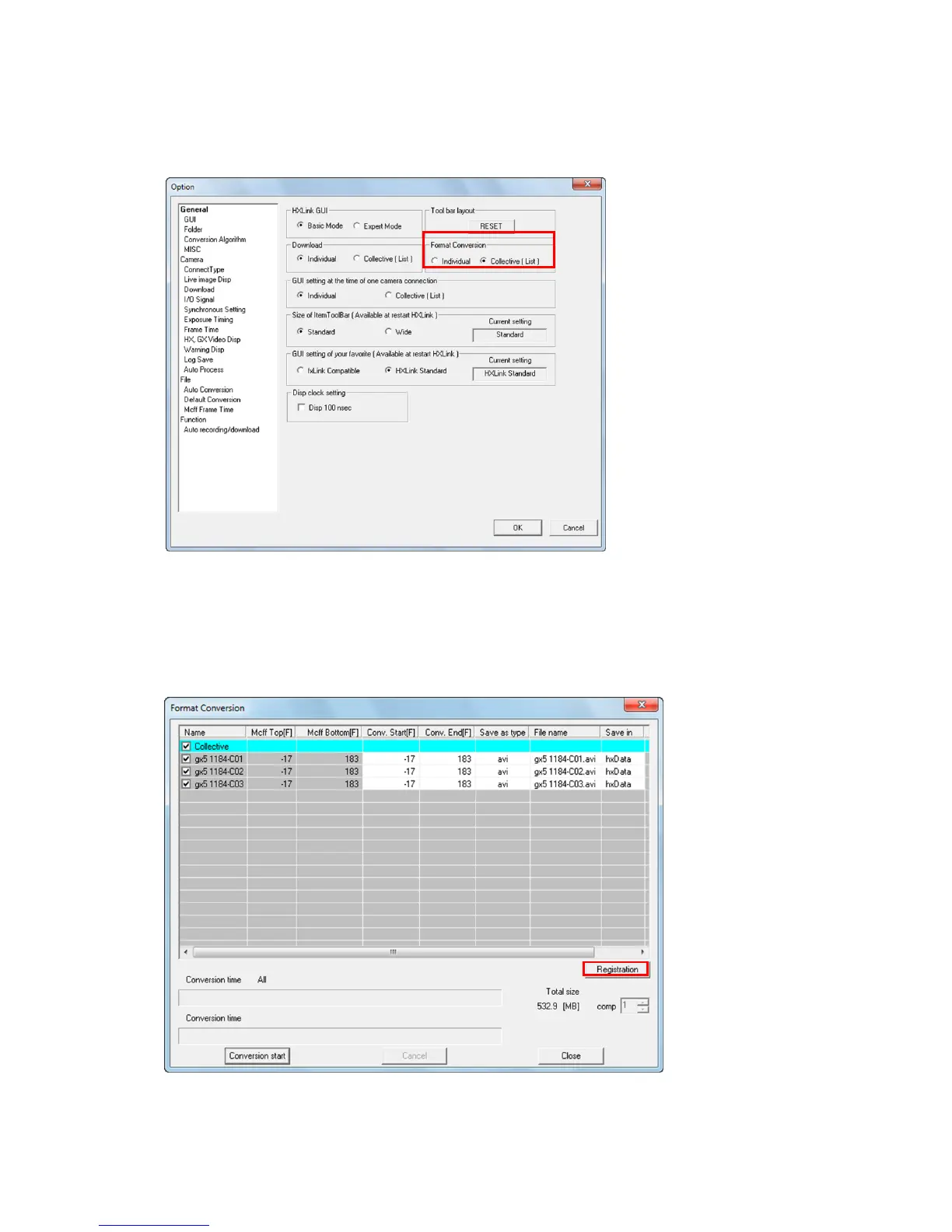
(2) Select the “GUI Settings” tab in “Options” in the HXLink settings menu, then select “Batch
Conversion (List)” in “Format Conversion” and click “OK”.
(3) Open the MCFF file with HXLink and after adjusting the image quality if necessary, click
“Format Conversion”.
(4) The format conversion dialogue appears. Specify the range・conversion format・file name・
folder for format conversion.


 To Next Page
 Loading...