(00292)H 11 - 5
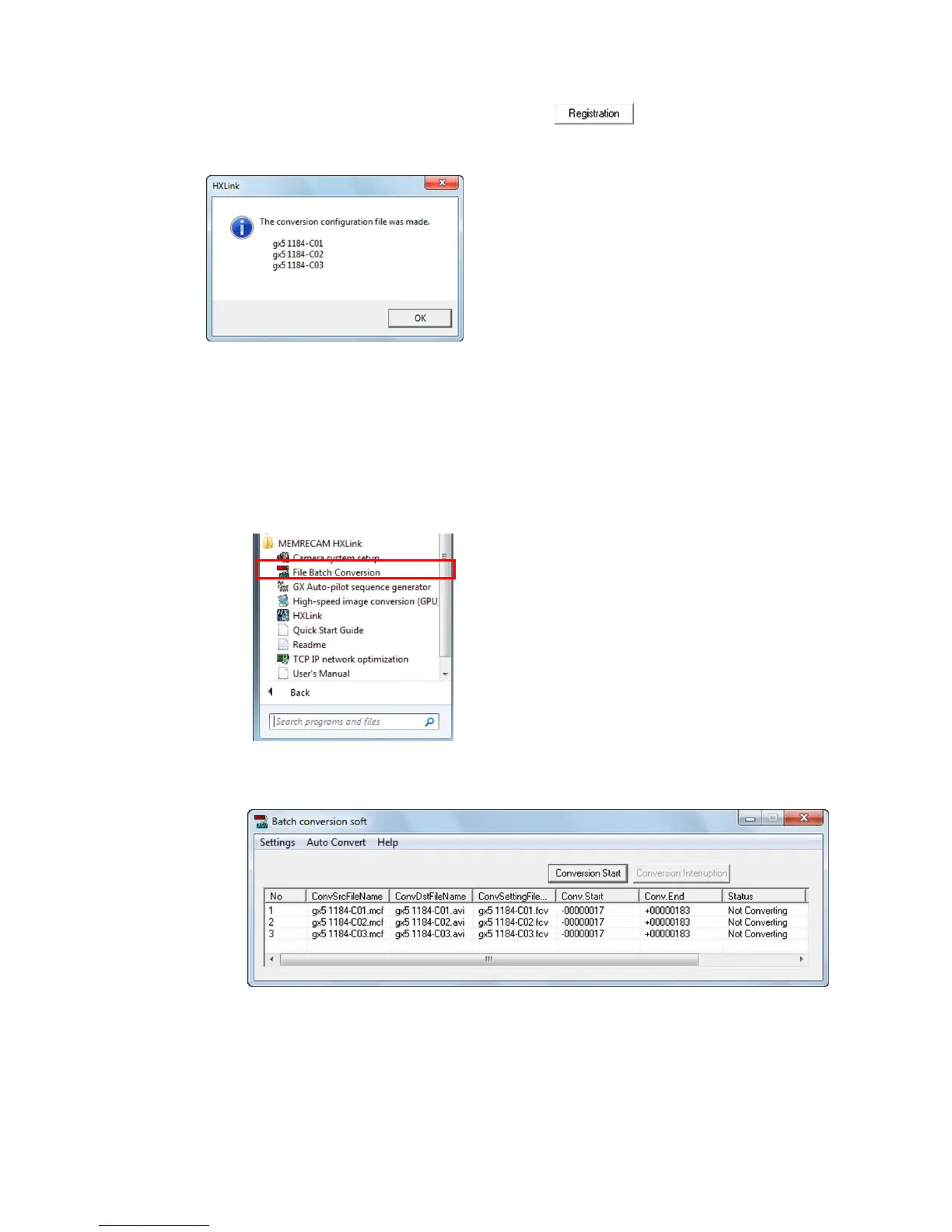
(5) Click the conversion settings file output button to create a batch conversion
settings file from the format conversion settings specified in the format conversion dialogue
list.
The batch conversion settings file is created in the specified folder.
Also, the conversion settings file (FCV) is created in the same folder as the source MCFF
file for the image quality settings・conversion range.
The number of times an MCFF can be set for the first conversion settings in (4) is limited.
Multiple conversions can be performed by repeating (3) to (5).
(6) Startup the batch conversion software program.
Click “Batch Conversion of Files” in “Start Menu” →
MEMRECAM HXLink.
Batch conversion software loads all of the batch conversion settings files in the source
folders and displays the conversion settings in a list.


 To Next Page
 Loading...