11 - 6 (00292)H
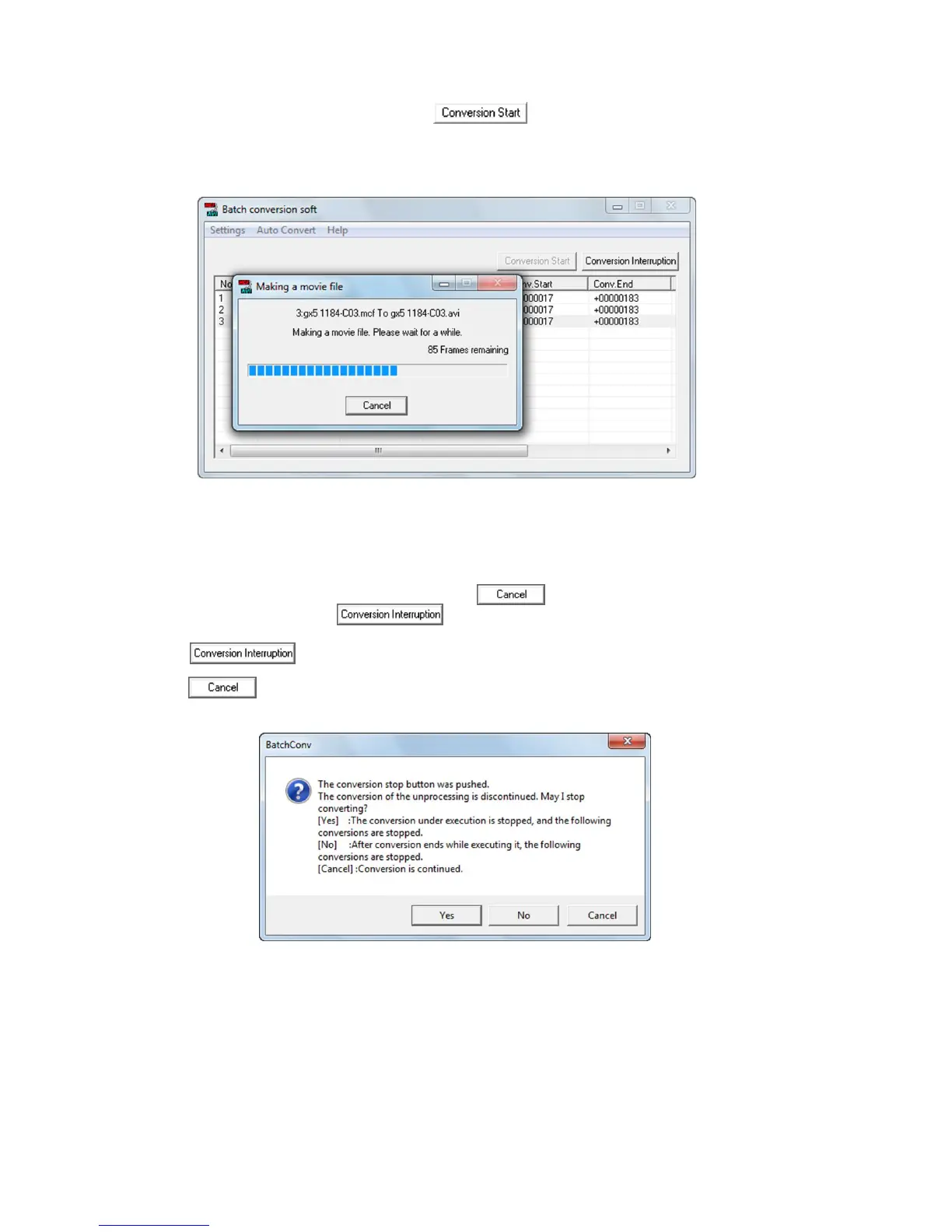
(7) Click the start conversion button to start format conversion. Once conversion is
executed, the list of conversion status switches to “Converting” and the converting format
dialogue appears.
If there is a source file, it is overwritten and saved.
If an error is generated during format conversion, details of the error are shown in the list of
error information and the following format conversion is started.
(8) To stop conversion, click the cancel button in the progress dialogue or click the
stop conversion button .
Immediately stops conversion.
Shows the window for ending conversion.


 To Next Page
 Loading...