2 - 10 (00292)H
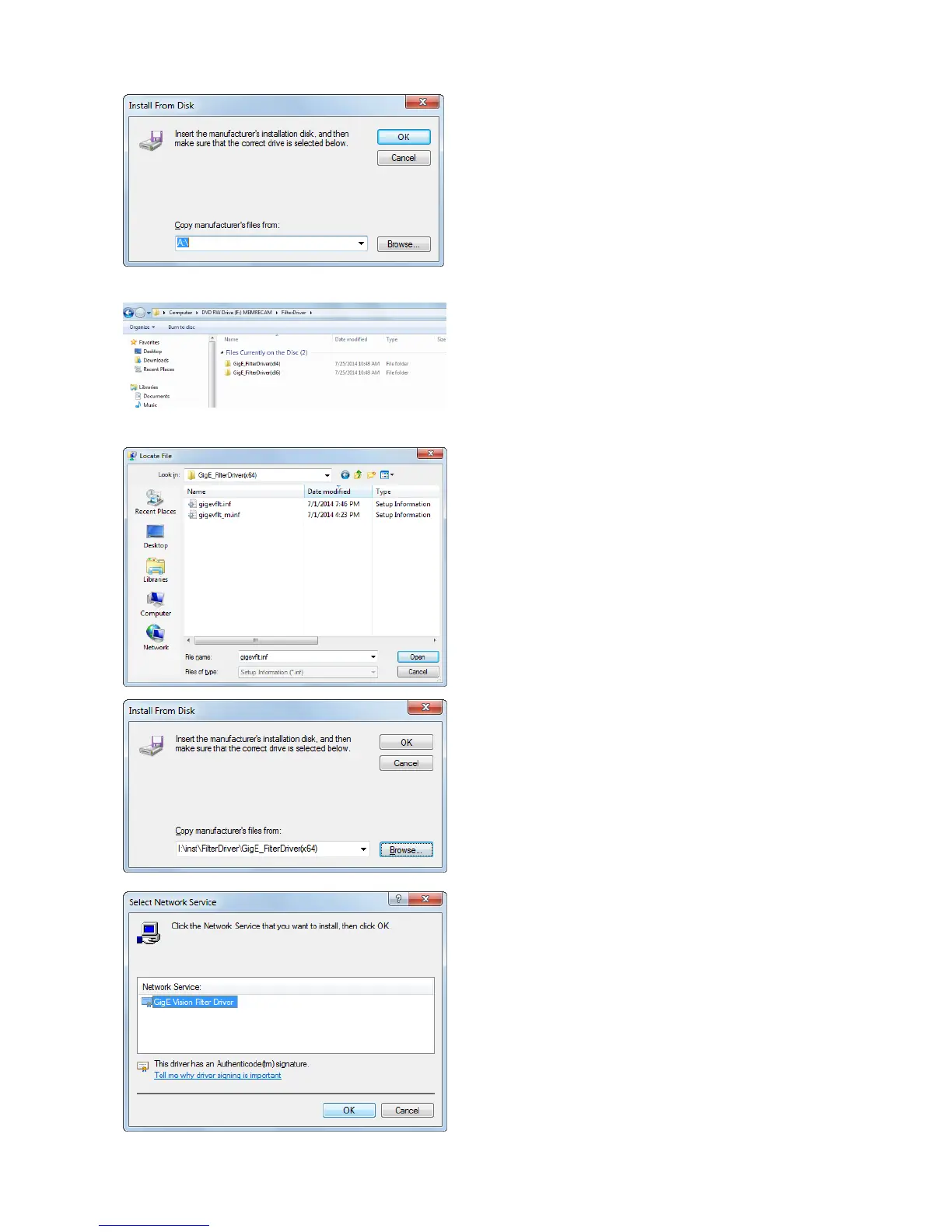
Click “Browse” to insert the manufacture’s
installation disk.
Open explorer and confirm the following folder
in install CD according to your OS.
32bit:GigE_FilterDriver(x86)
64bit:GigE_FilterDriver(x64)
At “File name” dialog, select “gigevflt.inf” in the
above folder you confirmed and click “Open”.
Click “OK”.
Select “GigE Vision Filter Driver” as the
Network service you want to install and click
“OK”.



 To Next Page