14 - 12 (00292)H
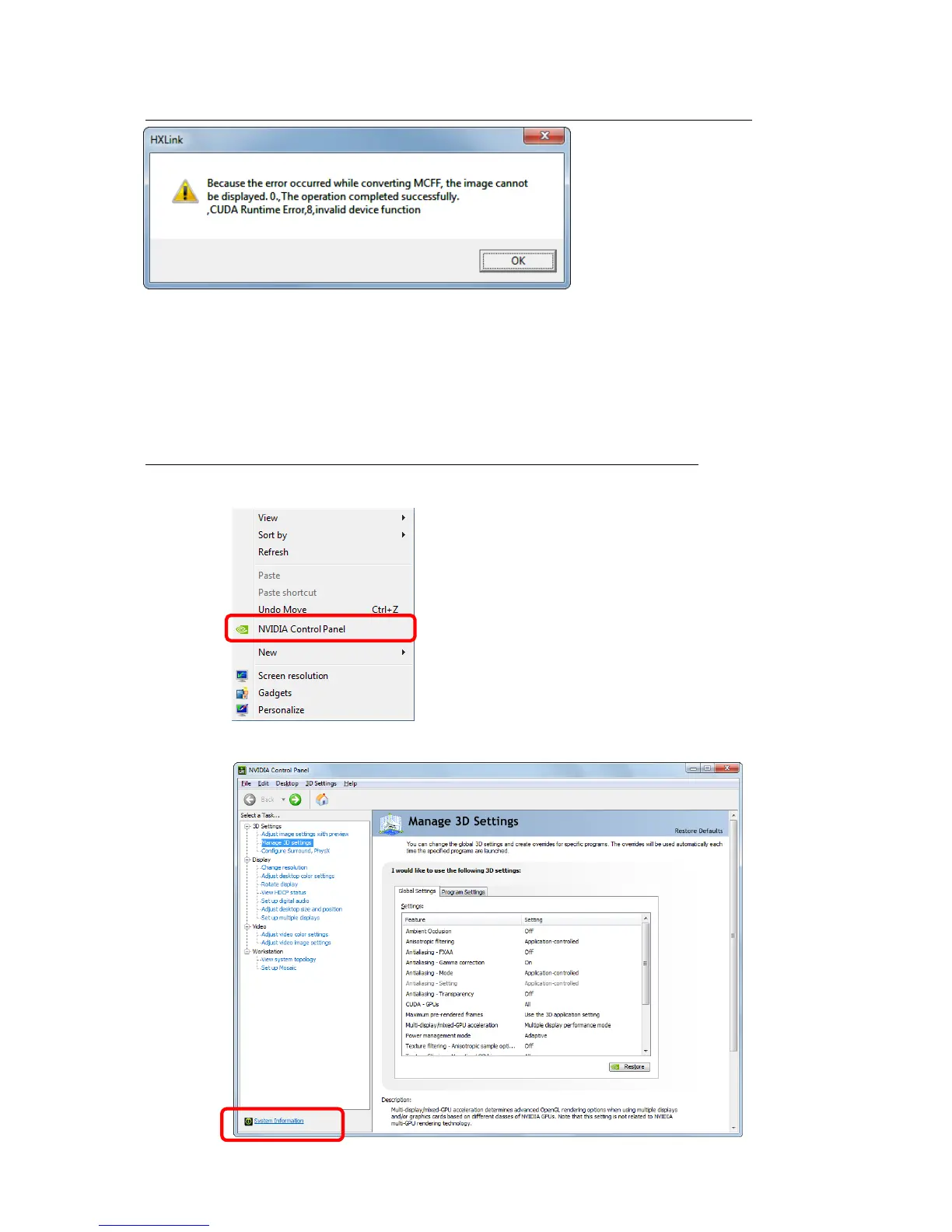
■ Select conversion algorithm D to open MCFF but a message is displayed and the MCFF is not
This message is displayed when the HXLink environment is compatible with a 195 or less driver
with a graphics board driver that is a version 256 or higher.
To remedy, re-install HXLink.
If other applications using MCFF are installed (MOVIAS Neo, CARS etc.), uninstall all of these
applications and then re-install.
■ Confirm that the NVIDIA driver version can be used with the conversion algorithm D
Confirm the NVIDIA driver version with the following process.
1) Right click on the PC screen and select “NVIDIA Control Panel” from the menu displayed.
2) Click “System Information” in the bottom left of the “NVIDIA Control Panel” displayed.



 To Next Page