(00292)H 2 - 17
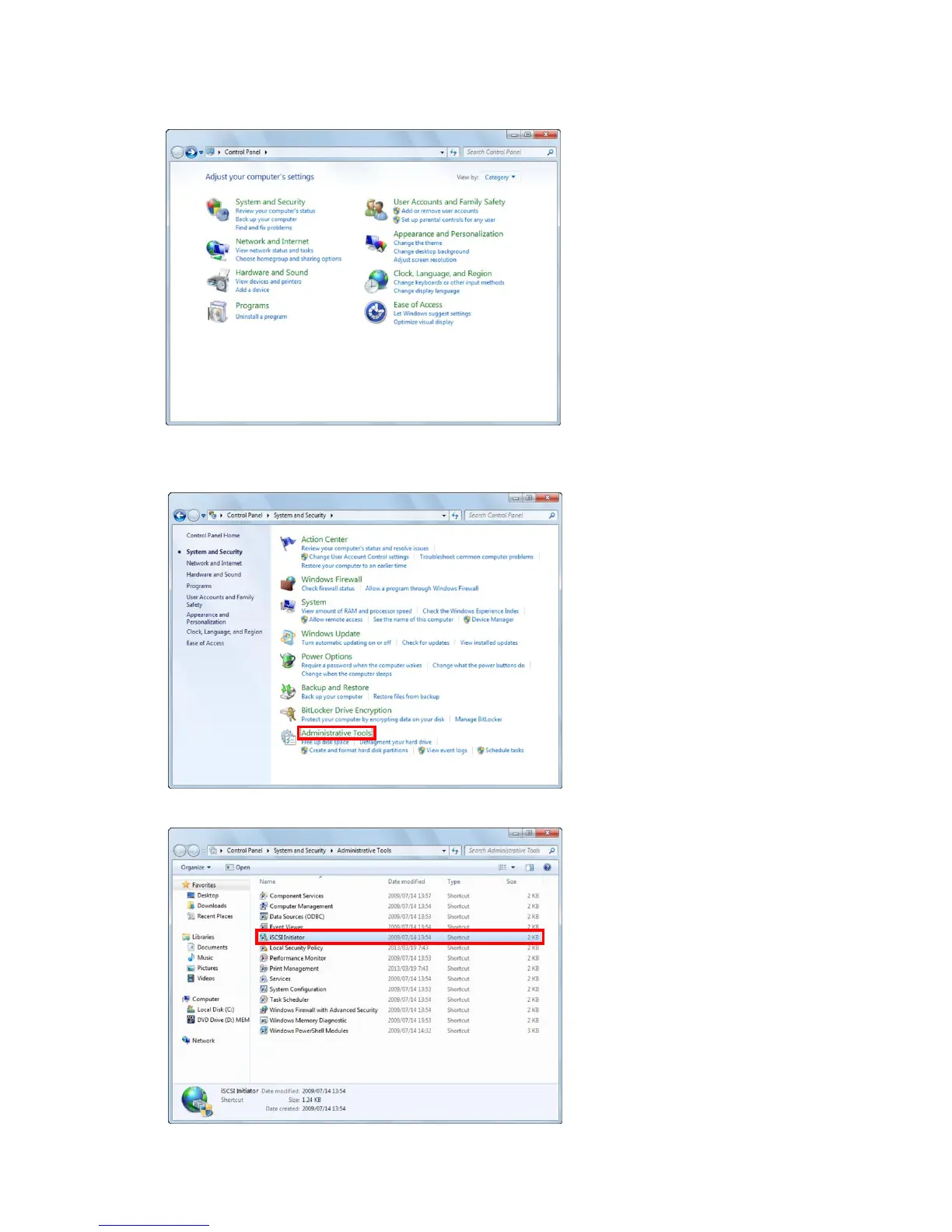
If connecting K5,RX-6G, RX-5G cameras with a Gbit (100BASE-T) connection using Windows
Vista/7/8, start up the "Microsoft iSCSI Initiator Service" according to the following procedures.
Windows Vista
Open the "Control Panel" and
double click on "System and
Maintenance".
Windows 7/8
Open the "Control Panel" and
double click on "System and
Security"
Double click on "Administrative
Tools".
In "Administrative Tools", double click
on "iSCSI Initiator".



 To Next Page