2 - 22 (00292)H
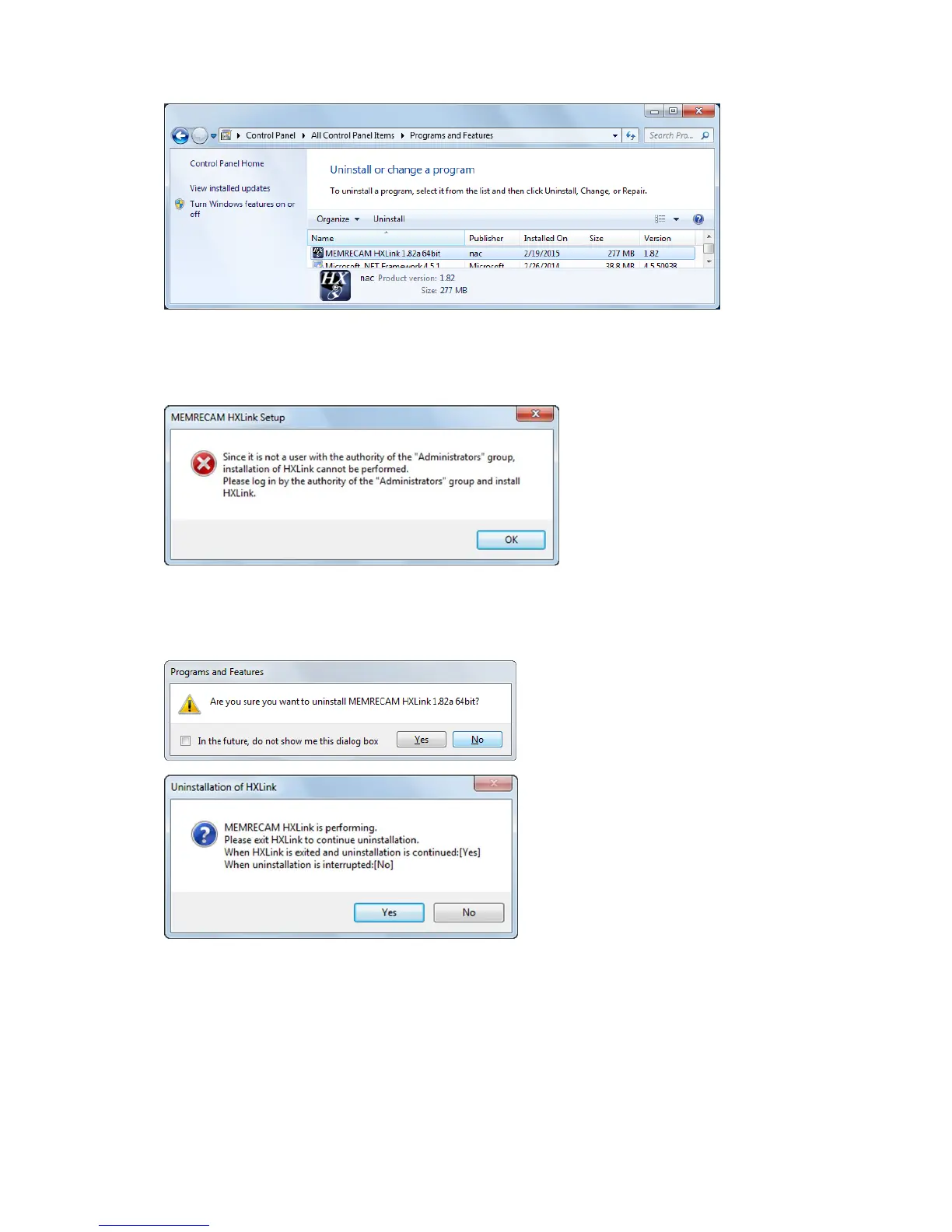
Select MEMRECAM HXLink from the list and double click.
Click "Continue" when the "User Account Controls" GUI is displayed and the "Uninstall
HXLink" appears.
The above message will appear if uninstalled by a user other than one with Administrator
authority. Make sure that a user with administrator authority logs on to uninstall HXLink.
Once the uninstall starts, a confirmation message appears.
Click " Yes" to start uninstallation.
HXLink cannot be uninstalled if
running.
The dialog shown to the left will
appear if HXLink is running, so
follow the instructions to proceed.
Once the uninstall is complete, the uninstalled program is removed from the "MEMRECAM
HXLink" list.



 To Next Page