(00292)H 2 - 23
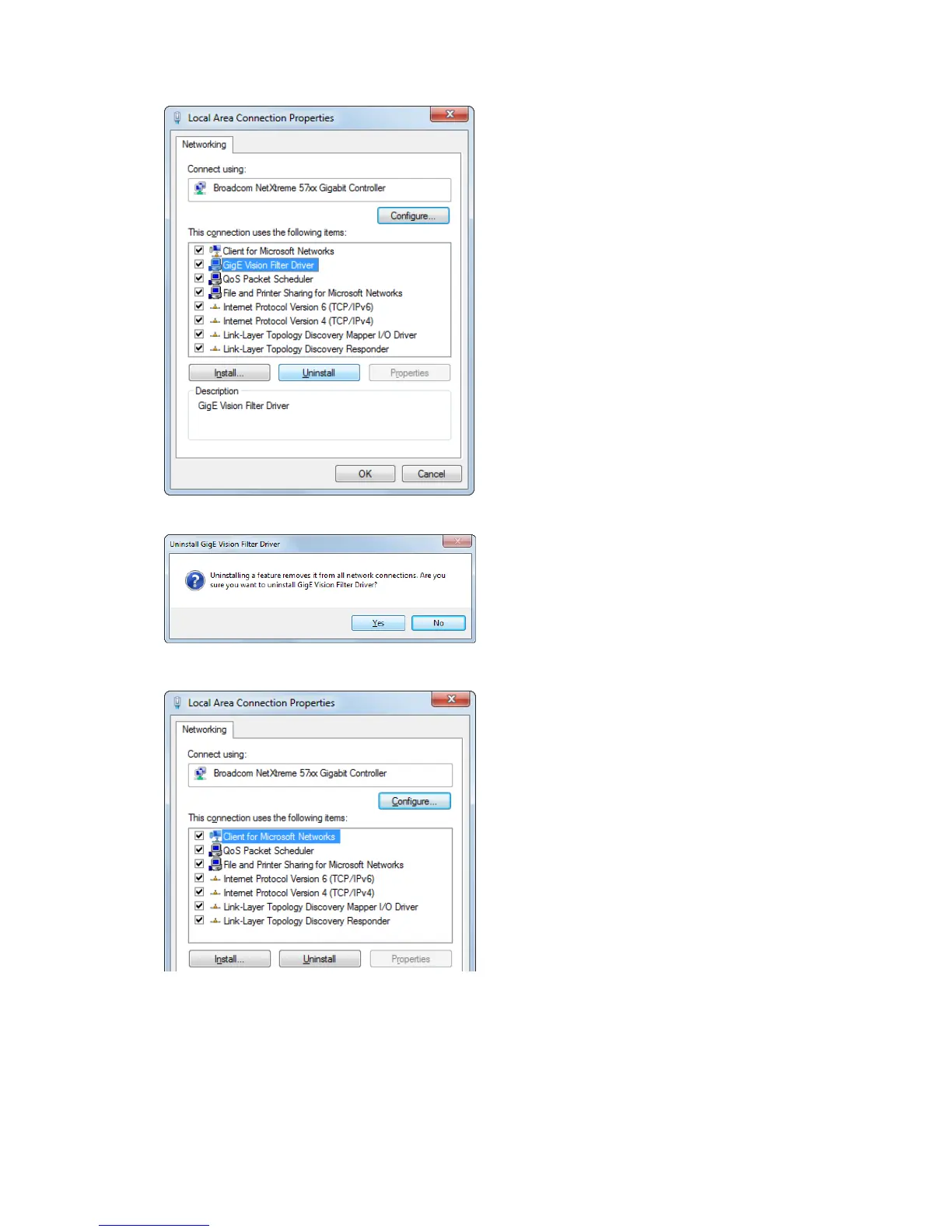
■Uninstall GigE Vision Filter Driver
Open “Properties” window for the local area
connection. Refer to page 2-8 for details.
Select “GigE Vision Filter Driver” and click
“Uninstall”.
Click “Yes”.
Then, uninstallation completed.
Open “Properties” window for the local area
connection again and make sure that “GigE
Vision Filter Driver” is deleted.
Then click “Close”.



 To Next Page