R&S
®
ZVA / R&S
®
ZVB / R&S
®
ZVT GUI Reference
Trace Menu
Operating Manual 1145.1084.12 – 30 120
CALCulate<Ch>:PARameter:MEASure "<Trace_Name>", "IP3LI" | "IM3LI"
| "LTI" | ...
Create new trace and select name and measurement parameter:
CALCulate<Ch>:PARameter:SDEFine "<Trace_Name>", "IP3LI" | "IM3LI"
| "LTI" | ...
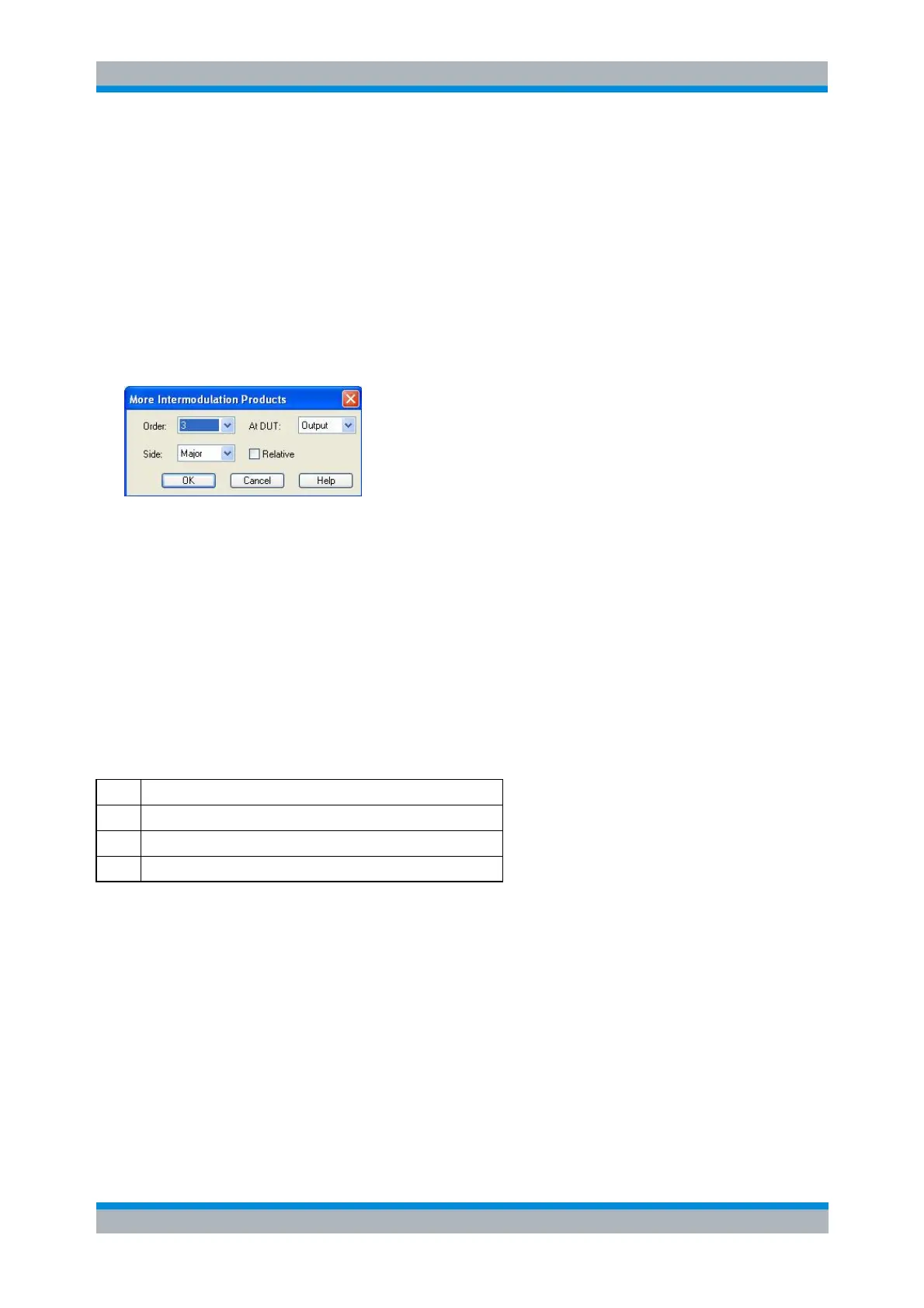
More Intermodulation Products
This dialog selects general intermodulation products.
The controls in the dialog define the order of the intermodulation product, measurement at the DUT input
or output, and the position of the intermodulation product relative to the lower and upper tones.
The Lower intermodulation products IM<Order>L are measured at frequencies below the lower
tone LT (above LT for intermodulation products at the DUT output in case of an inverted
frequency conversion, where IF = LO - RF).
The Upper intermodulation products IM<Order>R are measured at frequencies above the upper
tone UT (below UT for intermodulation products at the DUT output in case of an inverted
frequency conversion, where IF = LO - RF).
Major denotes the lower or upper intermodulation product, whichever is larger. The Major
intermodulation product reveals the worst-case performance of the DUT.
If Relative is selected, the intermodulation product is displayed in dBc units relative to the measured lower
or upper tone level (intermodulation suppression), as specified in the following table:
Relative Intermodulation Product
IM<Order>LR = IM<Order>L / LT
IM<Order>UR = IM<Order>U / UT
IM<Order>MR = max (IM<Order>L, IM<Order>U) / min (LT, UT)
In the case of a frequency sweep with constant source power settings, the power-calibrated input level
should be equal to the CW Power.
CALCulate<Ch>:PARameter:MEASure "<Trace_Name>", "IM3LI" | ...
Create new trace and select name and measurement parameter:
CALCulate<Ch>:PARameter:SDEFine "<Trace_Name>", "IM3LI" | ...
More Intercept Points
This dialog selects general intercept points. See Intermodulation distortion quantities for background
information.



 To Next Page