R&S
®
ZVA / R&S
®
ZVB / R&S
®
ZVT GUI Reference
Trace Menu
Operating Manual 1145.1084.12 – 30 200
Change the sweep range and the diagram scale (Marker Funct.).
Search for specific points on the trace (Search).
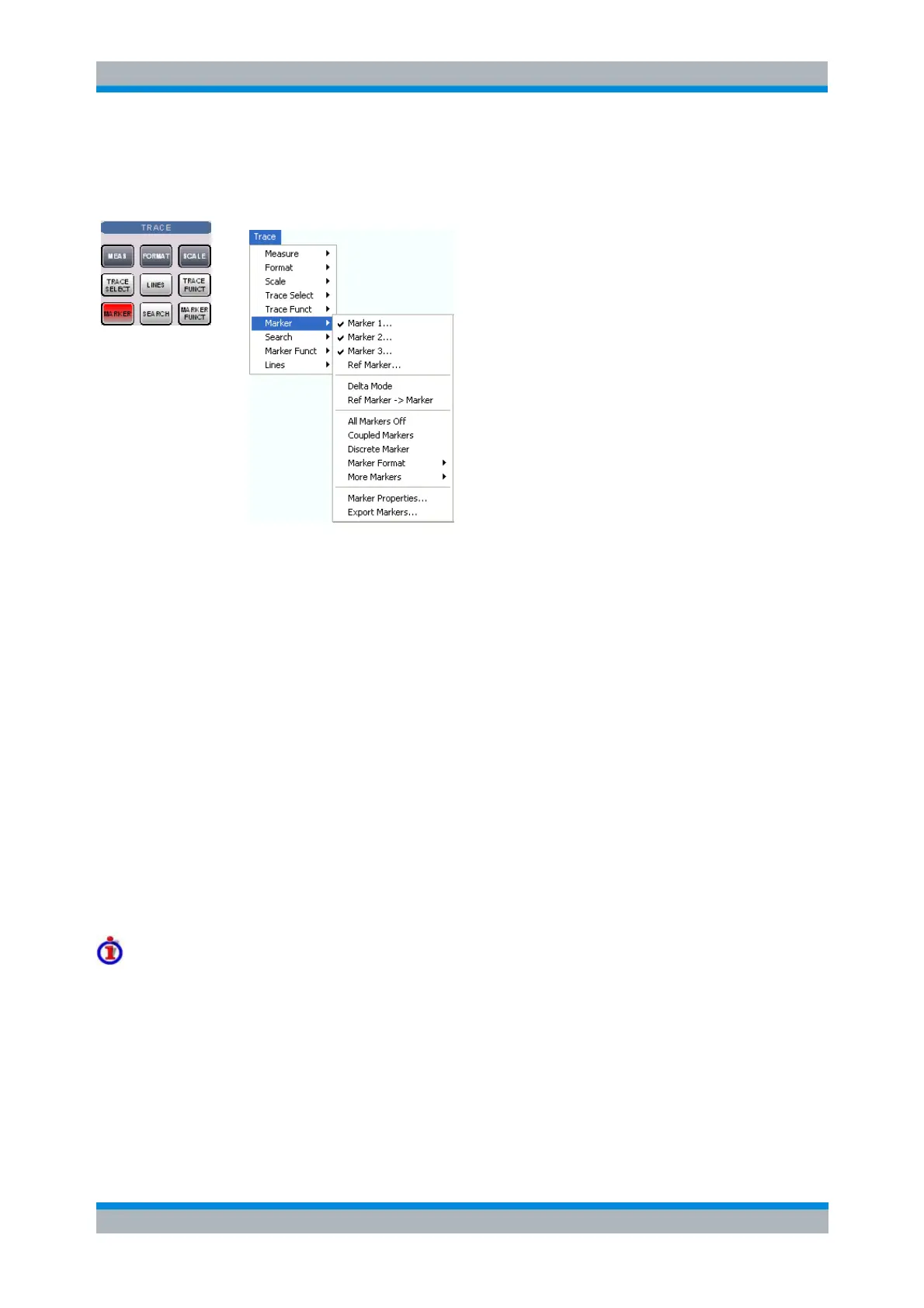
The Marker menu contains the following functions:
Marker 1/2/3 creates the markers numbered 1, 2, and 3.
Ref. Marker... creates the reference marker which is used to measure relative values and
distances.
Delta Mode activates the display of the active marker values relative to the reference marker.
Ref. Marker -> Marker places the reference marker to the position of the active marker.
All Markers Off removes all markers from all traces of the active setup.
Coupled Markers couples the markers on different traces.
Discrete Marker turns the active marker into a discrete marker and vice versa.
More Markers opens a submenu to create the markers numbered 4 to 10.
Marker Format defines an output format for the (complex) marker values.
More Markers opens a submenu to create the markers numbered 4 to 10.
Marker Properties... opens a dialog with extended marker settings.
Export Markers... exports the marker values to an ASCII file.
Toggle functions in the Marker menu
Some of the Marker functions toggle between two alternative states when they are pressed repeatedly:
Delta Mode switches the delta mode for the active marker on or off.
Coupled Mkrs activates or deactivates marker coupling.
Marker 1, ..., Marker 10 and Ref. Marker create a marker or remove it from the display. A removed
marker remembers its properties (stimulus value, format, delta mode, number) and will be
restored with these properties when Marker <n> or Ref. Marker is selected again. The marker
properties are definitely lost when the associated trace is deleted.



 To Next Page