R&S
®
ZVA / R&S
®
ZVB / R&S
®
ZVT GUI Reference
Trace Menu
Operating Manual 1145.1084.12 – 30 205
CALCulate<Chn>:MARKer<Mk>:FORMat ...
More Markers
Opens a submenu to create the markers numbered 4 to 10. The markers are analogous to marker no. 1 to
3.
CALCulate<Chn>:MARKer<Mk>[:STATe] ON
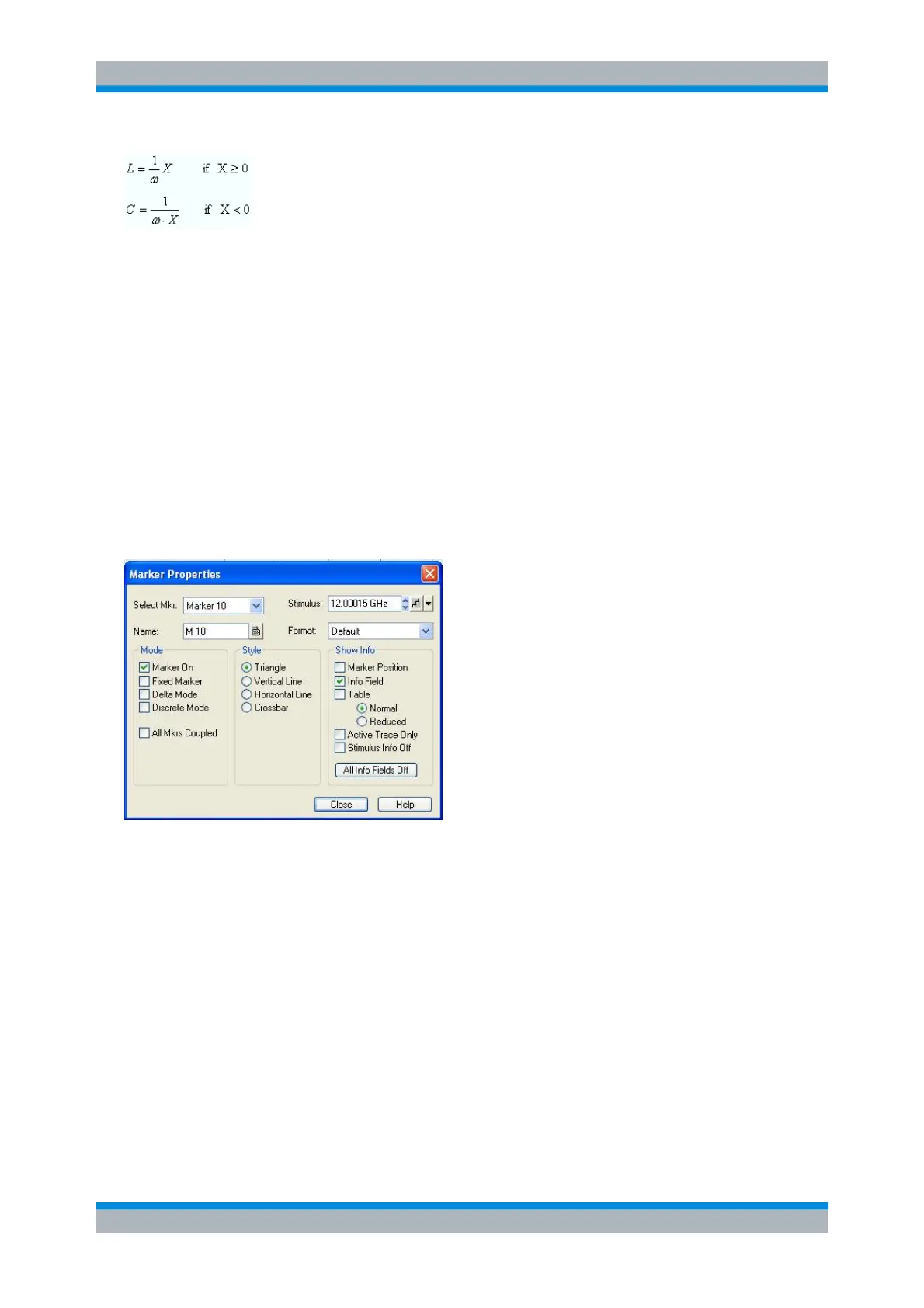
Marker Properties...
Opens a dialog to define the properties of all markers of the active trace.
In the left part the dialog contains four input fields and drop-down lists to select a marker and define the
basic properties of a selected marker which is switched on in the Mode panel.
Select Mkr. opens a drop-down list to select the Ref. Marker or one of the Marker 1, ... 10 that
may be associated to the active trace.
Name defines a marker name which may exceed the length of the input box and contain letters,
numbers, blanks and special characters.
Stimulus defines the stimulus value (in Cartesian diagrams: the x-axis position) of the marker.
Format defines the output format of the marker value.
The Mode panel contains check boxes to select properties that are related to the marker positions. All
properties can be combined.
Marker On displays the selected marker in the diagram and in the marker info field or removes it.
Marker configurations are only available while the marker is switched On. A removed marker
remembers its properties (stimulus value, format, delta mode, number ...) when it is switched on
again. The marker properties are definitely lost if the associated trace is deleted.



 To Next Page